10 Front End Developer Technologies for 2026 Modernization
On this page
- Overview
- What are front end technologies?
- Which of the latest front end technologies belong on a 2026 shortlist?
- Which front end technology should a modernization project choose?
- 1. React
- Where React wins
- Where React goes wrong
- 2. Vue.js
- Why Vue works in migrations
- Where to be strict
- 3. Angular
- Why Angular earns its keep
- Where Angular hurts
- 4. TypeScript
- What TypeScript changes
- Where TypeScript adoption goes wrong
- 5. Next.js
- When Next.js is the right modernization move
- Where teams create avoidable pain
- 6. Webpack
- Why Webpack still matters
- The actual risk
- 7. Tailwind CSS
- Where Tailwind pays off
- Where it backfires
- 8. Vite
- Why Vite belongs in modern stacks
- The catch
- 9. Storybook
- Why Storybook belongs at the start
- 10. Jest
- Why Jest still earns budget
- Top 10 Front-End Tech Comparison
- The Decision Framework for Your Next Steps
Choose a front end stack that fits the interface you need to replace, the team's experience and the migration sequence. Use the shortlist below to narrow the options, then check the tradeoffs in each technology section.
What are front end technologies?
Front end technologies are the languages, frameworks and tools used to build the interface people see and use in a browser. HTML, CSS and JavaScript are the foundation. React, Vue and Angular organize the UI; TypeScript adds static type checking; Next.js handles application rendering and routing; and build, styling and testing tools support delivery.
Which of the latest front end technologies belong on a 2026 shortlist?
For a 2026 modernization shortlist, evaluate React, Vue or Angular for the UI, TypeScript for typed contracts, and Next.js when server rendering is required. Vite and Webpack handle builds; Tailwind CSS handles styling; Storybook supports component development; and Jest runs tests. This shortlist covers established options, not the newest releases.
Which front end technology should a modernization project choose?
Use the existing architecture and a representative migration slice to narrow the choice. These are editorial selection criteria, not measured cost or success-rate benchmarks.
| Project constraint | Start by evaluating | What to check in a pilot |
|---|---|---|
| Replace individual widgets or routes while the existing app stays live | React | Mounting boundaries, shared state, routing and regression coverage |
| Add components to existing HTML and templates | Vue | Template integration, team familiarity and the path to larger application surfaces |
| Standardize routing, forms and application conventions across teams | Angular | Training needs, dependency injection, forms and integration with existing services |
| Change how React pages are rendered and delivered | Next.js | Server/client boundaries, caching, hosting and deployment responsibilities |
Add TypeScript and supporting tools according to the gaps in that pilot. A UI framework, a type checker and a build tool do different jobs; selecting one does not replace the others.
1. React
React is a UI library that supports replacing components or routes while the existing application stays live. Its existing-project guide describes both mounting components inside existing pages and serving a React application under a subroute. Use these integration paths to test an incremental replacement against your application's requirements.
Where React wins
A useful pilot is an interactive form inside a server-rendered screen. Give React ownership of a defined DOM region, preserve the surrounding page, and test the form against the existing API. Check what happens when users navigate away, return with browser history, or encounter an expired session.
For a larger route replacement, decide how old and new routes share navigation, authentication and data. Choose the framework or supporting libraries that will handle those responsibilities.
Where React goes wrong
Document state ownership, routing, error handling and regression tests before several teams adopt different conventions. Reuse the existing build setup if it supports the new surface; changing the UI library and bundler together can make failures harder to isolate. Add a rollback route or feature flag that you can exercise in the pilot.
2. Vue.js
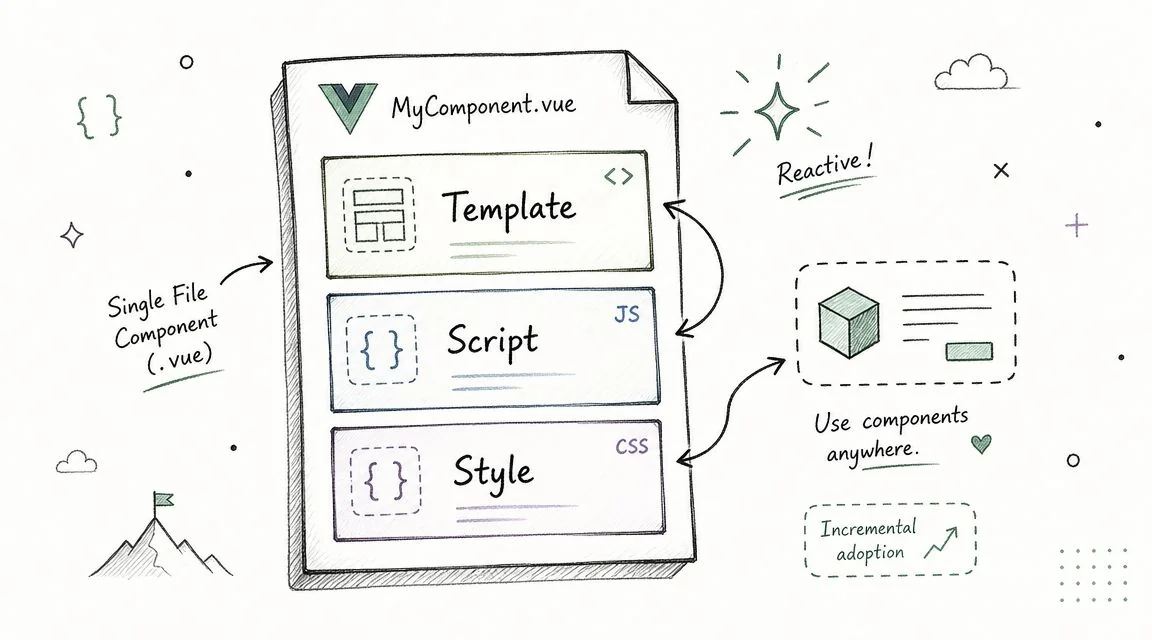
Vue is a UI framework that supports progressive enhancement as well as full applications. The Vue 3 introduction explicitly includes enhancing existing HTML without a build step, component-based applications and server rendering. In projects with a build setup, Single-File Components combine template, logic and styles.
Why Vue works in migrations
Test Vue when a server-rendered application needs interactive components in selected regions. Start with a component whose inputs and events you can define independently of the rest of the page. Keep legacy handlers from also changing the DOM region Vue owns.
Then test whether moving a whole route into Vue would simplify delivery. Have engineers familiar with HTML templates build the pilot and record what they need to learn.
Where to be strict
Choose component and state conventions that match the intended application size. Define the boundary between local UI state and shared data, and test integration with the server templates. A Vue widget pilot does not validate an entire server-rendering architecture; treat that as a separate application decision.
3. Angular
Angular is an application framework with shared conventions for workflow-heavy screens. Its official overview documents components, signals, dependency injection, routing, forms and server rendering. For complex forms or multi-step business processes, test these capabilities alongside the team's training and maintenance needs.
Why Angular earns its keep
Choose a pilot with the features that drive your architecture: permissions, validation, navigation and service integration. Have the engineers who will maintain the application build and review it. Record what they need to learn and which conventions help them complete the workflow.
Angular can provide common application mechanisms, but teams still need rules for module boundaries, accessibility, testing and releases. Include training for current Angular even when the team has AngularJS experience.
Where Angular hurts
Compare the amount of application structure required by the target workflow with the cost of adopting it. For a small widget embedded in an otherwise stable page, a narrower UI integration may be sufficient. For a substantial application replacement, include upgrade ownership and dependency management in the decision.
4. TypeScript
TypeScript adds compile-time type checking to JavaScript. Its handbook explains that types are erased: they do not change JavaScript's runtime behavior. Validate incoming API data and check permissions at runtime, even when the response has a TypeScript type.
What TypeScript changes
Start with shared API contracts and the state models used by the migration slice. Keep runtime validation at external boundaries and tests for business behavior. When API modernization changes a payload, update the contract and verify both producers and consumers.
Where TypeScript adoption goes wrong
Tighten type checking in the code being changed and plan how to resolve existing errors. Review code that bypasses checking in shared utilities, where it can conceal problems across many components. TypeScript is useful across the UI choices in this article; it does not select a rendering model, validate production data or replace testing.
5. Next.js
Next.js is a React application framework to evaluate when the migration changes routing and page delivery as well as the UI. Its App Router documentation distinguishes Server Components for server-side work from Client Components for interactions and browser APIs. Client Components also participate in the initial server-rendered HTML before becoming interactive in the browser.
When Next.js is the right modernization move
Pilot a route that combines server-fetched data with a realistic interaction. Verify authentication, cache freshness, errors and direct page loads as well as navigation within the application. Specify which logic runs on the server and what data crosses to the browser.
A server-rendered legacy application may already deliver useful HTML. Retain it where appropriate and compare a Next.js route against that baseline, including server response time and browser work. Measure performance and search results before attributing an improvement to the framework.
Where teams create avoidable pain
Assign ownership for hosting, runtime upgrades, cache policy and deployment rollback. Check the documentation for the release and router you intend to use before estimating implementation. You can change page delivery alongside API modernization or keep the existing back end.
6. Webpack
Webpack builds application assets. Its core concepts cover entry points, output, loaders and plugins. Those mechanisms are relevant when an existing application depends on custom asset transformations or multiple bundles.
Why Webpack still matters
If Webpack already produces the assets the legacy server expects, assess whether it can build the replacement UI alongside them. Document entry points, transformations and output paths. Keeping that contract stable can let the team test the UI change separately from a build migration.
The actual risk
Compare build time and output size in your project before choosing a replacement. A move to Vite should account for the existing pipeline's responsibilities, including assets, aliases and deployment packaging.
7. Tailwind CSS
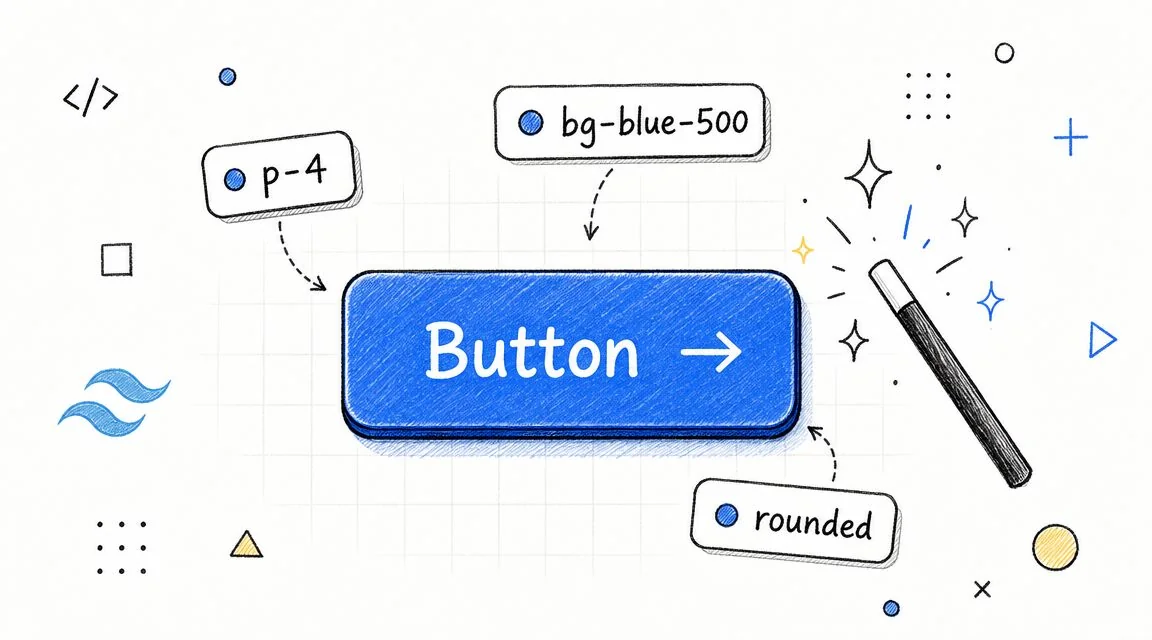
Tailwind CSS provides utility classes for styling. Its utility-class documentation covers states, responsive styles, component composition and coexistence with custom CSS. It supports design-system implementation, but the classes themselves do not define accessible behavior or a complete component system.
Where Tailwind pays off
Use a representative component to test how shared colors, spacing, typography and variants will be expressed. Put repeated utility combinations into reusable components. Keep keyboard behavior, focus states and error messages in the component acceptance criteria.
Where it backfires
During coexistence, check conflicts with legacy styles and resets across both old and new screens. Preserve working CSS where rewriting it adds no migration value. Follow the styling and theme conventions for the Tailwind release selected for the project; older configuration examples should not be copied without review.
8. Vite
Vite provides a development server and a production build workflow, as described in its getting-started guide. Evaluate it for a new component library, route group or replacement application when the existing framework and deployment model support that setup.
Why Vite belongs in modern stacks
Compare feedback time using the same representative change on the team's actual machines. Then build and serve the production output; a working development server alone does not validate the deployment.
The catch
Before replacing Webpack, inventory asset handling, aliases, environment-variable exposure, plugins and the paths expected by the existing server. Use a separate build for a new surface if that creates a useful migration boundary. If an application framework owns its build pipeline, start with that framework's supported tooling rather than choosing Vite independently.
9. Storybook
Storybook is a workshop for components and pages in isolation. Its documentation describes stories as component states and provides documentation and testing workflows. This makes it useful when modernization includes a shared component or design system.
Why Storybook belongs at the start
Include loading, empty, error, permission-restricted and long-content states for the components being migrated. Designers, engineers and QA can review these states without recreating each one in the full application. Assign ownership for keeping stories consistent with production components.
Configure interaction, visual and accessibility checks deliberately. Having stories does not mean those checks are running, and isolated component checks do not demonstrate that authentication or navigation works in the assembled application.
Use the current documentation for setup details when following the walkthrough below:
10. Jest
Jest is a test-runner option to evaluate alongside the framework and build setup. Use its getting-started documentation to check the setup required by the chosen stack. Keep useful existing Jest tests while the UI changes.
Why Jest still earns budget
Start with the calculations, validation and state transitions that the migration must preserve. For components, assert what users can observe and do rather than approving large snapshots without review. Verify that mocks still represent the API behavior the application depends on.
Keep browser-level coverage for the critical flow across old and new routes, including failed requests and expired sessions. Coverage percentages and passing unit tests alone do not demonstrate that the migration works in production. Evaluate a runner change separately if the current tests no longer fit the application or build tooling.
Top 10 Front-End Tech Comparison
HTML, CSS and JavaScript remain the browser foundations. The ten tools below support different parts of the stack: UI structure, type checking, rendering, builds, styling, component development and testing. Each row links to the tool's primary documentation. Migration fit and pilot checks are editorial guidance, not measured staffing, productivity or payback benchmarks.
| Technology | Stack layer and documented role | Migration fit to evaluate | Constraint to resolve in a pilot |
|---|---|---|---|
| React | UI library; components within existing pages or a subroute | Incremental widget or route replacement | DOM ownership, shared state, routing and rollback |
| Vue.js | UI framework; progressive enhancement and component-based applications | Add interaction to existing templates, then evaluate larger surfaces | Legacy handler coexistence, component conventions and server integration |
| Angular | Application framework; components, dependency injection, routing and forms | Workflow-heavy application surfaces needing shared conventions | Training needs, permissions, forms and upgrade ownership |
| TypeScript | Language and compile-time checking; types erased at runtime | Shared contracts and state models across the migration | Runtime validation, unsafe type escapes and staged strictness |
| Next.js | React application and rendering framework; server/client composition | Replace server-rendered routes or change page delivery | Authentication, cache freshness, hosting and client boundaries |
| Webpack | Build tooling; entries, loaders, plugins and output bundles | Retain or adapt an existing asset pipeline | Transformations, output paths, bundle size and configuration ownership |
| Tailwind CSS | Styling; utilities, state variants and responsive styles | Refresh styling while building reusable components | Legacy CSS conflicts, shared tokens and accessible component behavior |
| Vite | Build tooling; development server and production build | New migration surfaces with a compatible deployment contract | Production output, assets, plugins and framework compatibility |
| Storybook | Component workshop; isolated states, documentation and testing workflows | Shared component/design-system refresh | Story maintenance, configured checks and full-application integration |
| Jest | Test runner | Retain or establish tests for migrated behavior | Stack setup, reliable mocks and complementary browser tests |
The Decision Framework for Your Next Steps
Select the smallest stack that can deliver the representative migration slice. Keep the architecture decision separate from estimates for the wider rollout.
- Choose a widget, route or component family with clear inputs and ownership. Record what remains in the legacy application and how users move between the two.
- Keep useful server-rendered HTML, working styles and reliable tests while one surface changes. Replacing every layer at once needs a specific justification.
- Test a business flow with realistic data, permissions, validation, errors and session expiry. Compare behavior, accessibility and performance against the old implementation.
- Have the engineers who will maintain the stack implement and review the slice. Use observed training and delivery needs rather than ecosystem popularity to forecast staffing.
- Exercise direct links, browser history and the path back to the old surface. Record the dependencies and deployment responsibilities before extending the rollout.
For incremental UI replacement, begin with the React or Vue paths in the early selector and test the integration boundary. For server-rendered screens, compare preserving the current server with adopting an application framework. For a component/design-system refresh, evaluate styling and Storybook alongside the existing UI framework before deciding that the whole application needs replacement. Use the pilot results to decide whether to extend the migration.
For engagement scope and delivery responsibilities, use the frontend modernization services guide.
When you need an implementation partner, use the frontend modernization companies comparison to find candidates for a UI migration pilot. Ask for evidence from the same kind of migration: route or component boundaries, coexistence with the old interface, API contract checks, accessibility and visual regression results, and a tested rollback. Have the team that will do the work migrate one critical user flow and measure it against your baseline before estimating the wider rollout.
Chief Analyst, Software Modernization Intelligence · 10+ years B2B market research
Published: ·Updated: