Containerizing Legacy Applications: A Defensible Playbook
A practical playbook for containerizing legacy applications. Get an assessment checklist, failure-rate data, migration patterns, and when not to containerize.
On this page
- Overview
- The 80 Percent Problem Driving Containerization
- Why containerization is the pragmatic bridge
- Why some apps should never be containerized
- The Go/No-Go Assessment Checklist
- Technical fit
- State and integration complexity
- Business value and financial exposure
- Team readiness
- Choosing Your Migration Pattern and Packaging Strategy
- Lift and shift into containers
- Replatform around the application
- Refactor for container-native operation
- What works and what fails
- Orchestration and State Management
- When Kubernetes is the right answer
- Why state is the real design problem
- A practical state handling model
- Simpler options are often the better answer
- Common Failure Points and How to Mitigate Them
- Where projects actually fail
- Persistence breaks first because teams underestimate it
- Networking fails because legacy apps expect too much certainty
- Resource controls are not optional hygiene
- Building the Business Case and Your Next Move
- A practical decision model for CTOs
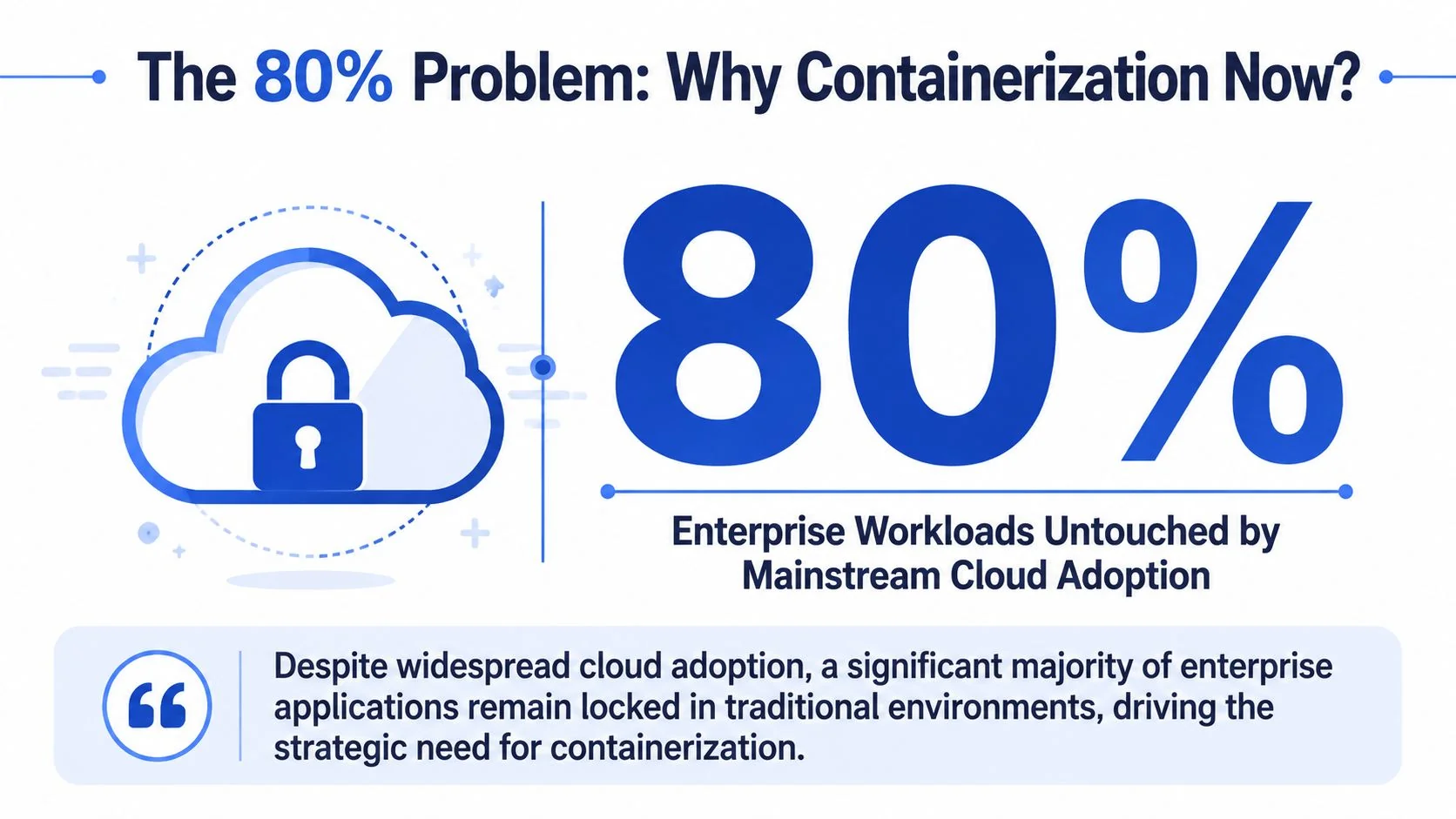
Only 20% of enterprise workloads have migrated to the cloud, leaving 80% still outside mainstream cloud adoption according to Wissen’s analysis of legacy application containerization. That number changes the conversation. Containerizing legacy applications responds to a modernization bottleneck that boards, CFOs, and engineering leaders have already paid for in slow releases, brittle operations, and infrastructure that can’t absorb change.
Containerization sits in an awkward middle ground. It’s often the fastest path to operational improvement for legacy systems. It’s also one of the easiest ways to waste budget when teams containerize the wrong applications, preserve the wrong assumptions, or treat packaging as modernization. A container image can hide debt. It doesn’t remove it.
The defensible approach is simple. Use containerization when it reduces platform friction, improves operability, and creates a cleaner path to later refactoring. Reject it when the application is too tightly bound to hardware, kernel behavior, or proprietary runtimes to make the effort worthwhile. The CTO’s job is to decide where containerization creates enterprise value and where it becomes an expensive detour.
The 80 Percent Problem Driving Containerization
Only 20% of enterprise workloads have moved to the cloud, which leaves most of the portfolio in traditional environments, according to the earlier cited Wissen analysis. For CTOs, that 80% is a capital allocation problem.
The constraint is usually structural. Legacy systems were built around assumptions that break under modern platform models: tight coupling to a specific operating system, state written to local disk, fixed network expectations, batch windows, host-level access, or middleware that was never designed for ephemeral runtime environments. Teams avoid cloud because these applications carry migration risk that can exceed the value of a fast move.
That is the primary driver behind containerization. It gives organizations a way to reduce environmental variance, standardize packaging, and improve release discipline without paying rewrite costs up front. In portfolios we assess, that makes containers useful when the business needs operational gains now but cannot justify a multi-year rebuild.
The financial case depends on failure modes, not just technical fit.
A legacy application that fails because of state handling, network behavior, or hidden runtime dependencies can erase the expected savings from infrastructure consolidation. The bill shows up in outage hours, rollback work, duplicate platform operations, and extended vendor support for systems that were supposed to be on a retirement path. Containerization works when it removes friction from deployment and operations. It fails when it preserves every expensive dependency and adds orchestration overhead on top.
Why containerization is the pragmatic bridge
Containerization is a packaging and operating model decision first. It is not proof that an application has been modernized. That distinction matters because many programs report early progress after getting workloads into images, then stall when persistence, service discovery, patching, and observability expose the old design constraints.
Used on the right applications, containers can improve maintainability, release repeatability, and uptime. Those outcomes matter because they affect support cost, incident frequency, and change failure rates. Used on the wrong applications, containers only make a fragile system easier to redeploy.
A simple test helps. If the primary issue is environment inconsistency, deployment drift, or runtime portability, containerization often earns its keep. If the primary issue is core architecture, such as hard-coded state, obsolete middleware, or hardware dependence, packaging alone does not change the economics.
Why some apps should never be containerized
Many modernization programs lose money by containerizing applications that cannot support it. Large untouched estates create pressure to standardize everything, and containers look like a quick way to show progress. That logic breaks down for systems tied to proprietary runtimes, appliance-like infrastructure, specialized hardware, or platform behaviors that cannot be reproduced cleanly in a container host.
Those applications need a different path: retain, replace, replatform with strict constraints, or rebuild. The decision should be made at portfolio level, not by the team writing the Dockerfile. Pratt Solutions' guide for CTOs is useful for that broader decision because it frames modernization as a value preservation problem, not a packaging exercise.
The 80 percent problem is that a large share of the estate sits in the zone where migration risk, operating cost, and business dependency collide. Containerization is valuable in that zone only when it lowers risk faster than it adds complexity.
The Go/No-Go Assessment Checklist
Analysts reviewing legacy modernization programs see the same pattern repeatedly. Containerization failures usually start before build work begins, at the approval stage, when teams greenlight applications with hidden state, brittle integrations, or no credible production operating model.
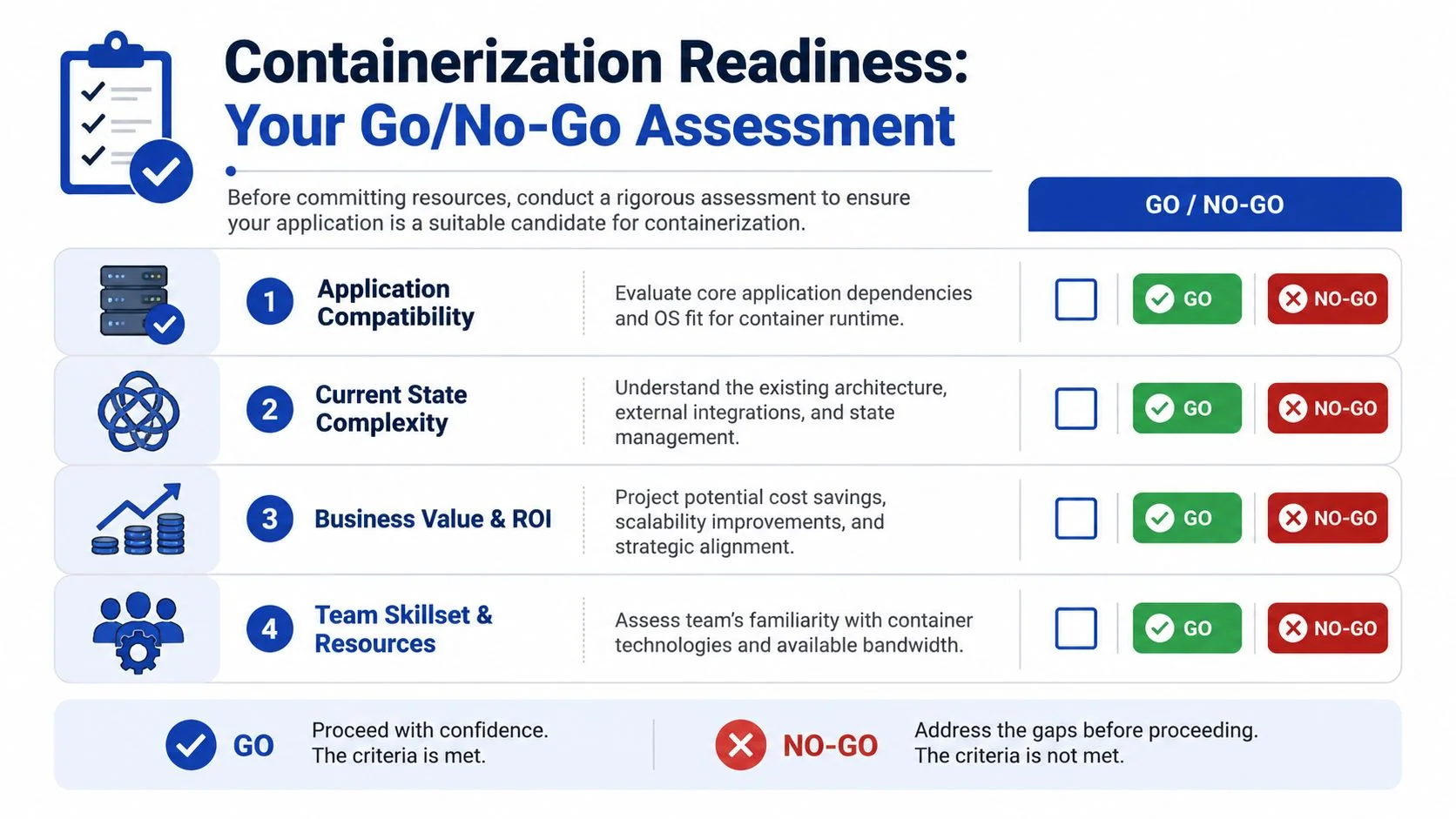
A useful screen combines technical fit, state behavior, operational readiness, and financial exposure. Score each application as strong, mixed, or poor. Do not average away a blocker. If one category creates an outsized outage or recovery risk, the answer is no.
Technical fit
Start with runtime assumptions. The application needs to run inside process, filesystem, and network boundaries that are explicit rather than inherited from a long-lived server. If it depends on obsolete kernel behavior, direct hardware access, proprietary drivers, or host-level agents you cannot reproduce cleanly, the project is usually dead on arrival.
Three questions expose that quickly:
- Runtime dependence: Does the app require host behavior that a container runtime will not reproduce reliably?
- Packaging realism: Can the application and its dependencies be assembled into an image without preserving years of undocumented server drift?
- Isolation tolerance: Will the app still function when filesystem paths, process identities, and network rules become strict?
Stop early on hard blockers. A stronger platform team does not change unsupported kernel dependencies into a viable migration path.
State and integration complexity
This is the category that destroys ROI. Teams often containerize the executable and discover later that the application includes local disk writes, in-process sessions, scheduled jobs, file shares, fixed IP assumptions, and undocumented database links. At that point, the budget shifts from packaging to emergency archaeology.
Use a short discovery sequence before approving the work:
- Map every write path with system tracing and application logs. Identify where durable state is stored.
- Classify data by recovery requirement. Logs and caches are different from uploads, sessions, and transaction records.
- Trace every dependency including batch jobs, brokers, directory services, shared storage, and direct database calls.
- Test degraded conditions such as DNS changes, storage latency, and service restarts. Legacy apps often fail on timing assumptions rather than outright incompatibility.
For teams that need a clearer way to separate packaging work from architecture change, this guide to application migration patterns helps frame what belongs in discovery versus what belongs in a larger replatform effort.
Business value and financial exposure
A technically feasible migration can still be a bad investment. I advise CTOs to estimate downside before they estimate speed. Start with four numbers: migration effort, expected platform savings, likely incident cost during transition, and the revenue or operational impact if rollback fails. That model will eliminate a surprising number of weak candidates.
Use a simple decision table:
| Assessment outcome | What it means | Recommended action |
|---|---|---|
| Prime candidate | Strong technical fit, state can be externalized, rollback is realistic, team can run it in production | Start a pilot |
| Proceed with caution | Packaging path exists, but hidden state, brittle integrations, or unclear support ownership raise delivery risk | Fund a discovery sprint before committing |
| Do not containerize | Runtime blockers, unmanageable state coupling, or outage cost exceeds likely operating benefit | Rebuild, replatform with strict limits, or stay on VMs |
Political pressure often pushes teams toward high-visibility systems first. That is usually the wrong portfolio move. The better first candidates are useful enough to matter, stable enough to observe, and contained enough that a failed pilot does not put the quarter at risk.
Team readiness
Operational maturity decides whether a viable pilot becomes a repeatable program. Teams need image build discipline, runtime security controls, observability, patching processes, and a realistic on-call model for container-based production support. Without those pieces, incident volume rises even if deployment consistency improves.
I would rather approve a narrow pilot with clear rollback criteria than a broad container mandate with no ownership model. That approach produces evidence instead of theater.
Containerizing an application also changes who owns it in production. An application team that ran a monolith on a fixed VM rarely has the cluster, image-registry, and runtime-security skills the new operating model requires. Organizations that avoid an incident spike after cutover put a platform team in place first — with a defined on-call rotation, image-build standards, and a self-service deployment path — rather than handing containerized workloads to the same team with the same processes. Our DevOps and platform modernization research covers how that operating model is staffed and sequenced.
Choosing Your Migration Pattern and Packaging Strategy
Across large modernization programs, the packaging decision drives more avoidable cost than the Dockerfile itself. Teams usually do not fail because they cannot build an image. They fail because they choose a migration pattern that does not match the application’s coupling, state model, or business life expectancy.
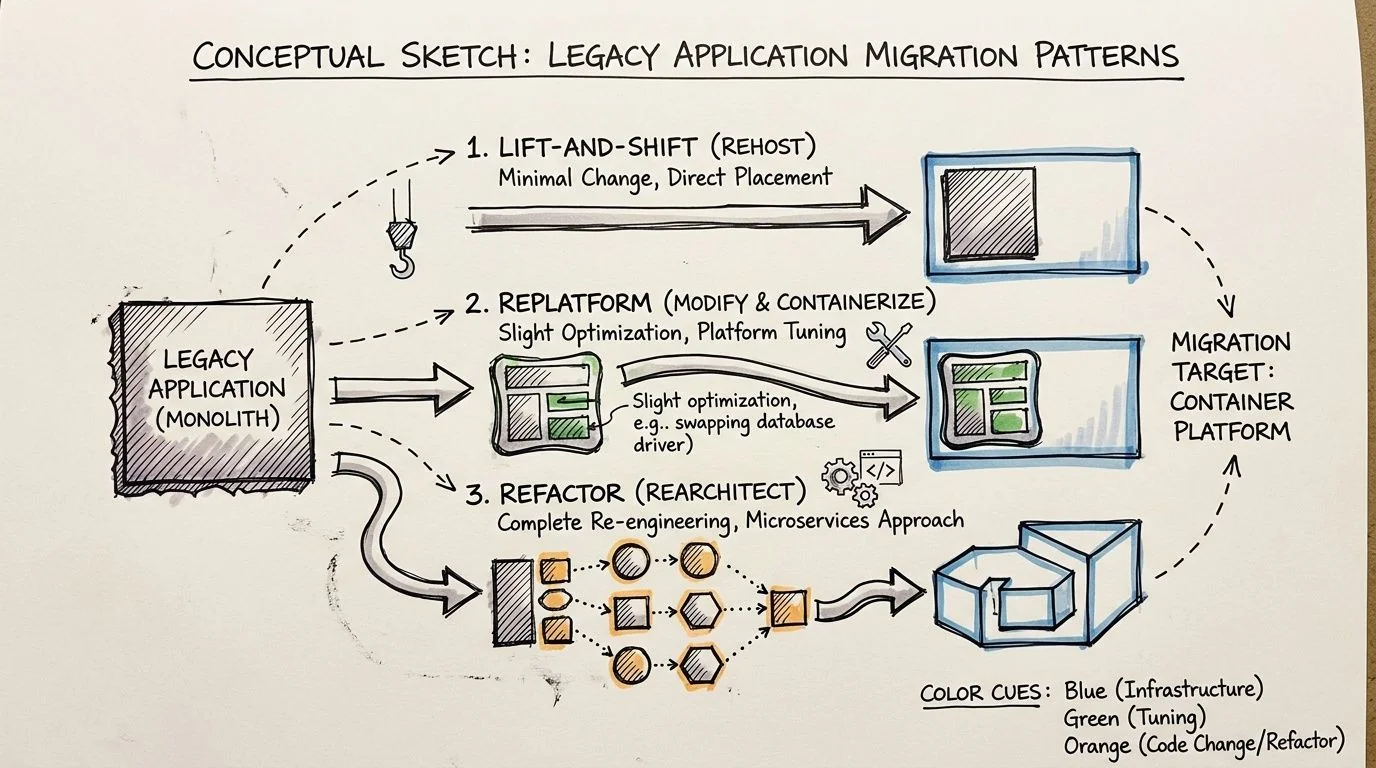
I group the options into three practical patterns: package it as-is, replatform the runtime around it, or refactor the application for a container-first operating model. The right choice depends less on engineering ambition and more on whether the expected return justifies the delivery and support risk.
Lift and shift into containers
Lift and shift is packaging, not modernization. That is not a criticism. It is often the right financial move when the business needs faster deployment, more consistent environments, or a path off aging infrastructure without paying for code surgery.
Use this pattern when the application is stable, change volume is low, and the main goal is operational consistency. It also fits systems with a short remaining business horizon, where preserving function matters more than improving architecture.
The trade-off is straightforward. You carry the existing coupling, startup fragility, patching complexity, and local state assumptions into a new wrapper. If the application writes to the filesystem, depends on host-level quirks, or takes a long time to start, the container image will not fix that. It will make those issues easier to reproduce.
This path is fast. It also creates a ceiling. Many teams treat a successful container build as proof they modernized the application, then discover six months later that scaling, failover, and change velocity barely improved.
Replatform around the application
Replatforming changes the operating environment enough to reduce production risk without forcing a full rewrite. In practice, that means externalizing configuration, moving durable state out of the container, adding health and readiness checks, setting resource limits, and cleaning up build and release mechanics.
For many legacy estates, this is the best default. It lowers the probability of runtime surprises and gives operations teams better control, while avoiding the cost and schedule risk of forced decomposition.
It also produces the clearest economics. You spend more up front than lift and shift, but you cut recurring waste tied to inconsistent deployments, oversized images, manual recovery steps, and opaque failure modes. If the application relies on persistent volumes, the storage design matters because poor choices erase much of that gain. Teams handling stateful workloads should account for IOPS tiers, snapshot policies, and overprovisioning when optimizing cloud block storage costs.
For a broader portfolio view, this breakdown of migration patterns for modernization programs is a useful reference.
Refactor for container-native operation
Refactoring makes sense when the application still matters strategically and the current design blocks delivery speed, resilience, or scaling. It can produce the highest long-term return. It also has the highest rate of budget overrun when teams force service boundaries that the codebase does not support.
A disciplined refactor usually follows five steps:
-
Inventory runtime assumptions
Identify hidden dependencies, startup order requirements, filesystem writes, network calls, and environment-specific configuration before changing packaging. -
Separate along real seams
Break out components only where ownership, release cadence, and dependency boundaries already suggest a workable split. -
Externalize state and session behavior
Move durable data, uploaded files, and runtime caches out of the container lifecycle. -
Build smaller, controlled images
Use multi-stage builds, remove unnecessary packages, and pin dependencies to reduce both image size and patching exposure. -
Prove operational behavior under failure
Test restart behavior, rollout safety, dependency timeouts, and rollback paths under orchestration, not just on a developer laptop.
The common failure mode is decomposition theater. Teams rename modules as services, add network hops, and keep the original coupling. Complexity rises. Delivery speed does not.
A short visual walkthrough helps if you need to align engineering leaders around these packaging choices before committing:
What works and what fails
Use lift and shift when the goal is packaging consistency and the application has limited strategic life.
Use replatforming when the application still matters, but the main problems sit in configuration, deployment, state handling, and runtime operations.
Use refactoring when the system is important enough to justify code-level investment and the team can support a longer delivery cycle with stricter architectural discipline.
The mistake is choosing the deepest pattern because it sounds more strategic in a steering committee. Choose the shallowest pattern that removes the current business constraint without creating a support model your team cannot afford.
Orchestration and State Management
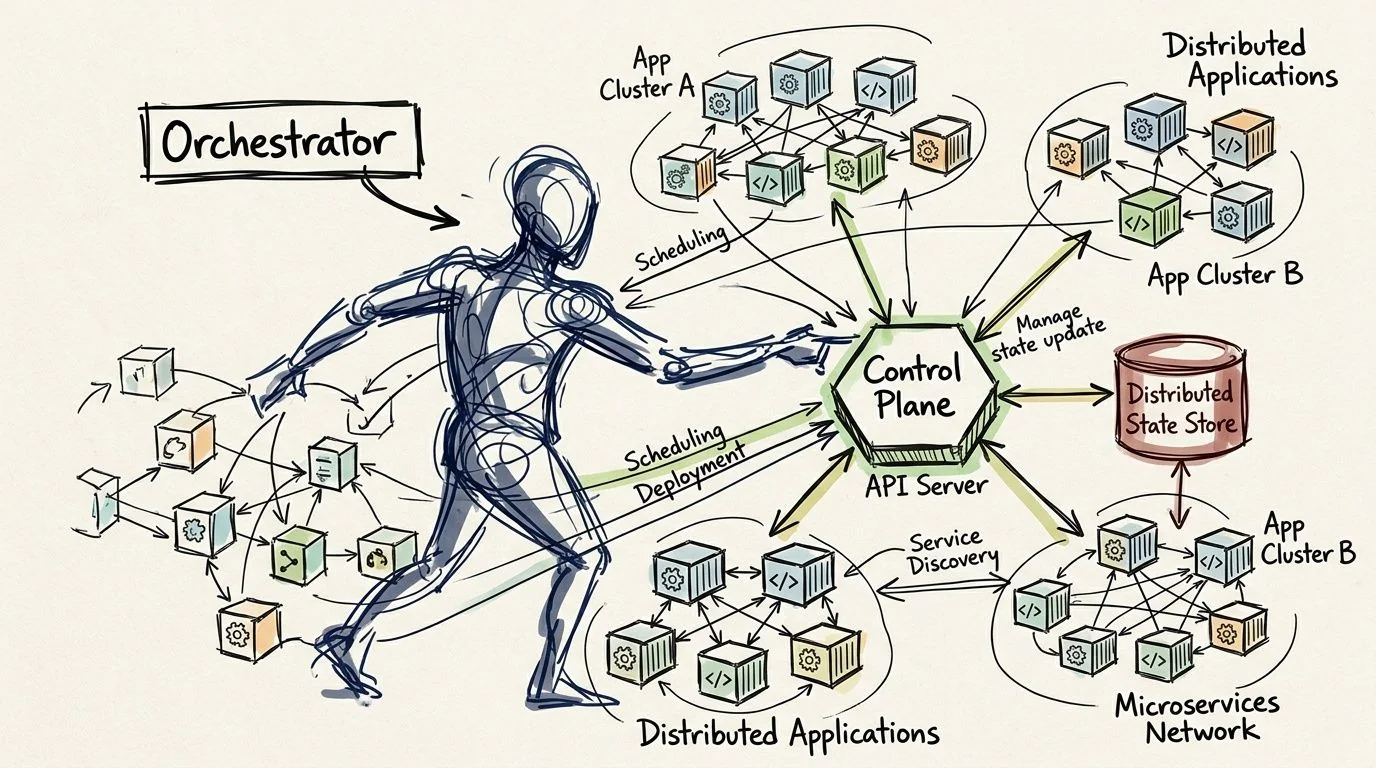
Choosing an orchestrator is an operating model decision, not a tooling one. The platform you pick determines how your team handles deployments, networking, scaling, observability, security controls, and incident response for years. That’s why I push teams to decide based on operational fit, not feature checklists.
When Kubernetes is the right answer
Kubernetes is the default answer for many enterprises because it standardizes deployment patterns and gives teams a durable control plane for multi-service environments. That’s a good reason to use it. It’s not a good reason to put every containerized legacy application on it immediately.
Use Kubernetes when you need strong rollout controls, consistent operational policy, and a platform that can host multiple workloads with shared governance. If your team is already building toward that model, the longer-term payoff is real. For organizations making that move, Kubernetes migration services often come down to platform operating discipline rather than YAML production.
Why state is the real design problem
Most legacy applications are difficult because they are stateful in messy ways, not because they are old. File uploads land in local paths. Session data lives in process memory. Logs and exports accumulate in directories that no one documented. Direct database connections assume stable network identity and old retry behavior.
A container infrastructure trends discussion on YouTube summarizes real-world deployment data showing approximately 4x density improvements from minimal configuration adjustments and cost reductions reaching one-third of previous infrastructure spending for organizations running containerized legacy applications. The same source notes that Arm-based container-optimized instances can deliver a further 20% cost reduction over x86.
Those gains are achievable only when state is treated as architecture, not an afterthought.
A practical state handling model
I use a simple split:
| State type | Better placement |
|---|---|
| Database state | Managed database or persistent volume strategy with clear backup and recovery |
| File artifacts | External object or block storage with explicit lifecycle control |
| Session state | Shared external session store or application redesign to reduce session coupling |
| Logs and diagnostics | Centralized logging pipeline, not local container disk |
Persistent volumes can work well, but the cost and operational model matter. Teams that are externalizing filesystem state should understand the storage economics before selecting volume classes and retention policies. A practical primer on optimizing cloud block storage costs helps frame those trade-offs when persistent storage becomes part of the target design.
Don’t ask whether the application is stateful. Assume it is, then prove which state is truly durable, which is disposable, and which should never have lived inside the process to begin with.
Simpler options are often the better answer
Not every containerized legacy application needs full orchestration on day one. If the workload is narrow, the release cadence is modest, and the team is still learning how to operate containers safely, a simpler managed runtime can be the right first landing zone. The wrong move is forcing orchestration complexity before the team has basic control over image quality, runtime configuration, and externalized state.
Common Failure Points and How to Mitigate Them
The containerization success story is overstated. Industry benchmarks indicate that 40% to 60% of initial containerization attempts fail, with 25% attributable to data persistence issues and 30% to networking misconfigurations, according to Qualimente’s analysis of legacy containerization pitfalls. Those numbers matter because they identify where programs break, not where architects like to spend time.
The three recurring failure modes are persistent storage mistakes, networking assumptions that don’t survive container runtime behavior, and resource contention caused by weak production controls.
Where projects actually fail
| Failure Mode | Frequency | Technical Root Cause | Mitigation Strategy |
|---|---|---|---|
| Data persistence issues | 25% | Application writes durable state to ephemeral storage or uses poorly tuned network-backed volumes | Externalize state early, test storage under load, use chaos testing before production |
| Networking misconfigurations | 30% | Legacy assumptions about service discovery, direct host communication, or DNS behavior break in container networks | Validate service discovery, test DNS behavior, use controlled rollout patterns |
| Resource contention and related production instability | Qualitative but repeatedly cited as a major failure area | No effective CPU or memory requests and limits, poor observability, weak autoscaling policy | Enforce requests and limits, instrument the runtime, review scaling and capacity behavior before cutover |
| Broader first-attempt failure | 40% to 60% | Overlooked technical and operational hurdles across packaging, runtime, state, and operations | Start with a pilot, narrow the scope, and validate rollback and monitoring before expansion |
Persistence breaks first because teams underestimate it
Storage failures often begin in development with a false pass. The app starts. The test transaction works. Everyone declares success. Then a restart, reschedule, or noisy storage backend exposes that durable application data was stored in the wrong place or on the wrong assumptions.
Qualimente specifically recommends chaos testing as a mitigation strategy. That’s the right call. If the platform can’t survive volume interruptions, delayed I/O, or pod movement, the deployment isn’t production-ready.
Most teams don’t have a container problem when data disappears. They have an application design problem that containers made impossible to ignore.
Networking fails because legacy apps expect too much certainty
Older systems often assume stable names, direct socket paths, or simplistic service topology. Container networking inserts layers of abstraction that are useful when they are designed for, and unforgiving when they aren’t. DNS resolution issues, service discovery errors, and brittle downstream integration paths show up quickly under real traffic.
The fix is explicit network validation, not “better YAML.” Test service discovery, dependency timeouts, and rollback behavior as first-class migration work. If the application is tightly coupled to direct database or host-level addressing assumptions, that needs redesign or an adaptation layer before production cutover.
Resource controls are not optional hygiene
Teams still containerize legacy applications and omit clear CPU and memory requests and limits. That’s how stable systems become erratic ones. Without resource boundaries, containers compete badly on shared hosts, operators lose performance predictability, and incidents become difficult to diagnose.
Qualimente calls out enforcing resource limits and requests as a mitigation strategy, and that aligns with what works in practice. Add observability before migration, not after. You want to know whether the application is memory-sensitive, CPU-bursty, or slow under startup pressure before it lands in a clustered environment.
A sound mitigation stack includes:
- Resource policy first: Define requests and limits before performance testing.
- Controlled rollout: Use canary or phased deployment patterns so rollback is routine, not improvised.
- Security and platform checks: Validate runtime security posture and baseline cluster hygiene before broad adoption.
- Failure rehearsal: Run disruption tests against storage and network paths before you call the platform ready.
Building the Business Case and Your Next Move
A credible business case for containerizing legacy applications rests on three questions. Which applications are good candidates, what failure risk sits in the first wave, and what operating improvements justify the work? If a team can’t answer those clearly, they’re still in discovery, no matter how polished the architecture deck looks.
The board-level framing is straightforward. Containerization is worth funding when it reduces operational fragility, improves deployment reliability, and creates a cleaner path to later modernization. It isn’t worth funding when leadership is using it to postpone a rebuild decision on applications that are structurally poor candidates.
A practical decision model for CTOs
Use this sequence with your portfolio review:
- Pick a narrow pilot set of applications with strong technical fit and visible operational pain.
- Model downside first by identifying applications with hidden state, difficult integrations, or poor team readiness.
- Require rollback evidence before approving broader rollout.
- Evaluate partners on failure handling, not only migration mechanics.
When you assess implementation partners, ask how they identify no-go candidates, how they externalize state, how they test networking behavior before production, and what they do when the pilot reveals that the application shouldn’t move. A partner who only talks about packaging speed is selling labor, not judgment.
If your environment is closely tied to Microsoft stacks, Microsoft solutions for legacy systems can help frame modernization paths beyond pure containerization, especially where hybrid patterns make more sense than forcing everything into one target model.
Within the next seven days, build a candidate list of three applications and force each one through a go/no-go review with architecture, platform, security, and finance in the room. Don’t ask whether containers are strategic. Ask whether these three applications should be containerized now, later, or never.
If you want independent help pressure-testing those decisions, Software Modernization Intelligence researches implementation partners, failure patterns, and service specializations across software modernization paths so technical leaders can make defensible calls before budgets are committed.
Chief Analyst, Software Modernization Intelligence · 10+ years B2B market research
Published: ·Updated: