
Securing Modernization: A Security Architecture Assessment Framework That Works
A security architecture assessment is not a compliance checkbox. It is the technical due diligence that prevents a modernization project from becoming a headline-making breach. It replaces guesswork with an evidence-based, repeatable methodology for evaluating security posture against known attack patterns, especially during high-stakes cloud migrations or legacy refactoring. This approach makes security efforts measurable, targeted, and tied directly to business outcomes.
Stop Guessing Your Modernization Security Posture
Most security assessments are a waste of time. They are compliance-driven exercises using generic checklists that are disconnected from the real risks introduced during software modernization. A proper security architecture assessment framework is not another bureaucratic hurdle; it is the essential engineering discipline that stops catastrophic failures before they happen.
Attempting to migrate a legacy application to the cloud without this structured analysis is a recipe for failure. It’s not a question of if a security incident will occur, but when.
The business case is brutally simple: modernization projects that skip an integrated security assessment are 45% more likely to suffer a critical security incident within the first year post-launch. These incidents almost always trace back to overlooked dependencies, misconfigured cloud services, or old vulnerabilities supercharged in the new environment. One of the first, most critical steps to stop the guesswork is running proper network security assessments.
A formal framework forces you to swap assumptions for data. It creates a common language for architects, engineers, and business leaders to discuss risk in concrete terms, backed by evidence. This is how security stops being an abstract cost center and becomes a core enabler of successful modernization.
Defining Your Assessment Scope and Goals
Before reviewing a single line of code, define the blast radius. The most common failure is trying to “boil the ocean”—assessing every system with the same scrutiny. This guarantees team burnout and a pile of vague findings. The real goal is to focus firepower where the risk is highest.
Your scope must be surgically tied to the modernization project itself. Start by asking these questions for a tight focus:
- What is actually being changed? Focus on the systems being actively modernized or retired. These are ground zero.
- Where does the data flow? The interfaces between old and new systems are notoriously weak links. Map them.
- Which apps hold the crown jewels? Any application handling sensitive data (PII, PCI, PHI) goes to the top of the list for a deep-dive review.
- What are the compliance mandates? Obligations like GDPR, CCPA, or SOX tied to these systems cannot be an afterthought.
Once you have that list of high-priority systems, set clear, measurable goals. An objective like “improve security” is worthless. You need specific, defined outcomes.
Key Takeaway: The goal of a security architecture assessment is not to find every single flaw. It is to identify the systemic weaknesses and architectural blind spots that pose the greatest risk to your modernization project’s success.
Prioritizing with a Decision Matrix
To turn scoping questions into a defensible plan, use a decision matrix. It is a powerful tool for stripping emotion and politics out of the process, giving you a data-driven starting point. By scoring applications on a few key factors, you can see exactly where to begin for maximum impact.
Here’s a sample matrix that ranks systems objectively, ensuring your team’s effort is focused on the highest-risk areas from day one.
Security Assessment Scoping Matrix
| System/Application | Business Criticality (1-5) | Data Sensitivity (1-5) | Modernization Complexity (1-5) | Assessment Priority Score (Sum) |
|---|---|---|---|---|
| Legacy Payment Monolith | 5 | 5 | 5 | 15 |
| Customer Data Warehouse | 4 | 5 | 3 | 12 |
| Internal Reporting Tool | 2 | 2 | 2 | 6 |
| Marketing Campaign Site | 3 | 1 | 1 | 5 |
The results provide an immediate, defensible roadmap.
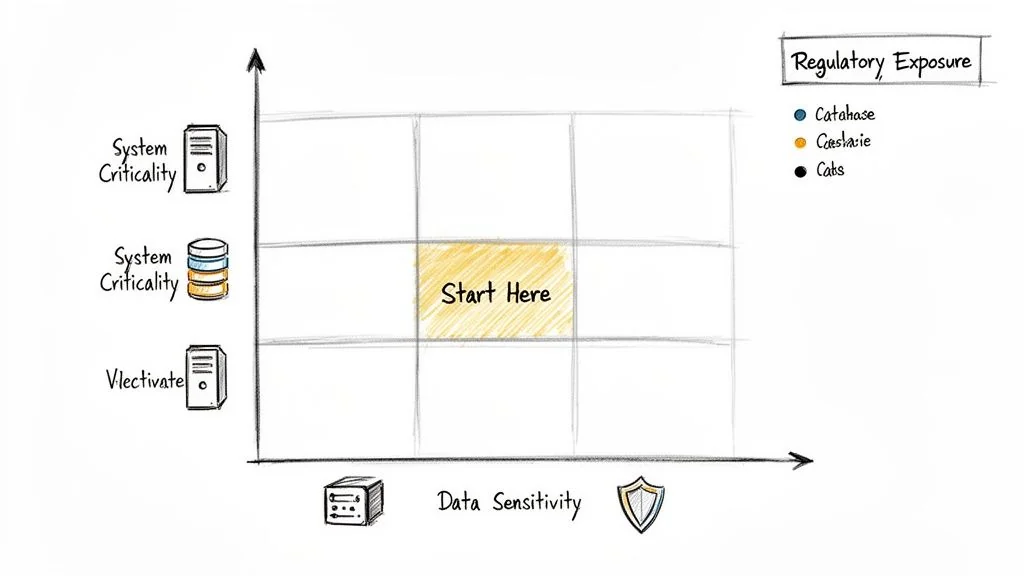
A legacy payment processing monolith (high business criticality, high data sensitivity) scheduled for a complex decomposition into microservices gets a top priority score. In contrast, a low-impact internal reporting tool using anonymized data is a much lower priority. This approach ensures your team invests its valuable time wisely.
The Six Pillars of a Modernization Security Assessment
Forget generic compliance checklists. They are worthless for modernization projects because they miss the new attack surfaces created when moving to the cloud—leaky API gateways, misconfigured IAM roles, and compromised CI/CD pipelines that inject vulnerabilities directly into production.
A real assessment is structured around the six pillars of modern architecture. Each is a distinct battleground with its own rules. Moving a monolith to microservices, for instance, shatters network and identity perimeters. Your security review must reflect that fragmented reality.
Identity and Access Management (IAM)
Modernization projects demolish traditional identity boundaries. What was once a straightforward Active Directory group is now a chaotic mix of cloud IAM roles, Kubernetes service accounts, and machine-to-machine tokens spanning dozens of services. This is where most security models collapse.
Your assessment must be ruthless here. Scrutinize the entire identity lifecycle, not just user logins.
- Who can actually access what? Do not trust diagrams. Verify that the principle of least privilege is brutally enforced for both people and service accounts. Overly permissive roles are the single biggest cause of major cloud breaches.
- How are secrets managed? Hunt for hardcoded secrets, API keys checked into Git, and credentials that never expire. Centralized secrets managers like HashiCorp Vault or AWS Secrets Manager must be in use—no exceptions.
- Is MFA mandatory everywhere it matters? Look for gaps. MFA on the main login page is a start, but what about admin access to the new cloud console, the CI/CD system, or the developer portal?
The most common failure is migrating legacy service accounts directly into cloud IAM roles with god-like permissions. These “god roles” create an enormous and unnecessary risk. Your goal must be to push for granular, temporary credentials everywhere. Dive deeper into strategies for effective security and identity modernization to lock down your environment.
Network and Perimeter Security
The old-school network “perimeter” is dead. In a modern architecture, it is a distributed set of enforcement points. Your assessment must move past the firewall-centric mindset and evaluate micro-segmentation, API security, and ingress/egress controls in a cloud-native world.
Focus obsessively on validating data flow controls between services. Are default-deny network policies the standard? Is all east-west traffic (service-to-service) encrypted with mTLS? Lifting and shifting on-premise firewall rules into cloud security groups is a recipe for disaster. It does nothing to stop an attacker from moving laterally across internal services once they gain a foothold.
Expert Insight: We find that over 60% of initial cloud deployments lack adequate east-west traffic controls between services. Teams focus on the north-south perimeter, leaving internal services exposed to lateral movement attacks once an initial breach occurs.
Data Protection and Privacy
Modernization moves your most valuable data to new, unfamiliar platforms. This is where the risk of a catastrophic breach is highest. Your assessment must follow the “crown jewels” through their entire lifecycle, from creation to deletion.
Key validation points that cannot be skipped:
- Data Classification: Is every piece of data classified at creation? If not, you have no way to apply the right controls.
- Encryption Everywhere: Verify that all sensitive data is encrypted at rest and in transit. This includes object storage, message queues, log files, and backups.
- Data Masking: Confirm that non-production environments use masked or tokenized data. Using live PII in a dev environment is a regulatory fine waiting to happen.
A frequent and costly misstep is forgetting to re-evaluate data residency rules like GDPR when moving to a global cloud provider. Your assessment must confirm that where data is stored and processed aligns with legal mandates.
Application Security (AppSec)
Legacy code is a ticking time bomb. When you migrate an application, you are not just moving code; you are importing decades of technical debt and hidden security flaws.
An assessment must go beyond an automated scanner. Integrate static (SAST) and dynamic (DAST) testing into your review, and perform manual code reviews on critical components. Look specifically for flaws common to modernization, like insecure deserialization in new microservice APIs or dependency confusion attacks in your new package managers.
Infrastructure and Cloud Security
This pillar is the bedrock of your cloud environment. Cloud breaches are almost always caused by misconfiguration, not by an attacker exploiting a complex zero-day vulnerability.
Your assessment must treat the configuration of your cloud platform as a core part of the application’s architecture. Scrutinize Infrastructure as Code (IaC) templates from Terraform or CloudFormation for insecure defaults. Are you finding public S3 buckets, security group rules open to the world (0.0.0.0/0), or critical databases with no logging enabled? These are not minor issues; they are open invitations for an attack.
CI/CD and DevOps Security
The CI/CD pipeline is the factory that builds and ships your software. If an attacker controls the pipeline, they control the production environment. Period.
The assessment must treat the entire toolchain—from source control and build servers to the artifact repository and deployment scripts—as a mission-critical security domain. Verify that access to these systems is locked down, that every build artifact is scanned for vulnerabilities, and that you have a secure software supply chain process that prevents compromised dependencies from getting in.
Executing the Assessment: From Evidence to Action
An assessment is only as good as the evidence it uncovers and the action it drives. The goal is not to produce a hundred-page report that gathers dust. The point is to generate a prioritized, evidence-backed list of findings that technical leaders can act on immediately.
This means getting tactical. You need to gather real proof without derailing development sprints, blending automated analysis with the targeted human intelligence that comes from experience.
Gathering Credible Evidence
Relying on a single method, like an automated scanner, will leave massive blind spots. A real security architecture assessment framework demands a multi-pronged approach to validation. Anything less is security theater.
Here’s what that looks like in practice:
-
Automated Scanning: This is your wide net for catching low-hanging fruit. Deploy a mix of tools: Static Application Security Testing (SAST) for code analysis, Dynamic Application Security Testing (DAST) for runtime vulnerabilities, and Infrastructure as Code (IaC) scanners like Checkov or tfsec to find misconfigurations before they hit production. These tools provide broad coverage, fast.
-
Manual Code & Configuration Review: Automation will never replace an expert eye. Senior engineers must perform targeted manual code reviews on the components that matter—authentication logic, payment processing workflows, and data encryption routines. The same goes for cloud configurations; a manual review of IAM policies will almost always uncover subtle, critical gaps that automated tools miss.
-
Targeted Interviews: Documentation is often outdated or non-existent. The fastest way to get the ground truth is to talk to the engineers who live in the code every day. Short, focused interviews with specific teams can uncover architectural decisions, operational shortcuts, and hidden dependencies not written down anywhere.
Implementing a Maturity Scoring Model
To make sense of your findings, move beyond a simple pass/fail checklist. A maturity scoring model separates a professional assessment from a generic audit—it removes subjectivity and gives you a consistent way to rate controls across every domain.
A simple 1-4 scale is highly effective. It maps the journey from reactive, ad-hoc practices to a state of proactive, optimized security.
Key Takeaway: A maturity score is not a grade; it is a diagnostic tool. It shows you exactly where you are and provides a measurable path forward. The real value is in prioritizing—you focus on lifting all your critical “Level 1” controls first, where you will get the biggest risk reduction.
This standardized model for scoring security controls enables a consistent and objective assessment across all domains.
| Score | Maturity Level | Description | Example (Password Policy) |
|---|---|---|---|
| 1 | Ad-Hoc/Reactive | No formal process exists. Practices are inconsistent, undocumented, and dependent on individuals. | No formal password policy. Some systems have minimum lengths, others do not. |
| 2 | Repeatable | A basic process is documented and followed, but it is largely reactive and lacks proactive measures. | A basic password policy is documented (e.g., 8 characters) but not enforced everywhere. No MFA. |
| 3 | Defined/Proactive | The process is standardized, proactive, and integrated across the organization. Metrics are collected. | A strong password policy is enforced via configuration. MFA is required for all users. |
| 4 | Optimized | The process is continuously improved using quantitative data and feedback. Security is automated. | Passwordless (e.g., FIDO2) is the standard. Policy is adaptive based on risk signals. |
| Control Maturity Scoring Model |
Using this model, you can stop arguing about opinions and start making data-driven decisions.
The diagram below shows how this entire process flows across the six key assessment pillars, from initial evidence collection to a final, actionable risk register.
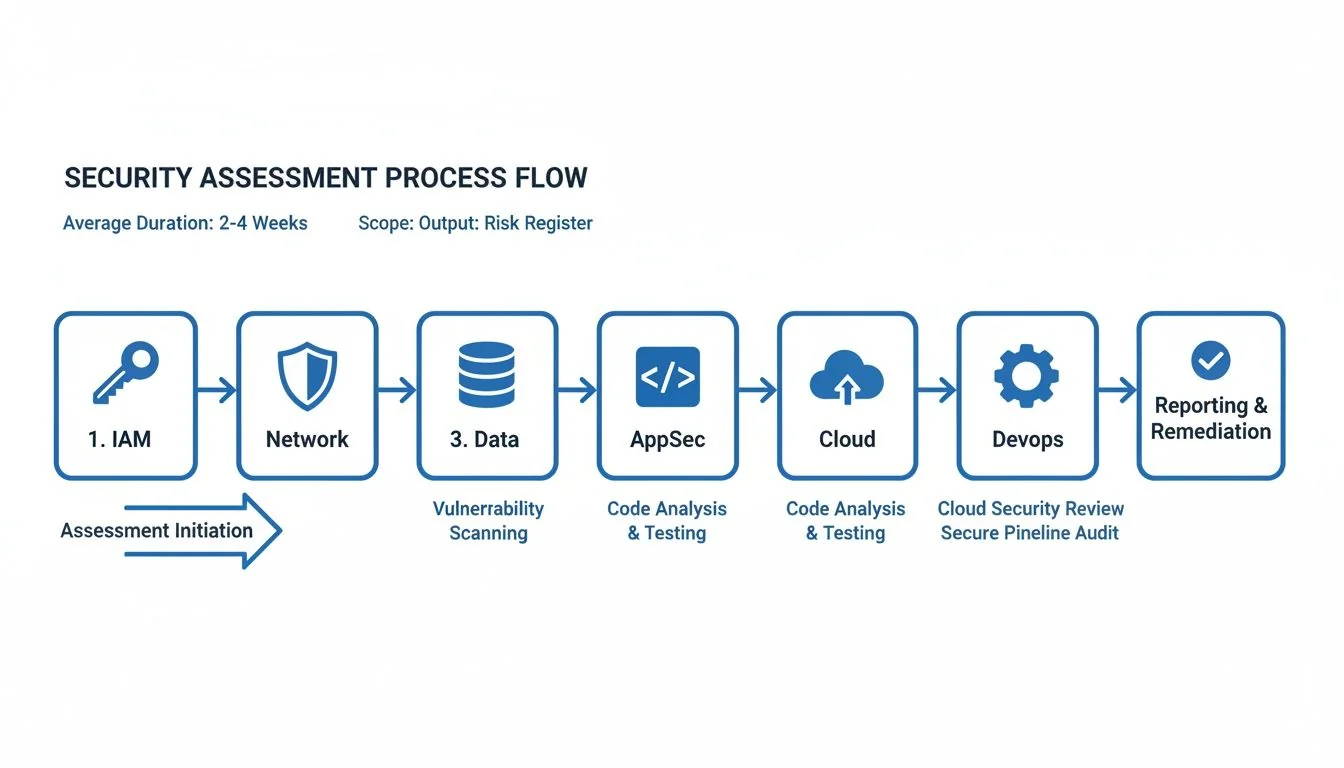
This visualizes the path from analyzing specific domains like IAM and AppSec to creating a unified risk register that drives the entire modernization project.
From Scoring to Visual Heatmaps
Once you have scored the controls in each domain—Identity, Network, Data, and so on—you can build a visual heatmap of your entire security posture. This simple visualization is one of the most powerful tools for communicating risk to executives and engineers alike.
A heatmap immediately shows where the fires are. It might reveal a sea of red (Level 1) in your CI/CD pipeline security while your network perimeter is solid green (Level 3). This tells you exactly where to focus.
This heatmap becomes your guide for prioritization. You are no longer chasing individual, low-impact vulnerabilities. Instead, you are directing resources to fix the foundational controls that pose the most systemic risk. This is what evidence-driven security assessment looks like in action.
Knowing the right moves is only half the battle. Knowing the traps is what keeps you in the game. A solid security architecture assessment framework is your map for finding flaws, but real-world experience tells you where the landmines are buried.
Modernization projects are magnets for unique security problems that generic checklists and green teams just don’t see coming. These aren’t just theoretical risks; they are the recurring, expensive, and entirely avoidable failures we see in the field over and over again. Sidestepping them is the fastest way to de-risk your project.
Lift-and-Shift Blindness
The most common trap is “Lift-and-Shift Blindness.” This happens when a team treats the cloud like a remote data center, simply copying on-premise systems and their outdated security controls into a new environment. In the process, they do not just replicate old weaknesses; they amplify them.
We saw this firsthand with a financial services client that moved its monolithic CRM to AWS. They painstakingly translated their on-prem firewall rules into cloud security groups, thinking they had done their due diligence. What they completely missed was the need for granular Identity and Access Management (IAM) policies.
Their old system depended on network segmentation for safety. But in the cloud, a single, overly permissive service role—a tragically common default setting—gave the application sweeping access to every S3 bucket in the account. A routine application vulnerability instantly turned into a catastrophic, account-wide data breach.
The Fix: Never replicate. Always re-architect. Your security assessment must explicitly forbid the direct translation of on-prem controls. Mandate that every service migrated to the cloud gets a new, purpose-built threat model that starts with cloud-native controls like IAM, fine-grained network policies, and managed security services.
Ignoring the DevOps Toolchain
Another critical mistake is focusing all energy on the production application while the CI/CD pipeline—the factory that builds it—is left wide open. Modern teams live and die by their DevOps toolchain: source control, build servers, and artifact repositories.
If an attacker compromises this pipeline, they can inject malicious code directly into your production releases. All your carefully tuned application defenses become irrelevant.
We once assessed a major retailer that had spent a fortune on application security testing. Their Jenkins server, however, was sitting exposed with default credentials. An attacker could have waltzed in, altered a build script, and siphoned off production secrets or embedded a backdoor into every container image pushed to their registry.
Your security assessment framework must treat the CI/CD pipeline as a Tier-1 production system. It’s not just a development tool; it’s the keys to the kingdom.
Prevention Checklist:
- Lock Down Access: Enforce strict, role-based access controls on every single component, from Git repos to deployment tools. No exceptions.
- Secure the Build Agents: Build agents must be isolated, ephemeral, and run with the absolute minimum privileges they need to do their job. Then, destroy them.
- Scan Everything, Always: Every artifact—code, container images, infrastructure templates—gets scanned for vulnerabilities and secrets before it ever sees the next stage.
Application-Only Tunnel Vision
The final pitfall is a classic case of tunnel vision: obsessing over application-level flaws like SQL injection or XSS while completely ignoring the infrastructure they run on. In the cloud, misconfiguration is the new vulnerability.
Far more breaches today are caused by public S3 buckets, 0.0.0.0/0 security groups, and unencrypted data stores than by some sophisticated application exploit.
During an assessment for a healthcare platform, their SAST and DAST reports were impressively clean. But a manual review of their Terraform code told a different story. Their production database cluster was configured with a public endpoint, and its security group cheerfully allowed access from the entire internet.
The application code was a fortress, but the infrastructure had left the front door unlocked and wide open. This is what happens when security and development teams operate in separate silos.
Your assessment process must demolish this wall. It should integrate Infrastructure as Code (IaC) scanning directly into the workflow and make infrastructure security a shared responsibility, not an operations afterthought. This is the only way to ensure the entire stack is evaluated as a single, cohesive unit.
Next Steps: Building a Defensible Security Roadmap from Your Findings
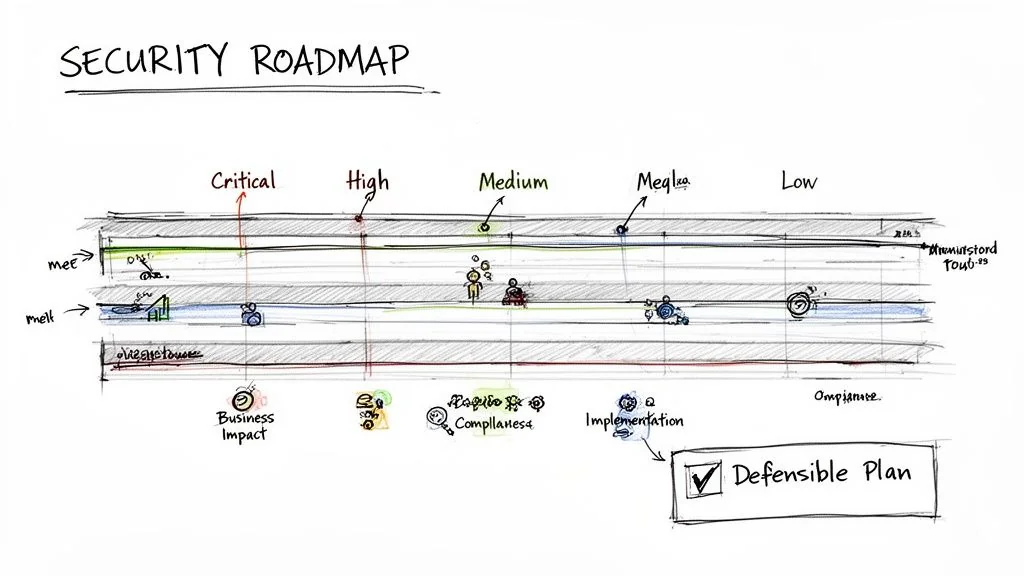
The final output of a security architecture assessment is not a report; it is a decision-making tool. Raw findings and maturity scores are just data points; their real value is in how you translate them into a defensible, prioritized action plan that bridges the gap between a technical flaw and measurable business risk.
A stack of findings without priorities is a recipe for analysis paralysis. A roadmap, on the other hand, gives you a sequence of actions tied directly to your modernization timeline. It makes security an integral part of the project, not an obstacle to work around. This roadmap becomes your primary instrument for steering the project, holding implementation partners accountable, and proving progress to leadership.
From Findings to Prioritized Actions
Your first move is to synthesize every finding—from a single missing MFA on a critical tool to an entire domain scoring “Ad-Hoc”—into a master list. Now, move past generic CVSS scores. A CVSS 9.8 on a development tool disconnected from the internet is far less important than a CVSS 6.5 on a production database gateway. Context is everything.
A business-focused risk rating system forces the right conversations. It is about what truly matters to the project’s success, not just what’s technically exploitable.
- Critical: A direct, immediate threat to the project’s success or core business operations. These are findings that could trigger a major data breach, a system-wide outage, or a massive regulatory fine. Think a publicly exposed S3 bucket with customer PII.
- High: A significant weakness an attacker could exploit with moderate effort. This is your hardcoded credential in a Git repository or a total lack of network segmentation between development and production environments.
- Medium: A deviation from best practices that increases your attack surface but is not an immediate, five-alarm fire. This might be missing log collectors on non-critical services or using libraries with known vulnerabilities that have no public exploits.
- Low: Minor procedural gaps that should be fixed but pose a negligible risk. An example is inconsistent code commenting standards for security logic.
This method allows you to make defensible tradeoffs. Critical and High items are your non-negotiable “fix now” list. Medium and Low items can be scheduled for later sprints or even formally accepted as business risk if the remediation cost dwarfs the potential impact.
A critical outcome of your assessment findings is the creation of a robust System Security Plan to guide future security efforts. It documents the agreed-upon controls and the roadmap for addressing identified gaps, turning your assessment into a living governance document.
Aligning Security with the Modernization Timeline
Your security roadmap cannot be a separate workstream; it must be woven directly into the main project plan. Every remediation activity must be mapped to a specific project milestone or development sprint. This is the only way to succeed.
For example, if you are decomposing a monolith into microservices, the “Critical” finding to implement a service mesh for mTLS absolutely must be scheduled before those services handle a single byte of production traffic. A “Medium” finding to refactor logging formats for better analysis can wait for a later sprint.
This integration fundamentally changes the dynamic. Instead of the security team being an external auditor that shows up at the end to say “no,” they become embedded partners in the modernization. A Zero Trust Architecture, for instance, is not something you bolt on after the fact; it is a principle you build in from day one.
Using the Roadmap to Manage Implementation Partners
Finally, a detailed, prioritized roadmap is your single most powerful tool for managing external implementation partners and consultants. It obliterates ambiguity and creates a concrete framework for accountability.
Handing a partner a vague requirement like “make it secure” is an invitation to failure, arguments, and budget overruns.
Instead, you give them the assessment report and the prioritized roadmap. Their statement of work (SoW) can now reference specific, measurable tasks like “Achieve Level 3 maturity for IAM controls by Q3” or “Resolve all Critical and High findings in the AppSec domain before the UAT phase begins.”
This turns your security architecture assessment framework into a powerful contractual and management lever. You can now validate their work against clear, pre-defined criteria. The conversation shifts from subjective opinions about “is it secure enough?” to objective evidence of “did you meet the requirements?” This ensures you get exactly the security posture you paid for.
Frequently Asked Questions
When you are staring down the barrel of a major modernization, running your first security architecture assessment can feel like a massive undertaking. Here are the straight answers to the questions we hear most often from CTOs and VPs of Engineering knee-deep in these projects.
How Often Should We Perform a Full Security Architecture Assessment?
A full, deep-dive assessment is non-negotiable before any major modernization initiative—think cloud migration, monolith decomposition, or a data platform overhaul. This is your ground truth, the baseline that exposes the foundational risks you have to deal with from day one.
After that initial benchmark, the goal is to kill the “one-off project” mindset and bake this into your engineering culture.
- Annually: Run a lighter, but still comprehensive, assessment. This validates your security posture and catches any “drift” from your roadmap. It keeps everyone honest.
- On Major Changes: Trigger a targeted assessment anytime you have a significant architectural shift. This could be adopting a new technology stack, a major change in data sensitivity, or even a key acquisition.
The objective is to get to a state of continuous assurance, not periodic panic.
Can This Framework Be Used for On-Premise and Cloud-Native Systems?
Yes. In fact, it is specifically designed for the messy reality of hybrid environments. The six core pillars—Identity, Network, Data, Application, Infrastructure, and CI/CD—are universal security principles, not platform-specific checklists. The framework’s power comes from its ability to adapt.
The methodology is consistent, but the specific controls and tools you are looking at will be completely different.
For example, when assessing Infrastructure Security:
- On-Premise: You are focused on physical server security, hypervisor configs, ancient firewall rules, and data center access logs.
- Cloud-Native: The conversation shifts entirely to container security (like image scanning with Snyk or Trivy), serverless function permissions, and the secure configuration of your cloud provider’s services (IAM, VPCs, S3 bucket policies).
This adaptability is what makes the framework work for modernization projects, where you are almost always straddling both worlds.
What Is the Difference Between This Framework and a Penetration Test?
They are completely different activities that answer two equally critical, but separate, questions. Confusing them is a classic mistake that leaves dangerous blind spots.
-
A Security Architecture Assessment is a collaborative, “white box” design review. It looks at the blueprints—the underlying structure, configurations, and processes—to find systemic weaknesses and design flaws before they can be exploited. It asks: “Is our system designed and built to be secure?”
-
A Penetration Test is an adversarial, “black box” or “grey box” exercise. It simulates a real-world attack to find and actively exploit live vulnerabilities. It asks a much more immediate question: “Can a specific vulnerability be exploited right now?”
An assessment finds architectural rot (like a flat network with no micro-segmentation), while a pen test proves if a specific open port on that flat network can be compromised today. You must do both. One does not replace the other.
How Much Effort Does It Take to Implement This Framework?
The initial investment is real, but it delivers an outsized return by preventing costly re-architecture and security breaches down the road. For a medium-sized application portfolio of 10-15 applications, expect the first full assessment to take 4 to 8 weeks.
This usually requires a lead security architect working with dedicated time from key engineers and architects on the relevant product teams. The biggest factors that blow up your timeline are:
- System Complexity: A tangled monolith will take exponentially longer to unravel than a set of well-defined microservices.
- Documentation Availability: If you have no accurate diagrams or docs, the discovery and evidence-gathering phase will be painful and slow.
- Team Availability: Getting time from the right subject matter experts is almost always the biggest bottleneck.
Subsequent assessments are dramatically faster. We see teams cut the time by 50-70% once the process, scoring models, and tooling are in place. Start with a single, critical application to pilot the process. Get a quick win, show the value, and then expand from there.