Privileged access management modernization: The practical guide to secure PAM
Discover privileged access management modernization with a practical guide: pitfalls, costs, and strategies to secure your infrastructure.
On this page
- Overview
- Why Your Legacy PAM Is a Security Liability
- The Failure of Static Controls
- Legacy PAM vs. Modern PAM At-a-Glance
- Choosing Your PAM Modernization Path
- Replatform to a Cloud-Native PAM
- Rearchitect for Zero Trust Access
- Consolidate and Integrate Disparate Tools
- Where PAM Modernization Projects Fail
- The Integration Breakdown with Reality
- Developer Pushback and Security Theater
- Calculating the True TCO of PAM Modernization
- Quantifying the Direct and Indirect Costs
- Analyzing the ROI and Quantifiable Benefits
- Next Steps: Define Your Implementation Path
- When to Defer Modernization
- Actionable Framework: The Go/No-Go Decision
Privileged access management (PAM) modernization is an overhaul of how you grant and manage high-level access, not a swap of one password vault for another. It moves from static, high-risk credentials to dynamic, just-in-time systems that enforce least privilege, a shift from a passive, perimeter-based security model to an active, identity-centric one. It is the main defense against modern attacks that hunt for standing privileges.
Why Your Legacy PAM Is a Security Liability
Your legacy Privileged Access Management (PAM) system is a liability. Static password vaults and manual credential rotation might have been acceptable a decade ago, but they do not hold up in a world of distributed cloud architectures and automated attacks. They fail against modern threats that target insider risk and harvest credentials at scale.
The core problem is standing privileges: the "always-on" access granted to your administrators, developers, and, most critically, machine identities. In a legacy model, these powerful credentials sit idle in a digital vault, a store of high-value credentials waiting to be stolen. An attacker who compromises a single vaulted password gets a free pass for unmonitored lateral movement across your entire network.
This risk has grown with the proliferation of non-human identities. Your service accounts, API keys, and other machine identities now vastly outnumber your human users, and legacy PAM was never designed to manage them dynamically. Every hardcoded credential in a script or config file is a permanent backdoor until someone finds it.
The Failure of Static Controls
A major blind spot in older PAM systems is their inability to integrate with modern insider threat detection tools. They lack the API-first design needed for real-time monitoring and anomaly detection, leaving you blind until after a breach has occurred.
The table below outlines why legacy approaches are being abandoned.
Legacy PAM vs. Modern PAM At-a-Glance
This table contrasts the outdated, high-risk features of legacy PAM systems with the dynamic, automated capabilities of modern PAM solutions.
| Capability | Legacy PAM (High-Risk) | Modern PAM (Zero-Trust Aligned) |
|---|---|---|
| Credentials | Static, long-lived passwords in vaults | Ephemeral, just-in-time credentials |
| Access Model | "Just-in-case" standing privileges | "Just-enough" least privilege |
| Identity Scope | Primarily human users | Humans, machines, APIs, services |
| Provisioning | Manual, ticket-based, slow | Automated, policy-as-code, instant |
| Session Visibility | Limited or non-existent | Full session recording and auditing |
| Integration | Siloed, poor API support | API-first, integrates with CI/CD & SIEM |
| Accountability | Weak (shared admin accounts) | Strong (unique, short-lived identities) |
Legacy PAM fails in three common ways:
- Shared Admin Accounts: Using generic accounts like
rootoradministratormakes accountability impossible. When a breach happens, you have no idea who executed the malicious commands. - Manual Rotation & Provisioning: This process is slow, riddled with human error, and creates operational friction. Developers on a deadline will often bypass security for speed.
- No Session Monitoring: Without detailed session recording, you have no visibility into what a privileged user actually does. This is a gap exploited in over 70% of privilege-related breaches.
The market is shifting away from these approaches. The global PAM market is projected to grow from USD 4.50 billion in 2025 to USD 29.88 billion by 2034, driven by the need to counter threats like insider attacks, which accounted for 20% of incidents in 2026, and by a move toward dynamic, least-privilege enforcement.
Legacy PAM promotes a culture of "just-in-case" access, the opposite of a modern, defensible security posture. Moving to a modernized model is a response to that risk, and it is not optional. It is also a foundational component of a true zero trust architecture design.
Choosing Your PAM Modernization Path
Picking the wrong Privileged Access Management (PAM) modernization strategy can be both a technical mistake and a budget problem, and it often leaves you less secure. The right path depends on your tech stack, risk profile, and engineering maturity. A bad choice leads to a stalled project and wasted spend, while the right one speeds delivery and hardens your security posture.
Technical leaders have three core modernization options. Each solves a different problem, from retiring on-premise hardware to taming access sprawl in a multi-cloud world.
Replatform to a Cloud-Native PAM
Lifting and shifting your on-premise hardware vault to a cloud-native or SaaS-based PAM is the most straightforward option. It suits organizations looking to exit the data center business and shed the overhead of managing infrastructure. The main technical lift comes from migrating secrets and re-wiring applications through new APIs.
This approach requires careful planning, especially when you start connecting the new PAM to cloud identity platforms like AWS IAM or Azure AD. The biggest risk here is vendor lock-in. You must ensure any platform you choose supports open standards and has a clear, proven process for data export. While replatforming gets you quick wins on the operational side, it does not fix underlying security flaws if you just replicate bad access habits in a new tool.
Rearchitect for Zero Trust Access
This is the most intensive and most secure path: a complete re-engineering of your access controls to build a true Zero Trust security model. The aim is to make standing privileges and long-lived secrets obsolete, not simply to vault credentials.
The core pillars of this approach:
- Just-in-Time (JIT) Access: Privileges are created on-demand for a specific task and automatically revoked when it's done. This shrinks your attack surface because credentials don't exist to be stolen.
- Ephemeral Credentials: Instead of static passwords, you issue short-lived certificates or tokens for every session. Credential theft becomes far less useful to an attacker.
- Policy-as-Code (PaC): Access rules are defined, managed, and versioned as code using tools like Terraform. This delivers automated, auditable, and repeatable access management that plugs directly into your CI/CD pipeline.
This strategy demands serious engineering investment and a major cultural shift. It’s built for organizations with high cloud maturity and a C-level mandate to rebuild their security architecture from scratch. If your organization is still working through the fundamentals of identity, our guide on security and identity modernization can help you build that foundation first.
Consolidate and Integrate Disparate Tools
Many large companies are dealing with "PAM sprawl", a collection of siloed tools for human passwords, machine secrets, and application credentials. This strategy consolidates those disparate systems into a single, unified platform. The goal is simple: achieve centralized visibility and enforce one consistent policy everywhere.
This approach is about integrating legacy password vaults, homegrown secret managers, and native cloud provider key stores under a single governance umbrella. It’s a pragmatic move for complex organizations that cannot justify a full-blown rearchitecture but have critical visibility gaps they need to close right now.
The flowchart below asks one question: is your current PAM a liability or an asset?
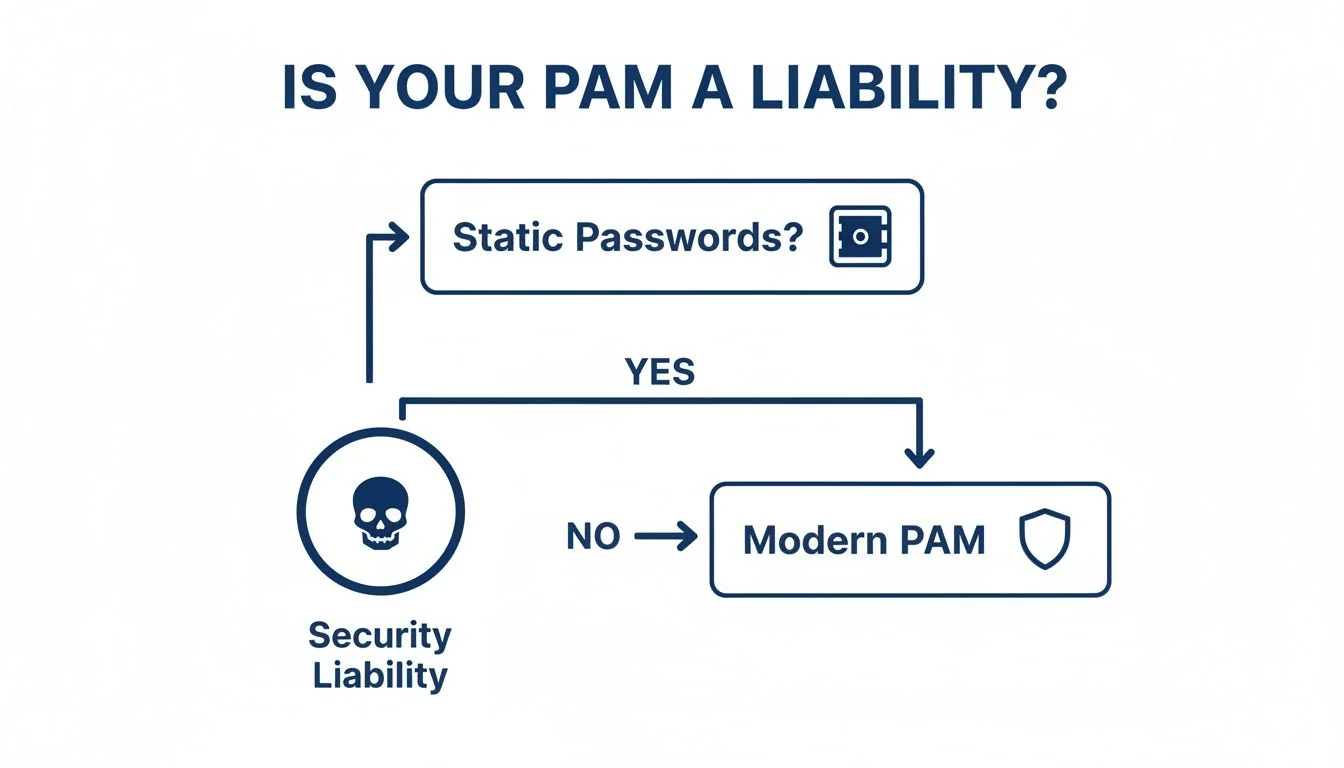
If you're still relying on static, vaulted passwords, your PAM is an active security liability. That is the trigger for a modernization initiative.
Decision Matrix: Choosing Your Modernization Path The best path is dictated by your pain points and strategic goals. Use this matrix to guide your decision.
| Criteria | Replatform to SaaS | Rearchitect for Zero Trust | Consolidate & Integrate |
|---|---|---|---|
| Primary Goal | Reduce operational overhead; shift from CapEx to OpEx. | Eliminate standing privileges; achieve highest security. | Gain centralized visibility; unify fragmented tools. |
| Effort Level | Medium | High | Medium to High |
| Best For | Orgs with on-premise hardware vaults, high cloud adoption. | Cloud-native orgs with mature DevOps practices. | Large enterprises with multiple, siloed PAM tools. |
| Key Risk | Vendor lock-in; replicating bad practices in a new tool. | High engineering cost; cultural resistance to change. | Complex integration; potential for scope creep. |
As you weigh these options, it's smart to frame this decision within your company's broader Legacy System Modernization Strategies. PAM is a core part of your security stack but does not exist in a vacuum. Aligning your PAM project with the company's larger transformation goals helps ensure it delivers lasting value.
Where PAM Modernization Projects Fail
The promise of modern PAM is real, but so is the failure rate. These projects fail on specific, avoidable technical pitfalls, not on a bad business case. Analysis of failed projects shows the common traps that derail these security initiatives and send budgets over.
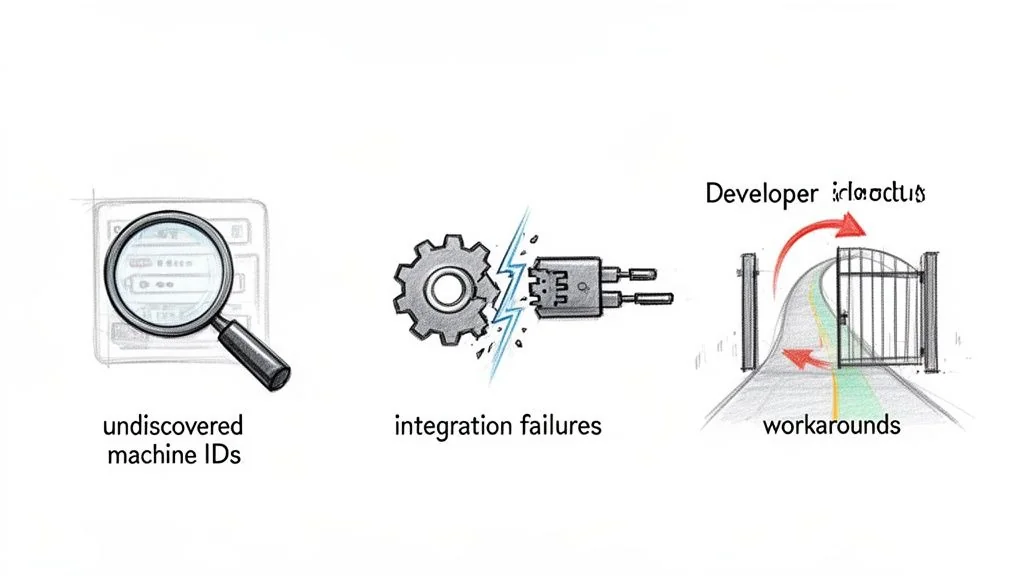
Most projects stumble at the start because of incomplete privilege discovery. They fixate on human admin accounts and ignore the sprawl of non-human and machine identities. In any modern cloud environment, these service accounts, API keys, and ephemeral container identities outnumber human users by orders of magnitude.
If you fail to map these privileges, you’re modernizing less than 10% of your actual attack surface.
The Integration Breakdown with Reality
Another frequent point of failure is the ugly reality of legacy integration. A new cloud-native PAM tool connects to AWS or Azure in minutes, but it will almost certainly choke when trying to talk to a 40-year-old mainframe or a custom-built ERP.
These integrations are never plug-and-play. They demand deep, specialized expertise to build custom connectors or wrangle ancient protocols, a fact many vendors downplay. When these integrations break, you're left with a fragmented system where your most critical assets are still sitting on the old, insecure platform.
The biggest hidden cost is technical debt in your codebase. Years of hardcoded database connection strings, API keys buried in deployment scripts, and service account passwords in config files all have to be refactored. That is a large engineering lift that’s often "discovered" mid-project, leading to scope creep and budget overruns.
Projects that do not budget for this refactoring see costs balloon. Project retries and cost overruns exceeding 50% of the initial budget are common.
Developer Pushback and Security Theater
Even with sound technology, a PAM project fails if it ignores the people who have to use it. The most common friction point is implementing just-in-time (JIT) access for DevOps and SRE teams. If requesting temporary privileges is slow, clunky, or breaks their workflows, your engineers will find a way around it.
This operational resistance creates a few patterns:
- "Break-Glass" Account Abuse: Legitimate emergency accounts get used for routine tasks because getting JIT access is too painful.
- Shadow Credential Caching: Developers start caching credentials locally or spinning up their own unauthorized secret stores just to avoid the new PAM system.
- Over-Privileged Hoarding: Engineers request broader, longer-lasting permissions than they need, defeating the purpose of least-privilege access.
When developers see a new security tool as a roadblock, they route around it. The result looks like modern security, but your most skilled users are operating outside its controls. A successful PAM modernization has to treat developer experience as seriously as security policy. Otherwise it becomes expensive, bypassed shelfware.
Calculating the True TCO of PAM Modernization
Calculating the Total Cost of Ownership (TCO) for a privileged access management modernization project requires looking far beyond the vendor’s sticker price. Focusing only on licensing fees is a common budgeting error. The real costs are buried in the integration labor, the ongoing operational drag, and the engineering hours it takes to untangle years of accumulated technical debt.
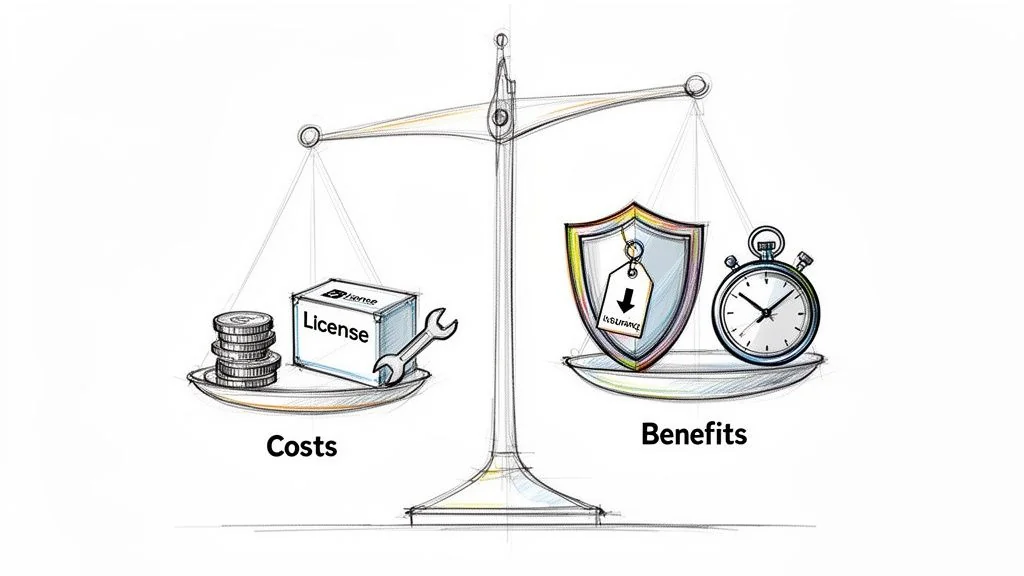
A business case that gets funded has to quantify both the direct and indirect costs. That is how you get executive buy-in and keep the project from becoming another underfunded failure.
Quantifying the Direct and Indirect Costs
The SaaS PAM subscription fee is only the entry cost. The bulk of your spending will be on professional services and your own engineering team’s time. Implementation partner fees often land between 50% and 150% of the first-year software license cost, depending on the complexity of your environment.
Be prepared to dedicate a significant chunk of your internal engineering budget to these tasks:
- Integration with Core Systems: You have to connect the new PAM to your IdP, SIEM, and ITSM platforms. This requires real developer time.
- Legacy System Connectors: Do not expect off-the-shelf connectors for your mainframes or ancient homegrown applications. You'll need to budget for custom development work here.
- Credential Refactoring: This is the hidden cost that sinks many budgets: the manual work of hunting down and refactoring every hardcoded credential buried in thousands of scripts, application configs, and build files.
A common blind spot is underestimating the ongoing operational cost. A modern PAM system isn't a "set and forget" appliance. It demands continuous policy tuning, regular access review campaigns, and managing the lifecycle of machine identities, which can easily eat up 0.5 FTE for a mid-sized company.
SME adoption is a major driver of PAM modernization, with that market segment projected to grow from USD 1.3 billion in 2025 to USD 4.85 billion by 2031. Cyber-insurance policies are now mandating least-privilege controls for businesses of all sizes, a trend seen across recent privileged access management reports.
Analyzing the ROI and Quantifiable Benefits
The cost side of the TCO equation is heavy, but the ROI supports the business case. Modern PAM delivers financial returns beyond the vague metric of "improved security."
Start by quantifying the reduction in your cyber-insurance premiums. Insurers are now giving substantial discounts to organizations that can prove they’ve eliminated standing privileges and implemented just-in-time (JIT) access. Adopting a modern PAM with JIT elevation can unlock premium cuts of up to 18%.
Next, model the cost savings from making your operations more efficient:
- Reduced Incident Response Costs: A modern PAM gives you full session recording and a clear audit trail. This cuts the time and money spent investigating a breach, often reducing incident investigation man-hours by over 50%.
- Streamlined Audits: Imagine reducing audit prep time from weeks to just a few days. Automating evidence collection and reporting for compliance frameworks like SOX, HIPAA, or PCI DSS makes that possible.
- Increased Developer Productivity: When you integrate access requests directly into developer workflows (think Slack bots or a CLI command), you eliminate the manual ticket queues. This automation gives time back to engineering teams and supports project velocity.
Mapping direct costs against benefits you can count turns the project from a security expenditure into an investment with a defensible ROI.
Next Steps: Define Your Implementation Path
A full-scale privileged access management (PAM) modernization project is not always the right answer. The pressure from vendors and auditors to modernize is constant, but a blanket mandate is fiscally irresponsible. Technical leaders need the data to make a defensible call to defer or descope an initiative when the ROI is negative. Pushing forward with a costly overhaul in the wrong context burns budget, erodes credibility, and pulls engineering resources away from projects that deliver actual value. The goal is strategic risk reduction, not security theater.
When to Defer Modernization
Some environments do not justify the expense and operational disruption of a complete PAM overhaul. The incremental security benefit is so marginal that the project wastes capital.
Consider these specific scenarios where pausing is the smarter choice:
- Truly Air-Gapped Environments: For systems with zero external network connectivity, the attack surface for remote privilege escalation is nonexistent. The risk from standing privileges is already contained, making the high cost of implementing Just-in-Time (JIT) access unjustifiable.
- Mature Compensating Controls: If you have already invested heavily in intensive, real-time session monitoring, strict network micro-segmentation, and advanced threat detection that scrutinizes all internal traffic, a new PAM tool brings little to the table. Your existing stack may already mitigate the primary risks modern PAM is designed to solve.
- Imminent Decommissioning: It is hard to justify spending six figures modernizing access controls for an application that will be shut down in the next 12-18 months. The investment will never break even.
Actionable Framework: The Go/No-Go Decision
Use this checklist to build a data-driven case for moving forward or deferring a PAM modernization project. A "No" to the first question or a "Yes" to any of the subsequent questions is a strong signal to re-evaluate or postpone the initiative and reallocate those resources.
| Go/No-Go Question | Implication | Decision |
|---|---|---|
| Do we rely on static, long-lived credentials? | This is the primary indicator of unacceptable risk. | Go if Yes, Stop if No. |
| Is the system fully air-gapped? | Primary attack vectors are not present. | No-Go (Defer) |
| Is the system scheduled for decommissioning within 18 months? | Project ROI is likely to be negative. | No-Go (Defer) |
| Do we have mature, layered controls in place (e.g., total session recording, micro-segmentation)? | Incremental risk reduction is too low. | No-Go (Defer) |
Choosing to wait can be the mark of mature, data-driven security leadership. It keeps you from wasting money on low-impact projects and focuses your team on a single goal: reducing the most enterprise risk for every dollar spent. Your next move is to either begin vendor vetting for a "Go" decision or reallocate the proposed budget to a higher-impact security initiative for a "No-Go."
Chief Analyst, Software Modernization Intelligence · 10+ years B2B market research
Published: