
A Pragmatic Guide to Multi-Factor Authentication Migration
A multi-factor authentication migration is a security infrastructure modernization project to move your organization from password-only access or a legacy MFA system to a modern authentication framework. These projects are notorious for failing. Industry data shows IT projects of this complexity routinely top a 50% failure rate. Success requires treating this as a strategic modernization initiative, not a simple IT task.
Projects stall from user friction, get bogged down by technical debt, or wither without clear executive backing. The classic failure scenario: the project sputters out after the pilot because the core strategy was never defined.
Why MFA Migrations Fail: Misaligned Drivers and Predictable Pitfalls
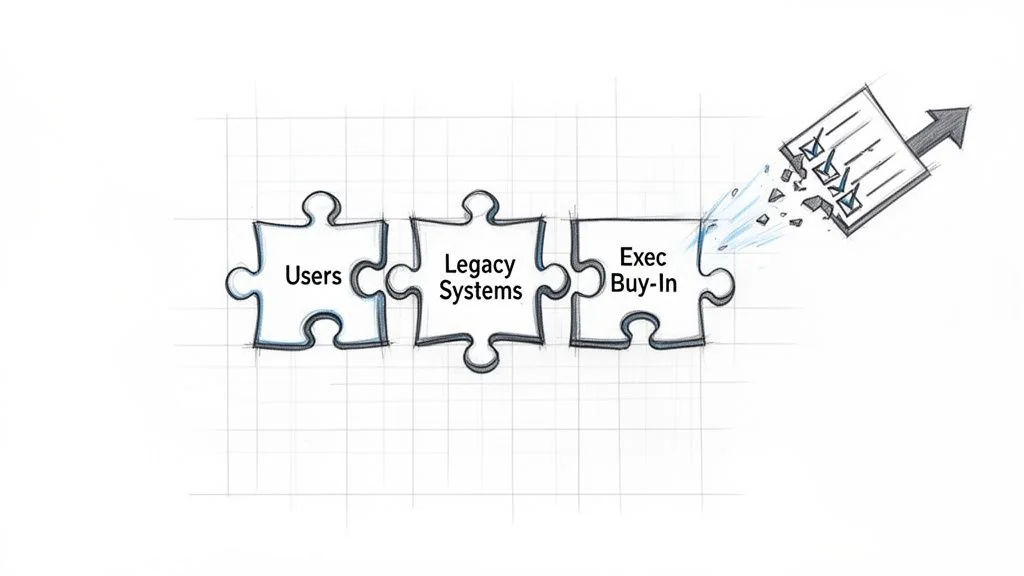
MFA projects fail when they are scoped as a simple security “upgrade,” ignoring the profound impact on user workflows, legacy systems, and the political capital required to execute. Without a clear decision framework, projects lose momentum at the first sign of user complaints or a technical roadblock.
Define Your Primary Migration Driver
You must be ruthlessly clear on the primary business driver. Is this to stop credential stuffing attacks? Is it to meet a PCI DSS or cyber insurance mandate? Or is it a foundational step toward a zero-trust architecture? The answer dictates technology choices, rollout schedule, and the entire communication plan.
For example, a project driven by the need to block credential compromise attacks—where MFA prevents over 99.2% of them—prioritizes phishing-resistant factors like FIDO2. If the main driver is a looming compliance deadline, the strategy shifts to prioritizing speed and broad coverage, which might involve temporarily allowing a less-secure factor just to meet the deadline, with a clear plan to upgrade later.
The core mistake is assuming a one-size-fits-all approach. A migration strategy for a manufacturing workforce with shared terminals is fundamentally different from one for a remote-first software company. Define the primary driver before evaluating technology. This forces an honest conversation about the real business objective and secures the executive sponsorship needed to overcome inevitable resistance.
Decision Matrix: Driver vs. Failure Mode
Understanding your business driver is only half the battle. The other half is anticipating the predictable failure mode it creates. This matrix maps common drivers to their primary failure modes, providing a framework to build a more resilient project plan.
| Business Driver | Associated Primary Failure Mode | Mitigation Strategy |
|---|---|---|
| Breach Prevention | Factor Elitism: Focusing only on phishing-resistant factors alienates user groups who can’t use them, causing the project to stall. | Segment users and offer a tiered set of approved factors. Prioritize phishing resistance for high-risk users first. |
| Compliance Mandate | ”Check-the-Box” Complacency: Rushing to meet a deadline with weak factors (e.g., SMS-only) that satisfy the letter but not the spirit of the law. | Define “compliance” as a baseline, with a roadmap to stronger factors post-deadline. Communicate this two-phase approach from the start. |
| Zero-Trust Enablement | Architecture Purity Paralysis: Getting stuck trying to solve every legacy app and edge case before rolling out to anyone, leading to endless analysis. | Identify “zero-trust ready” applications and user cohorts for an initial win. Create a separate, long-term track for legacy system integration. |
| Cost Reduction | Help Desk Meltdown: Underinvesting in user training and self-service tools to save money, resulting in skyrocketing support costs that negate savings. | Model and budget for a temporary 30-50% increase in help desk tickets during rollout. Invest heavily in proactive communication and video guides. |
Acknowledge Common Failure Points
Technical leaders consistently underestimate the non-technical landmines. MFA migrations fail more often because of people and process issues than technology. Acknowledging these pitfalls from day one is the only way to proactively mitigate them.
Here is a checklist of the most common tripwires:
- [ ] Choosing the wrong factors: Forcing a physical key on field agents who live on their phones guarantees low adoption and a hunt for insecure workarounds.
- [ ] Failing to secure executive buy-in: Without a strong C-suite sponsor, departmental managers will push back against the disruption. Your “critical security project” gets demoted behind their revenue-generating initiatives.
- [ ] Ignoring legacy systems: That ancient, business-critical application that doesn’t speak SAML or OIDC will halt your project if you don’t have a plan. You need a strategy—whether it’s an application gateway, a proxy, or a scheduled replacement.
- [ ] Poor communication and training: Enabling MFA and sending a mass email is a recipe for a helpdesk meltdown and organization-wide resentment. Users must understand why this is happening, how it protects them, and exactly how to enroll.
A pre-migration readiness assessment is non-negotiable. This is not just a technical audit; it is a frank evaluation of your organization’s capacity for change, covering technical debt, user segmentation, and communication planning.
Selecting the Right Authentication Architecture
Choosing your authentication factors is a long-term architectural commitment that will dictate your security posture, user experience, and support costs for years. The biggest mistake is forcing a single MFA method on a diverse workforce. A successful MFA strategy does not find one perfect factor—it builds a tiered framework where access risk dictates authentication strength.
The Trade-Offs Between Authentication Factors
Every authentication method is a compromise between security, usability, and cost. FIDO2 offers unparalleled phishing resistance but creates a hardware management lifecycle. SMS is ubiquitous but is broken for security purposes and a primary target for attackers.
Here is a breakdown of the real-world trade-offs:
- Time-Based One-Time Passwords (TOTP): These 6-digit codes from apps like Google or Microsoft Authenticator represent a solid security baseline. They are phishing-resistant but not phishing-proof, as a user can still be tricked into entering the code on a fake website. They balance security and user familiarity.
- Push Notifications: A simple “Approve/Deny” prompt on a phone offers a superior user experience. The major vulnerability is “MFA fatigue” or “push bombing”—an attacker spams a user with login requests, hoping for an accidental approval.
- FIDO2/WebAuthn (Security Keys & Biometrics): This is the strongest option. By using a physical key (like a YubiKey) or on-device biometrics, FIDO2 cryptographically binds the login to the legitimate site, making it impossible for a user to approve a sign-in on a phishing domain. The hurdles are implementation complexity and the cost of deploying and managing hardware.
- SMS/Voice Calls: These methods are deprecated. Their ubiquity is tempting for compliance, but security weaknesses like SIM-swapping are severe and widely exploited. Their only justifiable use is as a last-resort option for account recovery.
Data on user preference is clear: one analysis of migration trends found 95% of MFA users choose software-based solutions—mostly mobile apps. Only 4% use hardware tokens, and just 1% opt for biometrics. This data helps design an architecture that users will adopt, not fight. More authentication statistics on ElectroIQ confirm this trend.
Authentication Factor Trade-Off Matrix
This matrix maps common authentication factors to enterprise criteria, serving as an architectural cheat sheet for assessing the real-world implications of each option.
| Authentication Factor | Phishing Resistance | User Experience | Implementation Complexity | Best For |
|---|---|---|---|---|
| FIDO2/WebAuthn | Highest (Phishing-Proof) | Good to Excellent (fast, but requires hardware/biometrics) | High | Privileged access, high-risk users (admins, finance) |
| Push w/ Number Match | High (Resists MFA fatigue) | Good (one extra step vs. simple push) | Medium | Sensitive applications, general workforce step-up |
| Push Notifications | Medium (Vulnerable to MFA fatigue) | Excellent (fastest, most convenient) | Low-Medium | Baseline for low-risk applications |
| TOTP (Authenticator App) | Medium (Vulnerable to phishing) | Fair (requires opening app, typing code) | Low | Solid baseline, good for offline access |
| SMS/Voice | Very Low (Vulnerable to SIM swap) | Poor (delayed delivery, user friction) | Low | Account recovery only; phase out for logins |
This matrix shows there is no single “best” factor. The right choice depends on the resource being protected and the user accessing it.
Structuring a Tiered Authentication Approach
A tiered model is the only practical architecture for a large organization. It aligns security strength—and user friction—with the sensitivity of the resource being accessed. The goal is not to force every user through the highest security hoop for every action. The goal is to apply just enough friction to stop an attacker without crippling daily productivity.
A battle-tested, three-tiered structure:
- Baseline Access: For everyday apps like email and internal portals. Offer a choice between an approved TOTP app and push notifications. This covers most of the workforce with minimal friction.
- Sensitive Access: For systems with PII or financial data. Require push notifications with number matching or a TOTP code. This raises the bar against push-bombing attacks.
- Privileged Access: For admins in cloud consoles (Azure, AWS), infrastructure engineers, and developers on CI/CD pipelines. Mandate a phishing-proof factor like a FIDO2 security key. This is non-negotiable.
Any migration project requires a sharp focus on migration security to ensure no new vulnerabilities are introduced.
Integrating with Your Identity Provider
Your Identity Provider (IdP) is the core of your MFA strategy. The decision between an on-prem solution and a modern cloud IdP has massive consequences for the migration’s success and total cost of ownership (TCO).
- Cloud IdPs (Azure AD, Okta): These platforms are built for modern authentication. They include out-of-the-box support for a wide array of factors, powerful policy engines, and deep telemetry. Moving to a cloud IdP is a foundational part of any serious security and identity modernization program.
- On-Premise Solutions (ADFS): Legacy systems like ADFS require significant custom work and third-party add-ons to support modern factors like FIDO2. Managing this infrastructure adds operational overhead and slows response to new threats. The cost and effort to update ADFS for a modern MFA rollout often exceed the cost of migrating to a cloud-native provider.
TCO must account for support calls for lockouts, lost devices, and enrollment issues. This support overhead typically makes up 20-30% of the ongoing cost of an MFA solution. Cloud IdPs, with superior self-service recovery options, significantly reduce this hidden expense.
Executing a Phased Rollout That Actually Works
A “big bang” MFA migration is a guaranteed failure. It leads to an overwhelmed help desk, mass user revolt, and a swift end to project support. The only viable path is a structured, phased rollout that minimizes disruption, builds positive momentum, and creates internal champions. Forcing this change on everyone at once prioritizes technology over people. A methodical, ring-fenced approach provides the space to test, learn, and refine the process.
The Pilot Group: Your IT and Security Teams
Your first group must be your own IT and security staff. They are your most technically savvy users and understand the criticality of the change. This is a full dress rehearsal for every subsequent phase.
The goals for this initial pilot are essential:
- Validate the technology stack: Does the IdP integration hold up? Do authentication factors function as expected? Squash technical bugs here.
- Stress-test the support process: Use your IT team’s experience with lockouts and enrollment problems to perfect help desk scripts, documentation, and escalation paths.
- Refine communication templates: That enrollment email you drafted might be confusing. The FAQ could be missing obvious questions. This group’s feedback is gold for perfecting your messaging.
This first phase is a controlled experiment. The goal isn’t just to succeed, but to document every single failure point—every technical glitch, confusing instruction, and process gap—so you can fix it before the broader rollout begins.
Finding Your Business Champions
After your internal IT team, target tech-savvy business users. These are the “power users” in departments like marketing, sales, or finance—early adopters who understand the value of good technology. This group serves a crucial purpose: they are your bridge to the rest of the business. Enrolling them successfully provides a massive credibility boost. More importantly, they help anticipate real-world workflow impacts your IT team would miss. A win here creates advocates who can enter a skeptical team meeting and say, “It’s not that bad. Here’s how I got it working.”
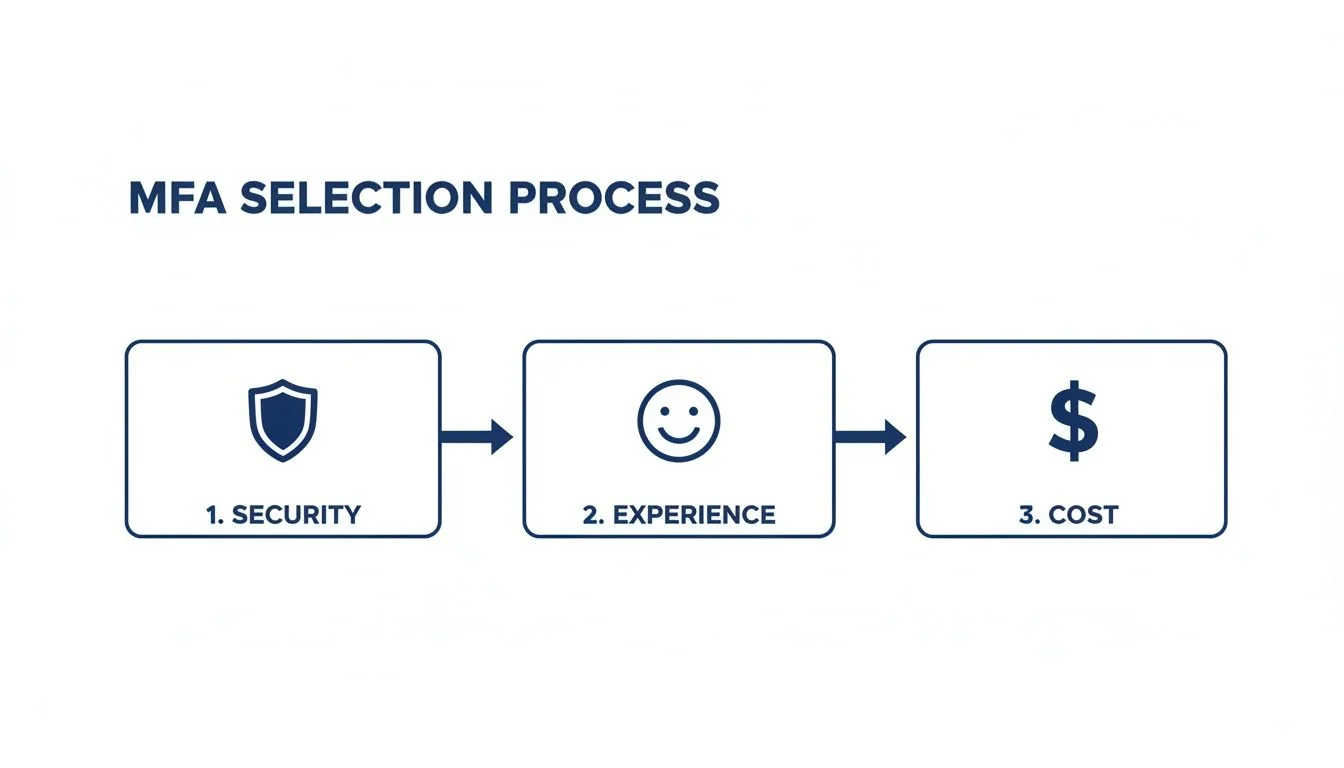
The insights from this phase allow you to tailor department-specific communications, speaking directly to the benefits that matter most to each team.
The Departmental and External Rollout
Only after two successful pilot phases should you begin a broad, department-by-department rollout. By this point, you have a repeatable, battle-tested process. A clearly defined Multi-Factor Authentication Rollout Plan is non-negotiable for keeping adoption rates high. Your schedule should be driven by risk profile and operational readiness.
Finally, tackle external users like contractors and partners. Their support needs are unique, and they lack organizational context. This group requires its own dedicated communication plan and support structure.
A critical, often forgotten piece is managing exceptions. Some users or systems cannot comply on day one. You must have a formal, time-bound exception process. This prevents ad-hoc workarounds that become permanent security holes and treats exceptions as technical debt to be tracked and resolved, not ignored.
Measuring Success and Mitigating Risk
Your MFA migration does not end at final enrollment. That is when you begin proving ROI, hunting down security gaps, and managing new operational risks. Success is not an adoption percentage; it is a tangible, measurable drop in security incidents and an improvement in your team’s efficiency. The most valuable metrics tell a story about risk reduction.
Key Performance Indicators That Matter
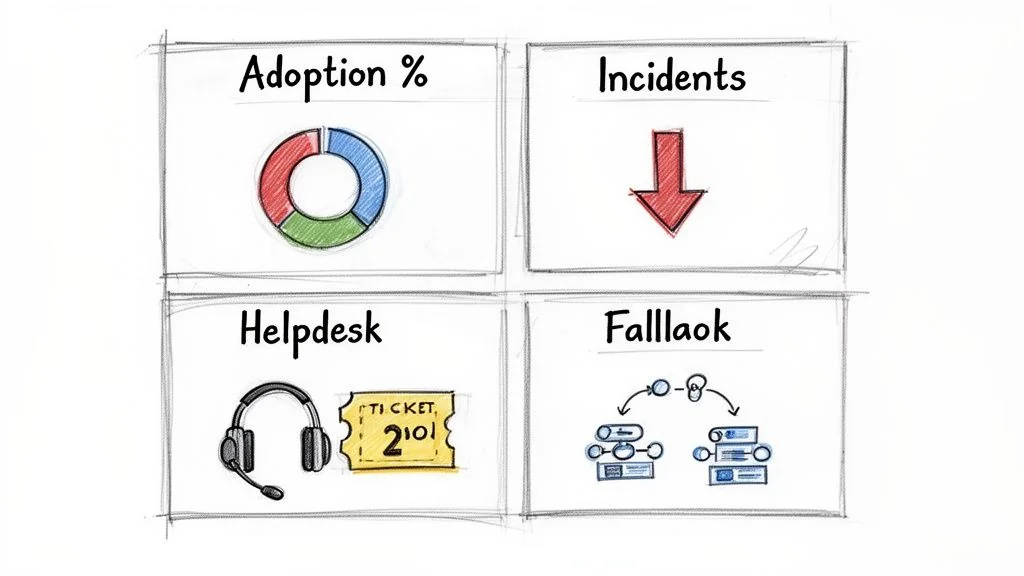
To prove value and monitor project health, your dashboard must track the right KPIs. These numbers provide direct evidence of your impact on security and user experience.
- Reduction in Credential-Stuffing Alerts: This is your primary success indicator. Before MFA, logs were filled with automated login attempts. A successful migration causes a near-total collapse of these alerts, a quantifiable security victory.
- MFA Fatigue Incidents: If you use push notifications, track how often users report or deny suspicious prompts. A spike indicates users are being actively targeted and you must accelerate the move to number-matching push or deploy phishing-resistant factors for those groups.
- Help Desk Ticket Volume and Type: Watch tickets for account lockouts, lost devices, and enrollment problems. Expect a temporary spike of 30-50% during rollout. That number must stabilize and then drop below your pre-migration baseline as users adopt the new system and its self-service features.
A successful MFA migration demonstrably quiets the noise of constant, low-grade attacks on your environment. Your SIEM and support dashboards must reflect this.
Engineering a Resilient Rollback Plan
Hope is not a strategy. You must have a pre-defined, tested rollback plan. A rollback plan is a sign of mature risk management, not failure. It must detail the exact data-driven triggers that would force a temporary reversal for a specific group and the technical steps to execute it.
Triggers must be specific:
- A >10% failure rate for a critical application integration post-MFA.
- Help desk ticket volume for a pilot group exceeding 200% of baseline for more than 48 hours.
- A critical business process is blocked, directly attributable to an MFA factor failure.
The rollback mechanism is a surgical action, not a panic button. It usually involves moving an affected user group into a less restrictive policy in your IdP to restore service while your team diagnoses the root cause. This principle of containment is the same as in any legacy system modernization project.
Mitigating Critical Vendor Risk
A commonly overlooked risk is the reliability of your MFA provider. Relying on a single cloud provider for authentication creates a massive single point of failure. Your primary strategy must be building in resiliency.
Consider these resilience strategies:
- Redundant Providers: For the highest assurance, integrate a secondary MFA provider. This is complex and expensive but is justified if authentication downtime is catastrophic for your business.
- Break-Glass Accounts: Maintain a small number of highly secured, offline-accessible “break-glass” accounts that bypass the standard MFA flow. Access must be strictly controlled, heavily monitored, and audited without exception.
- Fallback Methods: Configure a secure, temporary fallback method, like time-limited access via pre-approved static credentials for specific, emergency-only user groups. This is a high-risk option that demands an airtight process.
Continuous monitoring, a data-driven approach to risk, and a resilient architecture separate a “completed” project from a successful security transformation.
Analyzing Real-World Migration Costs and Market Trends
Securing budget for an MFA migration requires a business case grounded in real-world data. The global MFA market is projected to grow from $10.3 billion in 2020 to $51.96 billion by 2031, with a compound annual growth rate of 16.2%, according to detailed market analysis from Mordor Intelligence. This is not just a spending spree; it is a fundamental shift in how businesses secure identity.
Deconstructing Your Migration Budget
Focusing only on per-user licensing fees is a rookie error that leads to budget overruns. A defensible cost model has four distinct parts.
- Licensing and Hardware: This covers per-user fees for your IdP—like Azure AD or Okta—and the physical cost of any hardware tokens. Model these costs based on your access tiers; not every employee needs a $50 YubiKey.
- Implementation Partner Costs: For any large enterprise, a skilled implementation partner is not optional. Expect this to cost between $50,000 and $250,000+, depending on the complexity of your legacy environment and the number of custom apps requiring integration. Their value is the experience to navigate ancient systems and accelerate the rollout.
- Internal Labor and Opportunity Cost: Your best engineers will be dedicated to this project for months. Account for their salaries and the opportunity cost of other projects they are not working on. A migration for 10,000 users with 50 applications can consume 2,000-3,000 hours of internal engineering and PM time.
- Ongoing Support and Operations: Budget for a 30-50% increase in help desk tickets during each rollout phase. Ongoing costs include managing hardware token lifecycles, handling user lockouts, and administering IdP policies. This operational overhead often constitutes 20% of the total long-term cost.
Market Dynamics and Enterprise vs. SME Costs
Market data reveals a clear split in spending. Large enterprises account for 61.90% of market revenue, driven by complex compliance demands and the high cost of integrating MFA with sprawling legacy applications. However, the most aggressive growth is in the small and medium-sized enterprise (SME) segment, expanding at a 16.55% CAGR. Accessible SaaS IdPs have lowered the barrier to entry, making MFA migration for SMEs more about configuring an out-of-the-box solution than painful custom integration.
Your cost is driven by complexity, not just employee count. An SME with a clean, all-SaaS application portfolio has a much lower per-user migration cost than an enterprise wrangling on-prem systems from the 2000s.
The Inevitable Shift to Passwordless
The MFA market is sprinting toward passwordless authentication. This segment is growing at an 18.85% CAGR because it offers high security with low user friction. Methods like FIDO2/WebAuthn are not just another factor—they are a replacement for the password itself.
Your MFA migration today is a stepping stone. As you select your vendor and architecture, ask: “How does this choice enable a full passwordless transition in 2-3 years?” Prioritizing an IdP with strong, native FIDO2 support is a strategic necessity to avoid a painful re-architecture of your identity stack in the near future.
Your Toughest MFA Migration Questions, Answered
Every MFA migration plan runs into hard questions. You are caught between executives demanding perfect security, users demanding zero friction, and legacy systems that refuse to cooperate. Here are the direct, field-tested answers to the questions that surface in every major MFA rollout.
The push to adopt MFA has been swift. A 2024 MFA adoption report showed 83% of small and medium-sized enterprise IT professionals now mandate MFA. The tech sector hit an 87% adoption rate, but smaller companies (26-100 employees) lag dangerously at just 34%. This frantic adoption brings the hardest problems to the front: legacy applications and user rebellion.
How Do We Handle Legacy Apps That Don’t Support Modern MFA?
This is the number one blocker in any established enterprise. You have two real options, and “do nothing” is not one of them.
The correct, long-term fix is to place an identity provider (IdP) or an access proxy in front of the old application. This modern gatekeeper handles the MFA challenge and translates the authenticated session into a format the legacy app understands, such as header-based authentication or a Kerberos ticket.
When a proxy is not an option, you are forced to use compensating controls. This is not ideal, but it is better than an open door. These are your last line of defense:
- Network Segmentation: Isolate the application on a restricted network segment.
- Jump Boxes: Force all access through a monitored and session-recorded jump host.
- Aggressive Monitoring: Maximize logging and alerting to detect any anomalous activity instantly.
Every time you grant an exception, you must document it as technical debt. This creates visibility and forces a future conversation about modernizing or decommissioning the application. Never grant an MFA exception without a documented, signed-off mitigation plan.
What Is the Most Common Reason Enterprise MFA Migrations Fail?
It is not the technology. It is the people.
The number one cause of failure is a toxic combination of poor communication and a “big bang” rollout. Technical leaders focus on IdP configuration and forget they are forcing a fundamental change on every employee. When users are ambushed by a mandatory security change they do not understand, they revolt. This manifests as an overwhelmed help desk, angry department heads, and users actively seeking insecure workarounds, leaving you in a worse position than before.
A successful MFA project is a change management project first and a technology project second. Get that order wrong and you are doomed.
Should We Force a Single MFA Method or Allow User Choice?
Forcing one method on everyone is a classic mistake. Your developers, sales team, and factory floor workers have different workflows and risk profiles. A one-size-fits-all approach guarantees high friction and low adoption.
The correct strategy is to allow choice within a curated, risk-based set of options. You define tiers of assurance and match MFA factor strength to the sensitivity of the asset being accessed.
Here is what that model looks like in practice:
- Low-Risk Access: For day-to-day apps like email, let users choose between approved TOTP authenticator apps or push notifications.
- High-Risk Access: For sensitive systems—admin consoles, production infrastructure, financial data—mandate phishing-resistant methods. This means FIDO2 security keys. No exceptions.
This model also involves actively banning weak methods. SMS is a non-starter for anything beyond emergency account recovery; it is fundamentally broken for authentication. This tiered approach gives users a sense of agency while ensuring you maintain a non-negotiable security floor. It is the only way to balance security with a user experience that does not cripple your organization.