Identity Provider Migration Planning: A 2026 Guide
A practical guide to identity provider migration planning. Learn how to plan an IdP switch with checklists, risk analysis, and cutover strategies.
On this page
- Overview
- The Strategic Decision: Why an IdP Migration is Unavoidable
- Framework: The IdP Migration Driver Decision Matrix
- The Discovery and Audit Framework
- Checklist: Required Discovery Items
- Uncovering Compatibility Gaps and Mapping Data
- Navigating Protocol Mismatches
- The Critical Path of User Schema Mapping
- Designing a Risk-Mitigated Rollout Strategy
- Choosing Your Cutover Model
- Validating the Migration and Planning for Rollback
- Engineering a Failsafe Rollback Plan
- Defining Your Rollback Triggers
- Next Steps: Execute or Re-evaluate
- Frequently Asked Questions
- How should we budget for an IdP migration?
- What is the ideal team composition?
- How to handle machine identities?
An Identity Provider (IdP) migration changes your security posture and business agility, so it is more than a technology swap. Without a detailed playbook, expect user lockouts, security gaps, and project failure. In our judgement, migration plans often rest on optimistic assumptions.
This guide gives a framework for moving from a legacy system to a modern identity platform. It reflects our editorial judgement about common failure patterns in enterprise identity projects, not a measured dataset.
The Strategic Decision: Why an IdP Migration is Unavoidable
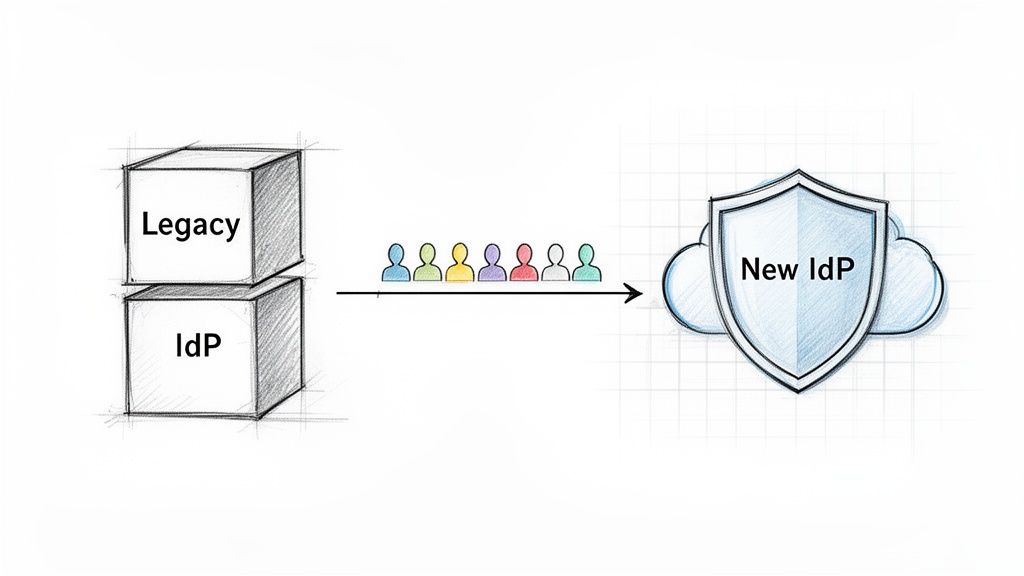
For organizations on a legacy IdP, the decision to migrate is usually driven by mounting technical debt, escalating security threats, and the operational drag of obsolete technology. Many legacy IdP solutions become a bottleneck. They can hinder cloud adoption and may not support modern authentication protocols like OpenID Connect (OIDC) or passwordless options.
This technical friction creates business risk. Outdated systems can struggle against sophisticated identity attacks, may not manage the growing number of machine identities, and can fall short on the login experience internal and external users expect. The Identity-as-a-Service (IDaaS) market is projected to reach USD 33.79 billion by 2031, according to Mordor Intelligence's 2026 forecast, which cites board-level focus on zero-trust architecture, rapid cloud migration, and the growing volume of machine identities as demand drivers.
Framework: The IdP Migration Driver Decision Matrix
A successful migration requires a clear primary objective. Without one, the project becomes a technical exercise with no strategic value. Agree on the primary goals before any technical evaluation begins, and use this matrix to frame the discussion and define success.
| Migration Driver | Key Indicators | Primary Business Risk | Success Metric (Example Target) |
|---|---|---|---|
| Capability Gaps | Cannot support OIDC, FIDO2, or modern SaaS apps. Weak MFA options. | Inability to adopt new technology; security vulnerabilities from outdated protocols. | 95% of applications integrated using modern protocols (OIDC/SAML). |
| High TCO | Unsustainable on-prem licensing, maintenance, and infrastructure costs. | Budget overruns; engineering hours wasted on maintaining custom scripts. | 30%+ reduction in total cost of ownership (TCO) within 12 months. |
| Platform Consolidation | Multiple, fragmented identity systems from M&A; no single source of truth. | Inconsistent security policies; poor user experience; high operational overhead. | Decommissioning of 1-2 legacy identity systems; unified user directory. |
| Security Posture | Frequent audit findings; inability to enforce granular access policies. | Increased risk of data breach or credential compromise. | Reduction in identity-related security incidents by 50%; clean audit report. |
Once the primary driver is identified, whether closing a security gap or cutting costs, measure every later decision against that goal. That keeps the project focused on measurable business value rather than a new login screen. Because your IdP controls access to most of your applications, frame the migration as a security and identity modernization investment, not an IT cost, to secure executive buy-in.
The Discovery and Audit Framework
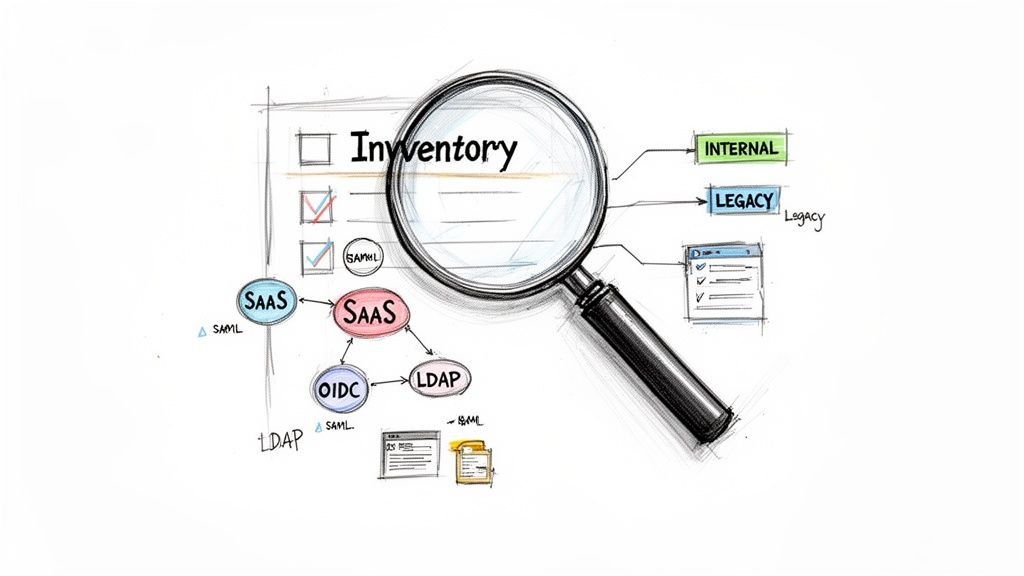
In our judgement, an identity provider migration is more likely to be lost during discovery than on cutover day. Failures often trace back to an overlooked application, a legacy authentication protocol, or a forgotten user directory. A comprehensive audit is the foundation of your entire identity provider migration planning effort.
This is investigative work, not a simple app export. The goal is an exhaustive inventory: a single source of truth mapping every person, machine, and application that requires authentication. Without it, you are running a high-risk project blind.
Checklist: Required Discovery Items
1. Application & Protocol Catalog:
Find and categorize every application that authenticates against the current IdP.
-
COTS & SaaS: Document protocol (SAML/OIDC). These are low-hanging fruit.
-
Internal Applications: Document auth method. Identify custom and legacy integrations.
-
Legacy/Monolithic Systems: High-risk. Document unsupported protocols like RADIUS or direct LDAP binds.
-
Partner Portals: Document all B2B federations. These are often fragile and poorly documented.
For every application, document its owner, user base, business criticality (Tier 1-3), and the exact authentication protocol. A mismatch between the old protocol and the new IdP’s capabilities will block the project. A typical risk is forgetting that the VPN infrastructure uses RADIUS authentication from the old IdP, which can cause a Day 1 outage for the entire remote workforce.
2. User Store & Directory Mapping:
Identify every source of identity truth to plan data synchronization.
-
Primary Directories: Active Directory or Microsoft Entra ID (formerly Azure AD).
-
Secondary LDAP Stores: Used by older Linux-based systems.
-
Application-Specific Databases: Legacy apps with their own user tables that must be migrated or federated.
-
External Partner Directories: All B2B federation trusts.
Missing a directory results in incomplete user profiles and failed logins post-migration.
3. Hidden Dependency Audit:
Uncover hardcoded credentials, service accounts, and custom scripts.
-
Service Accounts: Catalog all non-human accounts and trace their authentication patterns.
-
API Keys & Secrets: Scan code repositories and CI/CD pipelines for hardcoded keys authenticating against the old IdP. These can break on Day 1.
-
Custom Scripts: Find all PowerShell, Python, or shell scripts used for user provisioning or reporting. Direct API calls in these scripts will require a complete rewrite.
A forgotten marketing automation tool using a hardcoded service account password will fail silently, breaking a critical business process. A deep audit is the most reliable way to catch this. The inventory is the first step in any migration, and our guide to a proper legacy system assessment covers it in detail.
Uncovering Compatibility Gaps and Mapping Data
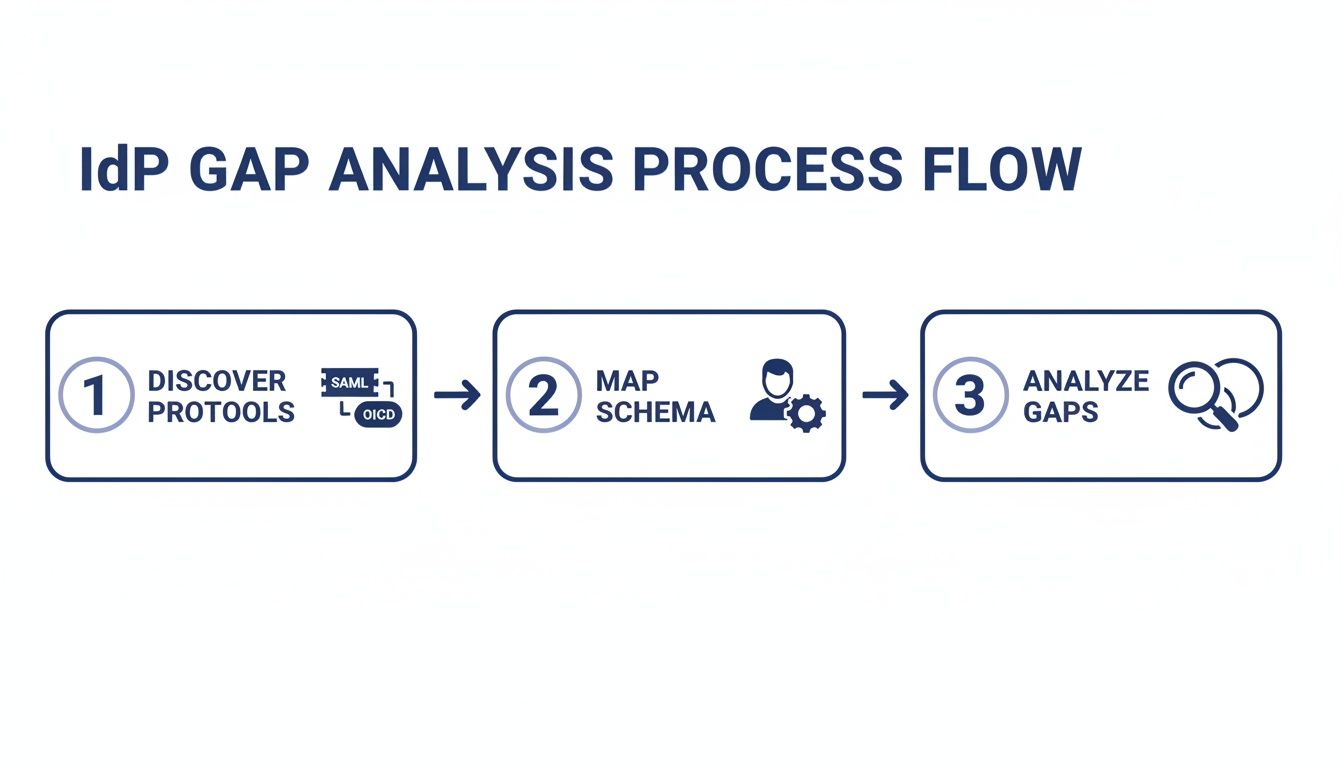
After discovery, the engineering work begins. Migrating from Okta to Microsoft Entra ID, or from a legacy system to a modern IdP, is a data transformation project layered on a security protocol negotiation, not an export-import job. This phase moves from inventory to a technical gap analysis, which becomes the migration blueprint and defines every script, configuration, and decommission target.
Navigating Protocol Mismatches
Review the application inventory and verify that the new IdP supports every authentication protocol in use (SAML 2.0, OIDC, LDAP, RADIUS). Modern IdPs excel at SAML and OIDC, but support for legacy protocols is often weak or non-existent.
-
SAML to OIDC Transitions: For legacy applications that only speak SAML, the migration to an OIDC-first IdP requires a decision: refactor the application's authentication module, place an abstraction gateway in front of it, or accept that it remains on the legacy IdP indefinitely.
-
Legacy Protocol Support (LDAP/RADIUS): This is a classic failure point. Critical systems like VPNs (RADIUS) or legacy applications (direct LDAP binds) must be tested against the new IdP's gateway or agent. Check whether each candidate IdP supports these protocols directly. Some cloud-native IdPs do not, which can rule them out. In our judgement, these integrations carry the highest risk when there is no dedicated proxy or modernization plan.
Do not trust vendor marketing materials. Demand a proof-of-concept (POC) for your most difficult legacy application. A project can halt for months if a vendor's claimed "LDAP support" turns out to be an unsupported, community-built connector that falls short of enterprise security standards.
The Critical Path of User Schema Mapping
User data mapping is the most laborious part of the migration. The user profile schema in the current IdP (attributes like email, firstName, employeeID, and custom attributes) will rarely be a 1:1 match with the new provider's schema. Create a detailed mapping document that specifies the transformation for every attribute.
User Attribute Mapping Framework
| Source Attribute (Legacy IdP) | Example Value | Target Attribute (New IdP) | Transformation Rule | Risk Assessment |
|---|---|---|---|---|
sAMAccountName | jdoe | login | Direct Map | Critical for login. Must be unique. |
memberOf | CN=Admins,OU=Groups | groups | Extract group name from DN. | High risk of losing nested group data. |
customAttribute5 | Division-A:Sub-B | costCenter | Split string at ":" and take first part. | High risk. App may break if format changes. |
telephoneNumber | +1 555-123-4567 | primaryPhone | Validate E.164 format. | Data cleanup is required. |
This exercise exposes the data problems you should expect: mismatched formats, loss of custom attributes, and custom claims that applications depend on for authorization and that must be recreated. The output of this gap analysis is the final technical punch list. Without this level of detail, you are hoping rather than planning.
Designing a Risk-Mitigated Rollout Strategy
A "big bang" cutover for an IdP migration puts the entire organization in the blast radius, and a single misconfiguration can trigger a company-wide outage. A structured, phased rollout is the defensible approach because it controls the scope of change at each stage. Start with low-risk applications and users, validate the process, and build confidence before touching mission-critical systems.
The initial phase must be a pilot with a technically savvy group, typically from IT and engineering, who can provide detailed feedback and give early warning of problems.
Choosing Your Cutover Model
The right model depends on your architecture, risk tolerance, and IdP capabilities. There are three primary models. A strong information security posture must be maintained throughout the transition, regardless of the model chosen.
-
Phased Application Migration (Safest): Move applications one by one or in logical batches. Users will temporarily use both IdPs, requiring clear communication.
-
Pros: Risk is tightly controlled. A failure in one migration wave should stay contained and have little impact on other applications.
-
Cons: Can create a confusing user experience if the transition period is protracted. Requires managing two identity systems in parallel.
-
Ideal for: Organizations with a diverse application portfolio that can be grouped by risk or business unit.
-
-
Parallel IdP Operation (Most Complex): Both IdPs run concurrently and are kept in sync. Applications are configured to trust both providers.
-
Pros: Low user disruption. Rollback can be a DNS or load balancer change, because the old IdP stays live.
-
Cons: Extremely high technical complexity and cost. Requires deep integration and data synchronization capabilities, which not every provider supports.
-
Ideal for: Large enterprises with zero tolerance for downtime and the budget and expertise to execute.
-
-
User-Group-Based Transition: Migrate entire groups of users at once (e.g., engineering department, then finance).
-
Pros: Provides a consistent user experience for each migrated group. Simplifies communication and support.
-
Cons: Higher risk than the application-based method. A failure can take an entire department offline.
-
Ideal for: Organizations with clearly defined user roles and consistent application access patterns within each group.
-
Successful migrations often blend these approaches: a pilot group (user-based), then moving low-risk internal tools (application-based), followed by an accelerated migration for the pilot users before expanding. Each phase must have explicit success criteria, set before the phase starts. Example thresholds are a successful login rate above 99.9%, authentication latency within 10% of the legacy system, and a specific number of "green light" UAT confirmations.
Validating the Migration and Planning for Rollback
A migration plan without a testing framework and a clear rollback trigger is a set of optimistic assumptions. Validation is continuous, from a single application integration to full-scale load testing.
Testing must cover three layers:
-
Unit and Integration Testing: For every application, especially those with custom code or complex claim transformations.
-
User Acceptance Testing (UAT): Required testing with the pilot group. Users must validate their specific workflows, permissions, and access to critical data.
-
Performance and Load Testing: The new IdP must handle peak login traffic (e.g., 9:01 AM on a Monday) without performance degradation.
Engineering a Failsafe Rollback Plan
When a cutover fails, the team needs a pre-approved, step-by-step plan to revert to a known-good state, because hesitation during a crisis extends outages. Create a disaster recovery plan that can be executed under pressure. The plan must include precise, automated procedures.
-
DNS Reversion: Scripts to immediately flip DNS records back to the legacy IdP's endpoints. Use low TTLs set well ahead of the cutover.
-
Application Reconfiguration: Scripts or clear manual instructions to repoint applications to the old provider.
-
Data Synchronization: A plan for user accounts created or modified in the new IdP during a failed cutover window.
-
User Communication: Pre-written, approved communication templates explaining the rollback.
A rollback is a planned outcome. The real failure is pressing forward with a broken system and causing widespread business disruption.
Defining Your Rollback Triggers
The decision to roll back must be based on explicit, metric-driven triggers, so the incident commander can act without debate. The thresholds below are examples. Set your own from the baseline you measure before cutover.
| Trigger Category | Specific Metric (Example) | Threshold for Rollback |
|---|---|---|
| Authentication Failures | Login failure rate exceeds 1% of baseline for more than 5 minutes. | Immediate rollback decision. |
| Performance Degradation | P95 authentication latency exceeds 500ms over the old IdP's baseline. | Initiate rollback if unresolved in 15 mins. |
| Critical Functionality | A Tier-1 application (e.g., Salesforce, ERP) is inaccessible to >10% of users. | Immediate rollback decision. |
| Security Incident | Evidence of privilege escalation or unexpected multi-factor auth bypass. | Immediate rollback decision. |
Next Steps: Execute or Re-evaluate
With discovery, gap analysis, and a phased rollout plan complete, you have a defensible path forward. The next step is to secure final stakeholder buy-in and begin the pilot phase.
However, if discovery revealed unmovable monolithic dependencies or critical protocol mismatches with no clear solution, halt the project. In our judgement, a failed migration is usually more damaging than retaining a legacy system for another year, because recovery work comes on top of the project cost already spent.
-
If your plan is solid: Proceed to the pilot migration with your designated technical user group. Use this phase to validate every assumption, test your communication plan, and refine the process before expanding.
-
If you found a showstopper: Do not proceed. Present the findings to leadership, along with the calculated risks and costs of a potential failure. The conversation should then shift to either a targeted modernization effort on the blocking application or a re-evaluation of the target IdP.
Halting a high-risk project is sound technical leadership, not failure.
Frequently Asked Questions
How should we budget for an IdP migration?
Comparing old license costs to new subscription fees is a common error. The total cost of transition is the correct metric. A realistic budget includes:
-
Implementation Partner Costs: Request quotes based on your application count and complexity.
-
Internal Engineering Hours: The cost of your team's time for discovery, testing, reconfiguration, and scripting.
-
Contingency Buffer: Add a buffer. 15-20% is a reasonable starting point in our judgement, not a benchmark. Expect an undocumented, critical legacy application to turn up.
-
User Training and Support: The cost of creating documentation and handling the initial surge in helpdesk tickets.
What is the ideal team composition?
An IdP migration is a cross-functional program, not only an IT project. The core team must include:
-
Project Manager: Owns the timeline, communication, and risk register.
-
Identity Architect: The technical lead with deep expertise in both legacy and target systems.
-
Application Owners: Business stakeholders responsible for coordinating testing and UAT for their applications.
-
Security Engineer: Ensures security policies are migrated correctly and no new vulnerabilities are introduced.
-
Helpdesk/Support Lead: Prepares for user impact and manages all user-facing communication.
How to handle machine identities?
Forgetting machine identities is a blind spot that can lead to production outages. API keys, service accounts, and certificates are pervasive. Your identity provider migration planning must include a dedicated sub-project for cataloging and migrating these non-human identities. Failure to do so can break CI/CD pipelines and app-to-app integrations.
Chief Analyst, Software Modernization Intelligence · 10+ years B2B market research
Published: ·Updated: