
9 Indispensable Database Migration Testing Strategies
Database migrations fail not from a lack of testing, but from executing the wrong tests. Standard QA catches application bugs; strategic testing prevents catastrophic business disruption. With failure rates for data migration projects hovering around 38%, and over 50% exceeding budget or causing operational harm, the stakes are too high for a generic approach. For a CTO or VP of Engineering, the core problem is not if to test, but how to build a validation framework that de-risks the entire modernization initiative.
A successful migration treats testing as a continuous risk-reduction portfolio, not a final quality gate. This requires moving beyond simplistic record counts to a multi-layered strategy that validates performance under production load, proves rollback viability, and secures stakeholder confidence. A flawed migration results in corrupted data, extended downtime, and direct revenue impact. The cost of inadequate testing is measured in emergency patches, lost customer trust, and derailed modernization roadmaps.
This guide details the nine essential database migration testing strategies that directly correlate with success in high-stakes enterprise environments. It skips the preamble and focuses on actionable frameworks and common failure points.
1. Full Data Validation Testing
Full Data Validation is a non-negotiable, row-by-row and column-by-column comparison between source and target systems. This moves beyond record counts to mathematically prove that no data was lost, altered, or corrupted during migration. It is the definitive method for guaranteeing absolute data integrity.
This strategy is mandatory for systems where data accuracy is tied to regulatory compliance (HIPAA, PCI-DSS), financial reporting, or core business operations. A financial services firm migrating a core banking system cannot tolerate a 0.01% discrepancy in account balances. Similarly, healthcare providers moving electronic health records (EHR) must ensure 100% data fidelity to guarantee patient safety.
Implementation and Best Practices
Executing full data validation requires automation; manual spot-checks are inadequate and introduce unacceptable risk. The process involves generating checksums or hashes for datasets in both source and target databases and comparing them.
Actionable Steps:
- Establish Baselines: Run validation scripts against a stable, pre-production environment to establish performance benchmarks and identify legitimate data transformations (e.g., character set changes) that must be accounted for.
- Use Automation Tools: Implement specialized tools (e.g., QuerySurge) or build custom scripts that handle large-scale data comparison efficiently. Manual validation is not a viable option at enterprise scale.
- Create Exception Reports: Document and approve any known, acceptable discrepancies. For instance, migrating from a mainframe’s COMP-3 packed decimals to a standard decimal type can introduce minor precision differences that must be pre-approved, not treated as errors.
- Document Validation Rules: Maintain a clear record of all validation logic. This documentation is crucial for post-migration audits and serves as proof of due diligence.
Key Insight: Full data validation must not wait until the final cutover. Run these tests in parallel with development and staging migrations. Catching data type mismatches, truncation issues, or faulty transformation logic early in the cycle drastically reduces the risk of a production rollback. This continuous validation is a core component of a successful data modernization effort.
2. Shadow Testing (Parallel Run)
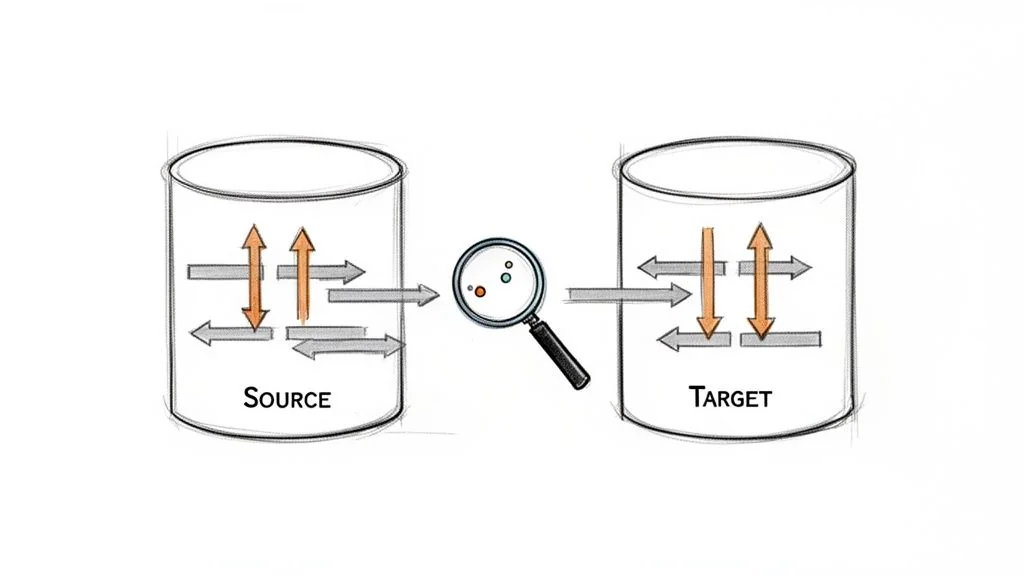
Shadow Testing validates the new system’s behavior using live production traffic. The legacy system remains the source of truth while the new target system runs in parallel, processing the same real-world transactions. Outputs from both systems are compared to detect discrepancies in data processing, business logic, or performance before the cutover.
This strategy is critical for high-throughput, mission-critical systems where even minor errors cause significant financial loss. Payment processors updating settlement engines cannot afford miscalculations. Airlines migrating reservation systems must ensure the new platform handles identical transaction volumes and logic with absolute precision before decommissioning the old one.
Implementation and Best Practices
A successful shadow test requires significant infrastructure capacity and robust automation for comparing outputs. The goal is to create a true A/B test with live production data, uncovering issues that synthetic test data misses.
Actionable Steps:
- Automate Output Comparison: Manual review is impractical. Build scripts or use specialized tools to automatically compare outputs, transaction results, and API responses between the systems, flagging any mismatch for investigation.
- Define Strict Acceptance Criteria: Establish clear success metrics. A common criterion is a 100% match rate for critical transactions over a defined period (e.g., 48-72 hours), with documented exceptions for known differences.
- Manage Infrastructure Costs: The cost of running dual infrastructure is a primary inhibitor. Start shadow testing during off-peak hours and keep the test window focused, typically 5-7 days, to gather sufficient data without incurring excessive expenses.
- Document and Remediate Discrepancies: Maintain a log of all discrepancies. Triage these issues immediately to resolve logic errors, performance bottlenecks, or data transformation faults before the planned cutover.
Key Insight: Shadow testing is the ultimate pre-flight check. It moves beyond data integrity to validate the entire application and business logic against unpredictable production workloads. The insights gained are invaluable for de-risking the final migration and preventing a costly rollback.
3. Functional Regression Testing
Functional Regression Testing ensures that after a database migration, the application’s business processes and features continue to operate exactly as before. This strategy moves beyond data-level checks to validate end-to-end business workflows, confirming that the new database correctly supports all application logic.
This validation is essential for any system where the database underpins complex business rules. An insurance company migrating its policy management database must confirm that agents can still issue quotes, bind policies, and process claims. A manufacturing firm must test its MRP modules post-migration to guarantee that production planning remains accurate. The focus is on preserving operational continuity.
Implementation and Best Practices
Executing Functional Regression Testing requires a systematic approach, combining automated scripts with targeted manual validation. The process involves running a pre-defined suite of test cases covering the most critical and frequently used application features against the migrated database.
Actionable Steps:
- Prioritize by Business Impact: Classify test cases based on business criticality. Focus initial efforts on revenue-generating workflows (e.g., checkout process) or core operational functions (e.g., shipment tracking) to mitigate the highest-risk failures first.
- Automate Repetitive Validations: Use UI and API automation tools (e.g., Selenium, Postman) to create a robust regression suite. This ensures consistent, repeatable testing of stable features.
- Involve Business Process Owners: Collaborate with business stakeholders to define and review test cases. Their domain expertise is invaluable for identifying subtle edge cases and ensuring tests accurately reflect real-world usage.
- Establish Performance Baselines: Before migration, measure and document the performance of key transactions on the source system. Use these benchmarks to identify any performance degradation in the target environment.
Key Insight: Functional Regression Testing is not a one-off, post-migration activity. Integrate these tests into your CI/CD pipeline and run them against lower environments (Dev, QA) with each new migration iteration. Catching a broken business workflow early prevents a costly, high-stress failure during the final production cutover.
4. Performance Benchmarking and Load Testing
Performance Benchmarking and Load Testing systematically measures database performance metrics like query execution time, throughput (TPS), and resource utilization. This strategy compares the source and target systems under controlled, realistic load conditions to validate that the migrated database meets or exceeds performance SLAs.
This testing is critical where response time directly impacts revenue or user experience. An e-commerce platform must ensure its checkout system remains fast during peak holiday sales. A SaaS provider must validate that its multi-tenant database can scale effectively to prevent performance issues affecting all customers. Without this validation, a migration can be technically successful but an operational failure.
Implementation and Best practices
Effective performance testing requires simulating real-world conditions with precision. This means replicating the complex mix of read, write, and update operations that the production database handles.
Actionable Steps:
- Establish Baselines First: Before the migration project begins, capture detailed performance metrics from the existing production system under typical and peak loads. This data serves as the non-negotiable benchmark for success.
- Use Production-Scale Data: Testing against a database populated with a production-level data volume is non-negotiable. Small data subsets provide misleadingly fast query times and fail to reveal indexing or configuration issues that only appear at scale.
- Test Realistic Query Mixes: Load tests must simulate the actual variety and concurrency of queries seen in production. Do not rely solely on simple
SELECTstatements; include complex joins, transactions, and concurrent read/write operations. - Monitor System Resources: Use monitoring tools to track CPU, memory, and disk I/O on the database server during tests. A slow query is often a symptom of an underlying hardware or configuration bottleneck, not just inefficient SQL.
Key Insight: Treat performance not as a post-migration check but as a continuous validation activity. Integrate performance tests into your pre-production environments to benchmark the impact of schema changes and new infrastructure configurations. This approach detects performance regressions early and ensures the new system is optimized for production demands.
5. Data Quality and Cleansing Validation
This strategy focuses on fixing the data itself, not just moving it. Data Quality and Cleansing Validation addresses the inevitable discovery of inaccurate, duplicate, or incomplete information in legacy systems. It involves profiling the source data, applying defined business rules to correct it, and verifying that the cleansed data in the target system meets required standards.

This process is critical when migrating systems that have accumulated years of data debt. A CRM migration often uncovers thousands of duplicate customer records. A healthcare system migration might find conflicting patient histories that must be reconciled. Ignoring this step simply moves a legacy problem into a modern system, undermining the value of the migration itself.
Implementation and Best Practices
Successful data cleansing is a collaborative effort between IT and business stakeholders. It requires creating clear, documented rules for how to handle anomalies. These decisions have direct business impact and must be made and approved before cleansing scripts are executed.
Actionable Steps:
- Profile Source Data Early: Use data profiling tools to analyze the source database long before migration development begins. This initial analysis will reveal the true scope of the cleanup effort.
- Define Cleansing Rules: Document explicit business logic for handling issues like missing values, duplicates, and formatting inconsistencies. Get sign-off from data governance teams.
- Establish Quality Baselines: Measure data quality metrics (e.g., percentage of complete records, number of duplicates) in the source system. Rerun these metrics on the target system post-migration to prove the cleansing was effective.
- Use a Staging Environment: Test and refine all cleansing scripts in a dedicated staging area. Never apply unverified cleansing logic directly to the production migration workflow.
- Maintain an Audit Trail: Log every change made during the cleansing process. This record is essential for post-migration validation and compliance audits.
Key Insight: Data cleansing is a business process negotiation, not just a technical task. The most time-consuming part is getting stakeholders to agree on controversial decisions, like which record to keep when duplicates are found. Budget time for these discussions as a core part of the project plan.
6. Rollback and Recovery Testing
Rollback and Recovery Testing is a critical fail-safe strategy focused on ensuring a migration can be reversed without data loss or extended downtime. It validates that if a critical failure occurs post-cutover, the entire system can be cleanly reverted to its original state. The objective is not to test the migration, but to prove the escape plan works flawlessly under pressure.
This testing is indispensable for any mission-critical system. An e-commerce platform that discovers a migration-induced bug causing transaction failures during a peak sales period must be able to roll back instantly. A telecom operator that finds calculation errors in a newly migrated billing system must revert to the old system to prevent sending millions of incorrect invoices.
Implementation and Best Practices
A successful rollback plan is a documented, rehearsed, and timed procedure, not a theoretical concept. It requires testing backup integrity, validating restore times, and confirming applications can reconnect to the source database and resume normal operations.
Actionable Steps:
- Define Rollback Triggers: Before the migration, establish and get stakeholder sign-off on precise go/no-go criteria. A trigger might be: “initiate rollback if the application error rate exceeds 0.5% in the first hour post-cutover.”
- Perform a Full Rehearsal: Execute a full rollback drill in a production-identical environment. This rehearsal must simulate a failure scenario and measure the actual time to restore service (Recovery Time Objective).
- Keep the Source System Warm: Plan to keep the source database online and synchronized (or in a read-only state) for a predefined period after cutover, typically 24-72 hours. This enables a rapid failover instead of a full, time-consuming restoration from backups.
- Document Every Step: Create a detailed, step-by-step rollback runbook. This document must include technical commands, communication protocols, and the specific individuals authorized to make the rollback decision.
Key Insight: The value of rollback testing is as much about building organizational confidence as it is about technical validation. A successfully demonstrated rollback test transforms the cutover decision from a high-stakes gamble into a calculated business risk with a proven safety net.
7. Integration and Connectivity Testing
Integration and Connectivity Testing validates that all systems dependent on the database continue to function correctly after the migration. A database rarely exists in isolation; it serves applications, APIs, reporting tools, and ETL processes. This strategy ensures these critical connections are not broken by changes in the database schema, network location, or authentication mechanisms.
This testing is mandatory for any interconnected system. A data warehouse migration must confirm that ETL pipelines still feed correctly. A customer portal migration must validate that API connectivity and authentication remain intact. Neglecting this step often leads to silent failures where the migration appears successful, but downstream business processes grind to a halt.
Implementation and Best Practices
Successful integration testing requires a complete inventory of all dependent systems and a coordinated testing effort with application owners. The goal is to simulate real-world, end-to-end business transactions that pass through the newly migrated database.
Actionable Steps:
- Map All Dependencies: Before migration planning begins, create a comprehensive map of every application, service, and user that connects to the database. This becomes the master checklist for testing.
- Validate Connection Strings and Drivers: Work directly with application teams to update and test new connection strings, ensuring that required database drivers are compatible and correctly installed in all application environments.
- Test End-to-End Workflows: Move beyond simple connectivity checks. Execute complete business processes, such as a customer placing an order, which triggers writes to the new database and reads from related inventory systems.
- Verify Authentication and Authorization: Confirm that application service accounts and user roles retain the correct permissions in the target database. Permissions models often differ between database technologies, making this a frequent point of failure.
Key Insight: Integration and connectivity issues are a leading cause of post-migration outages. Treat this as a continuous testing stream. Set up a dedicated, integrated test environment with a migrated copy of the database as soon as possible to give application teams ample time to resolve compatibility problems.
8. Compliance and Security Validation Testing
Compliance and Security Validation is a non-negotiable strategy focused on verifying that the target database adheres to all required regulatory mandates (e.g., GDPR, CCPA, HIPAA) and internal security policies. This goes beyond data integrity to confirm that protections like encryption, access controls, and audit logging are correctly implemented post-migration.
This testing is critical for any organization in regulated industries. A financial institution moving transaction data must validate PCI-DSS compliance. A healthcare provider migrating patient records must ensure the new environment is fully HIPAA compliant to safeguard protected health information (PHI). A compliance failure can result in severe financial penalties and reputational damage.
Implementation and Best Practices
Executing compliance validation requires close collaboration between engineering, security, and compliance teams from the project’s inception. It involves mapping existing security controls from the source system to the target and then running tests to verify their functional equivalence.
Actionable Steps:
- Establish a Control Baseline: Before migration, document every security control in the source system. This includes encryption algorithms, key management procedures, access control lists (ACLs), and audit log settings.
- Validate Access Controls: Test that the role-based access control (RBAC) matrix has been migrated correctly. Attempt to access sensitive data with unauthorized accounts to confirm permissions are enforced.
- Verify Encryption and Data Masking: Confirm that data-at-rest and data-in-transit encryption configurations meet standards. Validate that sensitive data fields (e.g., PII, credit card numbers) remain masked or tokenized.
- Test Audit Logging: Trigger auditable events such as data modifications, permission changes, and failed login attempts. Verify that these events are captured accurately and completely in the target system’s audit logs.
Key Insight: Involve your security and compliance teams at the planning stage, not just during final testing. Their input on the target architecture can prevent costly design flaws that would otherwise lead to failed audits post-launch. This proactive engagement is a cornerstone of any effective security and identity modernization initiative.
9. Monitoring and Observability Validation
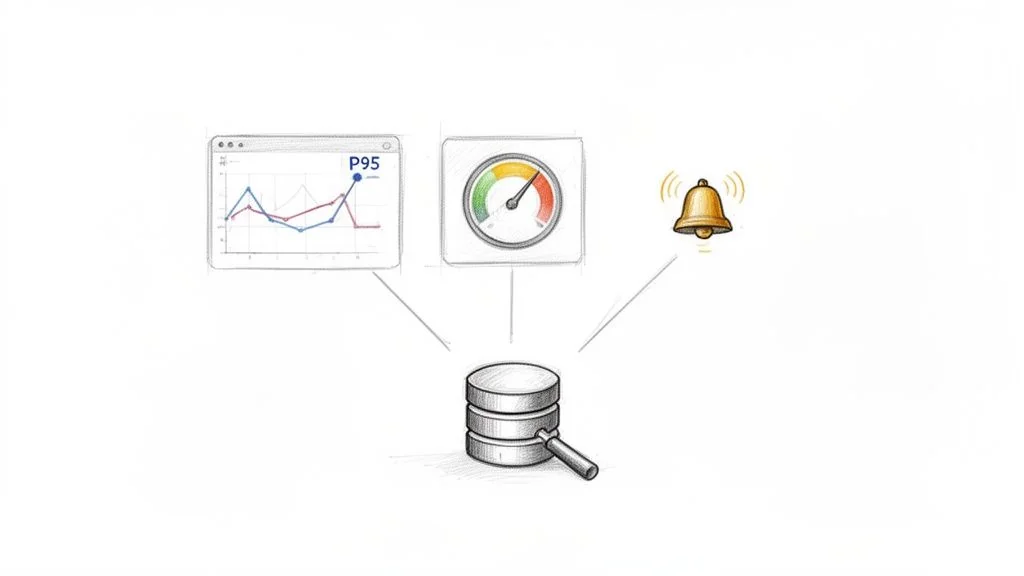
A successful migration is defined by post-cutover operational stability. Monitoring and Observability Validation is a proactive strategy focused on ensuring the new database environment is fully transparent and manageable. It confirms that all necessary tools and processes are in place to detect, diagnose, and resolve production issues before they impact the business.
This validation tests the surrounding support infrastructure. For a SaaS platform relying on Datadog, this means verifying that custom database queries are monitored correctly. For a financial institution using Splunk, it involves confirming that transaction-level logs from the new database are captured and parsed as expected.
Implementation and Best Practices
Validating your monitoring stack requires deliberate testing to prove that alerts fire when they should and that dashboards provide actionable information. It involves simulating failures and performance degradation to confirm the system behaves as designed under stress.
Actionable Steps:
- Establish Performance Baselines: Before migration, capture key performance indicators (KPIs) like query latency (P95, P99), transaction throughput, and CPU utilization. These baselines become the benchmark for setting realistic alert thresholds.
- Test Alert Triggers: Intentionally introduce conditions that should trigger alerts. For example, run a resource-intensive query to test high-CPU alerts or temporarily block network access to validate connection-failure notifications.
- Validate Critical Metrics: Explicitly verify that critical application-specific metrics, such as “orders processed per minute” or “user login failures,” are being collected and are accurate.
- Create and Rehearse Runbooks: For each critical alert, develop a runbook that details the step-by-step troubleshooting process. Test these runbooks during pre-production drills with the on-call team.
Key Insight: Treat your monitoring configuration as part of the migration itself. It must be version-controlled and deployed alongside schema and data changes. This “observability-as-code” approach ensures that your ability to see what’s happening in the new system is never an afterthought, preventing post-launch blindness.
Framework: Building a Risk-Based Testing Plan
Do not implement all nine strategies with equal intensity. The correct approach is to build a specific, risk-driven testing plan based on the unique failure modes of your project.
Step 1: Conduct a Failure Mode and Effects Analysis (FMEA)
Create a simple risk matrix. On one axis, list the potential failure modes specific to your migration: data corruption, extended downtime, unacceptable performance degradation, security breaches, or compliance violations. On the other axis, map the business impact of each failure: revenue loss per hour, reputational damage, customer churn, or regulatory fines. This immediately clarifies where to focus your testing budget.
| Failure Mode | Business Impact (1-5) | Likelihood (1-5) | Risk Score (Impact * Likelihood) | Primary Mitigation Strategy |
|---|---|---|---|---|
| Data corruption in financial tables | 5 | 2 | 10 | Full Data Validation |
| Post-migration API latency > 500ms | 4 | 4 | 16 | Performance Benchmarking and Shadow Testing |
| Inability to restore from backup | 5 | 1 | 5 | Rollback and Recovery Testing |
| PII exposure in logs | 5 | 3 | 15 | Compliance and Security Validation |
| Downstream system connection fails | 3 | 4 | 12 | Integration and Connectivity Testing |
Step 2: Prioritize and Allocate Resources
Your FMEA provides a defensible framework for resource allocation.
- High-Risk Scenarios (Score > 15): These demand your most rigorous and expensive testing strategies. If API latency is your top risk, Performance Benchmarking and Shadow Testing are non-negotiable. This justifies the budget for production-scale test environments and load-generation tools.
- Medium-Risk Scenarios (Score 8-14): These require thorough validation but may not need the most extreme measures. A data corruption risk might be sufficiently mitigated with checksum validation on critical tables rather than a full cell-by-cell comparison of the entire database.
- Low-Risk Scenarios (Score < 8): These can be addressed with standard QA processes, such as automated regression suites and manual exploratory testing.
From Strategy to Execution
With a prioritized plan, the focus shifts to execution. The difference between success and failure often hinges on deep expertise in specialized validation techniques. Executing a large-scale parallel run for a core banking system requires a different skill set than validating a schema migration for a web application.
To effectively execute, explore guides that demystify database migrations, covering tools, steps, and SQL Server migration best practices. Such resources provide tactical details that bridge the gap between high-level strategy and implementation.
A testing plan is only as strong as the team executing it. A partner’s proven experience in a specific, high-risk testing methodology (like performance benchmarking for high-frequency trading platforms) is often more valuable than their familiarity with the database technology itself. Mastering these database migration testing strategies is about preserving data integrity, maintaining customer trust, and protecting revenue streams. A meticulously tested migration reinforces the stability of the entire technology stack that depends on that data.