Securing Modernization: A Security Architecture Assessment Framework That Works
Discover how the security architecture assessment framework de-risks modernization, boosts resilience, and shields your system with expert guidance.
On this page
- Overview
- Stop Guessing Your Modernization Security Posture
- Defining Your Assessment Scope and Goals
- Prioritizing with a Decision Matrix
- The Six Pillars of a Modernization Security Assessment
- Identity and Access Management (IAM)
- Network and Perimeter Security
- Data Protection and Privacy
- Application Security (AppSec)
- Infrastructure and Cloud Security
- CI/CD and DevOps Security
- Executing the Assessment: From Evidence to Action
- Gathering Credible Evidence
- Implementing a Maturity Scoring Model
- From Scoring to Visual Heatmaps
- Common Security Pitfalls in Modernization
- Lift-and-Shift Blindness
- Ignoring the DevOps Toolchain
- Application-Only Tunnel Vision
- Next Steps: Building a Defensible Security Roadmap from Your Findings
- From Findings to Prioritized Actions
- Aligning Security with the Modernization Timeline
- Using the Roadmap to Manage Implementation Partners
- Frequently Asked Questions
- How Often Should We Perform a Full Security Architecture Assessment?
- Can This Framework Be Used for On-Premise and Cloud-Native Systems?
- What Is the Difference Between This Framework and a Penetration Test?
- How Much Effort Does It Take to Implement This Framework?
A security architecture assessment is the technical due diligence that keeps a modernization project from ending in a breach. It replaces guesswork with an evidence-based, repeatable methodology for evaluating security posture against known attack patterns, especially during cloud migrations or legacy refactoring. The output is scored findings and a prioritized remediation list you can track against migration milestones.
Stop Guessing Your Modernization Security Posture
Many security assessments are compliance-driven exercises using generic checklists that are disconnected from the real risks introduced during software modernization. A proper security architecture assessment framework is an engineering discipline that catches serious failures before they happen, not another bureaucratic hurdle.
Attempting to migrate a legacy application to the cloud without this structured analysis makes a security incident likely.
The business case is simple: modernization projects that skip an integrated security assessment ship with risks nobody has looked at. Those risks usually trace back to overlooked dependencies, misconfigured cloud services, or old vulnerabilities amplified in the new environment. Map interfaces between legacy and new systems in scope from the start; network security assessments can document exposure on those paths.
A formal framework forces you to swap assumptions for data. It creates a common language for architects, engineers, and business leaders to discuss risk in concrete terms, backed by evidence.
Defining Your Assessment Scope and Goals
Before reviewing a single line of code, define the blast radius. The most common failure is trying to "boil the ocean": assessing every system with the same scrutiny. This produces team burnout and a pile of vague findings. Focus on where the risk is highest.
Tie your scope to the modernization project itself. Start with these questions:
- What is actually being changed? Focus on the systems being actively modernized or retired.
- Where does the data flow? The interfaces between old and new systems are notoriously weak links. Map them.
- Which apps hold the crown jewels? Any application handling sensitive data (PII, PCI, PHI) goes to the top of the list for a deep-dive review.
- What are the compliance mandates? Obligations like GDPR, CCPA, or SOX tied to these systems cannot be an afterthought.
Once you have that list of high-priority systems, set clear, measurable goals. An objective like "improve security" is too vague to act on. You need specific, defined outcomes.
Key Takeaway: The goal of a security architecture assessment is not to find every single flaw. It is to identify the systemic weaknesses and architectural blind spots that pose the greatest risk to your modernization project's success.
Prioritizing with a Decision Matrix
To turn scoping questions into a defensible plan, use a decision matrix. It strips emotion and politics out of the process and gives you a data-driven starting point. By scoring applications on a few key factors, you can see exactly where to begin for maximum impact.
This sample matrix ranks systems so your team's effort goes to the highest-risk areas from day one.
Security Assessment Scoping Matrix
| System/Application | Business Criticality (1-5) | Data Sensitivity (1-5) | Modernization Complexity (1-5) | Assessment Priority Score (Sum) |
|---|---|---|---|---|
| Legacy Payment Monolith | 5 | 5 | 5 | 15 |
| Customer Data Warehouse | 4 | 5 | 3 | 12 |
| Internal Reporting Tool | 2 | 2 | 2 | 6 |
| Marketing Campaign Site | 3 | 1 | 1 | 5 |
The scores give you an immediate, defensible order of work.
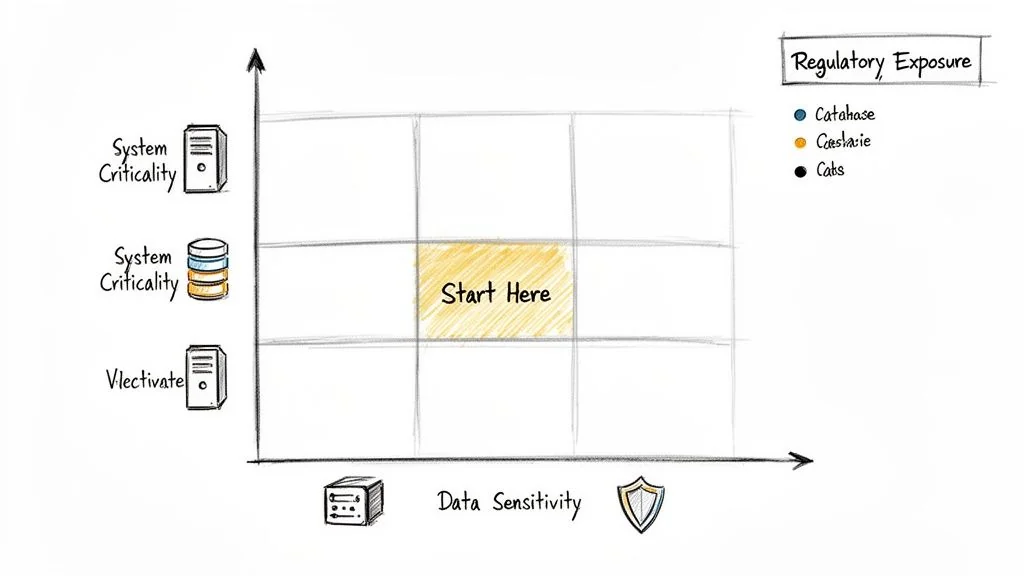
A legacy payment processing monolith (high business criticality, high data sensitivity) scheduled for a complex decomposition into microservices gets a top priority score. In contrast, a low-impact internal reporting tool using anonymized data is a much lower priority.
The Six Pillars of a Modernization Security Assessment
Generic compliance checklists miss the new attack surfaces created when moving to the cloud: leaky API gateways, misconfigured IAM roles, and compromised CI/CD pipelines that inject vulnerabilities directly into production.
A real assessment walks the six domains in this article (IAM through DevOps). Each has its own rules. Moving a monolith to microservices, for instance, shatters network and identity perimeters. Your security review must reflect that fragmented reality.
Identity and Access Management (IAM)
Modernization projects demolish traditional identity boundaries. What was once a straightforward Active Directory group is now a chaotic mix of cloud IAM roles, Kubernetes service accounts, and machine-to-machine tokens spanning dozens of services. This is where many security models break down.
Scrutinize the entire identity lifecycle, not just user logins.
- Who can actually access what? Do not trust diagrams. Verify that the principle of least privilege is enforced for both people and service accounts. Overly permissive roles are a leading cause of major cloud breaches.
- How are secrets managed? Hunt for hardcoded secrets, API keys checked into Git, and credentials that never expire. Centralized secrets managers like HashiCorp Vault or AWS Secrets Manager must be in use.
- Is MFA mandatory everywhere it matters? Look for gaps. MFA on the main login page is a start, but what about admin access to the new cloud console, the CI/CD system, or the developer portal?
The most common failure is migrating legacy service accounts directly into cloud IAM roles with god-like permissions. These "god roles" create unnecessary risk. Push for granular, temporary credentials everywhere. For more, see effective security and identity modernization.
Network and Perimeter Security
In a modern architecture, the network "perimeter" is a distributed set of enforcement points. Your assessment must move past the firewall-centric mindset and evaluate micro-segmentation, API security, and ingress/egress controls in a cloud-native world.
Validate data flow controls between services. Are default-deny network policies the standard? Is all east-west traffic (service-to-service) encrypted with mTLS? Lifting and shifting on-premise firewall rules into cloud security groups does nothing to stop an attacker from moving laterally across internal services once they gain a foothold.
Common gap: First cloud deployments often lack adequate east-west traffic controls between services. Teams focus on the north-south perimeter, leaving internal services exposed to lateral movement once an initial breach occurs.
Data Protection and Privacy
Modernization moves your most valuable data to new, unfamiliar platforms. This is where breach risk is highest. Your assessment must follow the "crown jewels" through their entire lifecycle, from creation to deletion.
Key validation points:
- Data Classification: Is every piece of data classified at creation? If not, you have no way to apply the right controls.
- Encryption Everywhere: Verify that all sensitive data is encrypted at rest and in transit. This includes object storage, message queues, log files, and backups.
- Data Masking: Confirm that non-production environments use masked or tokenized data. Using live PII in a dev environment is a regulatory fine waiting to happen.
A frequent and costly misstep is forgetting to re-evaluate data residency rules like GDPR when moving to a global cloud provider. Your assessment must confirm that where data is stored and processed aligns with legal mandates.
Application Security (AppSec)
A legacy migration imports decades of technical debt and hidden security flaws along with the code.
An assessment must go beyond an automated scanner. Integrate static (SAST) and dynamic (DAST) testing into your review, and perform manual code reviews on critical components. Look specifically for flaws common to modernization, like insecure deserialization in new microservice APIs or dependency confusion attacks in your new package managers.
Infrastructure and Cloud Security
Many cloud breaches come from misconfiguration, not from an attacker exploiting a complex zero-day vulnerability.
Your assessment must treat the configuration of your cloud platform as a core part of the application's architecture. Scrutinize Infrastructure as Code (IaC) templates from Terraform or CloudFormation for insecure defaults. Are you finding public S3 buckets, security group rules open to the world (0.0.0.0/0), or critical databases with no logging enabled? Each of these invites attack.
CI/CD and DevOps Security
The CI/CD pipeline is the factory that builds and ships your software. If an attacker controls the pipeline, they control the production environment.
The assessment must treat the entire toolchain (source control and build servers through the artifact repository and deployment scripts) as a mission-critical security domain. Verify that access to these systems is locked down, that every build artifact is scanned for vulnerabilities, and that you have a secure software supply chain process that prevents compromised dependencies from getting in.
Executing the Assessment: From Evidence to Action
The goal is a prioritized, evidence-backed list of findings that technical leaders can act on immediately, not a hundred-page report that gathers dust.
Gather real proof without derailing development sprints, combining automated analysis with targeted human review.
Gathering Credible Evidence
Relying on a single method, like an automated scanner, will leave blind spots. A real security architecture assessment framework demands more than one validation method.
In practice:
-
Automated Scanning: This is your wide net for common issues. Deploy a mix of tools: Static Application Security Testing (SAST) for code analysis, Dynamic Application Security Testing (DAST) for runtime vulnerabilities, and Infrastructure as Code (IaC) scanners like Checkov or tfsec to find misconfigurations before they hit production. These tools provide broad coverage, fast.
-
Manual Code & Configuration Review: Automation will never replace an expert eye. Senior engineers must perform targeted manual code reviews on the components that matter: authentication logic, payment processing workflows, and data encryption routines. The same goes for cloud configurations; a manual review of IAM policies will often uncover subtle, critical gaps that automated tools miss.
-
Targeted Interviews: Documentation is often outdated or non-existent. The fastest way to get the ground truth is to talk to the engineers who live in the code every day. Short, focused interviews with specific teams can uncover architectural decisions, operational shortcuts, and hidden dependencies not written down anywhere.
Implementing a Maturity Scoring Model
To make sense of your findings, move beyond a simple pass/fail checklist. A maturity scoring model reduces subjectivity and gives you a consistent way to rate controls across every domain.
A simple 1-4 scale works well. It runs from reactive, ad-hoc practices to proactive, optimized security.
Key Takeaway: A maturity score is a diagnostic, not a grade. It shows where you are and gives you a measurable path forward. The value is in prioritizing: lift your critical "Level 1" controls first, where you will get the biggest risk reduction.
The model below scores security controls consistently across all domains.
| Score | Maturity Level | Description | Example (Password Policy) |
|---|---|---|---|
| 1 | Ad-Hoc/Reactive | No formal process exists. Practices are inconsistent, undocumented, and dependent on individuals. | No formal password policy. Some systems have minimum lengths, others do not. |
| 2 | Repeatable | A basic process is documented and followed, but it is largely reactive and lacks proactive measures. | A basic password policy is documented (e.g., 8 characters) but not enforced everywhere. No MFA. |
| 3 | Defined/Proactive | The process is standardized, proactive, and integrated across the organization. Metrics are collected. | A strong password policy is enforced via configuration. MFA is required for all users. |
| 4 | Optimized | The process is continuously improved using quantitative data and feedback. Security is automated. | Passwordless (e.g., FIDO2) is the standard. Policy is adaptive based on risk signals. |
Control Maturity Scoring Model
With this model, prioritization rests on scores rather than opinions.
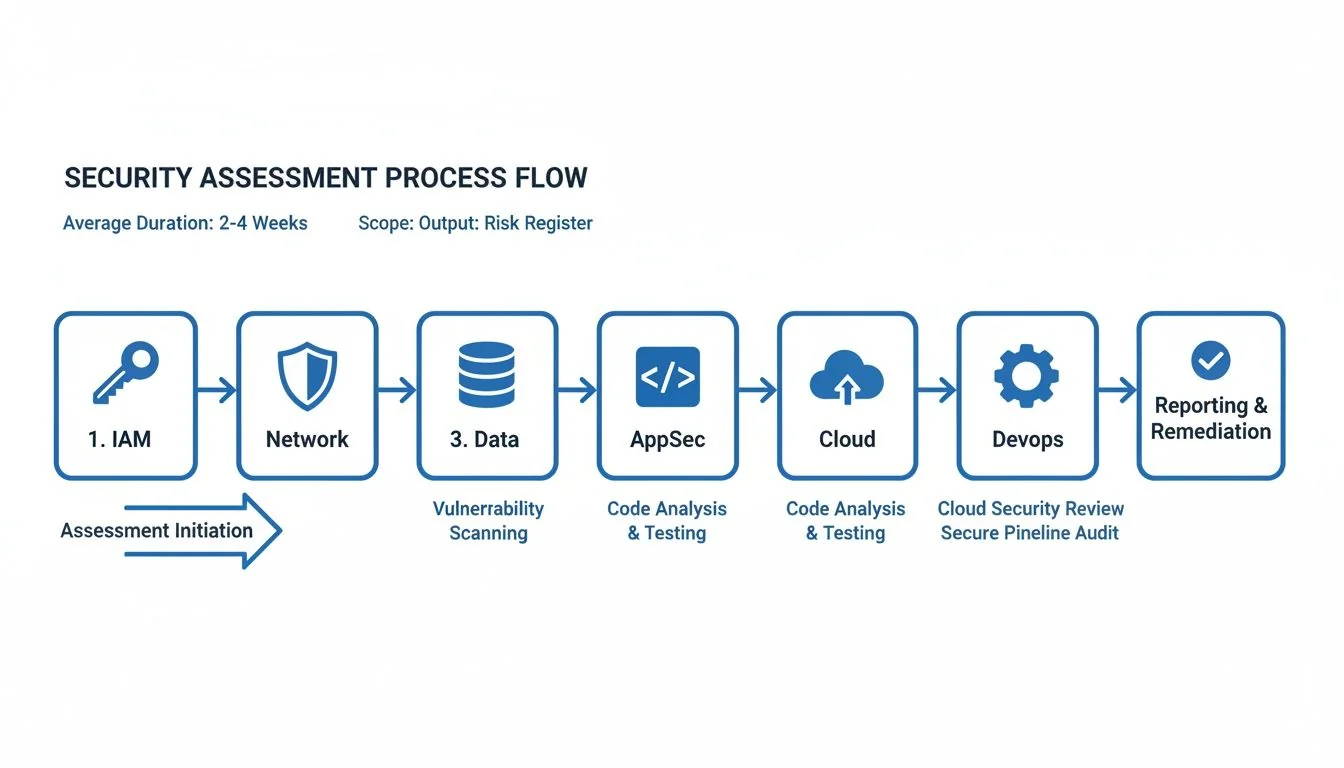
The diagram below shows how this entire process flows across the six key assessment pillars, from initial evidence collection to a final, actionable risk register.
From Scoring to Visual Heatmaps
Once you have scored the controls in each domain (Identity, Network, Data, and so on), you can build a visual heatmap of your entire security posture. It is an effective way to communicate risk to executives and engineers alike.
A heatmap shows where the problems are. It might reveal a sea of red (Level 1) in your CI/CD pipeline security while your network perimeter is solid green (Level 3). This tells you exactly where to focus.
The heatmap guides prioritization: instead of chasing individual, low-impact vulnerabilities, you direct resources to the foundational controls that pose the most systemic risk.
Common Security Pitfalls in Modernization
A solid security architecture assessment framework finds flaws, but modernization projects also fall into recurring traps that generic checklists and inexperienced teams miss. They are expensive and avoidable, and avoiding them is the fastest way to de-risk your project.
Lift-and-Shift Blindness
The most common trap is "Lift-and-Shift Blindness." This happens when a team treats the cloud like a remote data center, simply copying on-premise systems and their outdated security controls into a new environment. In the process, they replicate old weaknesses and amplify them.
Consider an illustrative scenario: a team moves a monolithic CRM to AWS. They painstakingly translate their on-prem firewall rules into cloud security groups and think they have done their due diligence. What they miss is the need for granular Identity and Access Management (IAM) policies.
The old system depended on network segmentation for safety. In the cloud, a single, overly permissive service role gives the application sweeping access to every S3 bucket in the account. A routine application vulnerability then becomes an account-wide data breach.
The Fix: Never replicate. Always re-architect. Your security assessment must explicitly forbid the direct translation of on-prem controls. Mandate that every service migrated to the cloud gets a new, purpose-built threat model that starts with cloud-native controls like IAM, fine-grained network policies, and managed security services.
Ignoring the DevOps Toolchain
Another common mistake is focusing all energy on the production application while the CI/CD pipeline that builds it is left wide open. Modern teams depend on their DevOps toolchain: source control, build servers, and artifact repositories.
If an attacker compromises this pipeline, they can inject malicious code directly into your production releases. All your carefully tuned application defenses become irrelevant.
Picture a retailer that has spent heavily on application security testing while its Jenkins server sits exposed with default credentials. An attacker could walk in, altered a build script, and siphoned off production secrets or embedded a backdoor into every container image pushed to their registry.
Your security assessment framework must treat the CI/CD pipeline as a Tier-1 production system. It is not just a development tool; it controls what reaches production.
Prevention Checklist:
- Lock Down Access: Enforce strict, role-based access controls on every single component, from Git repos to deployment tools. No exceptions.
- Secure the Build Agents: Build agents must be isolated, ephemeral, and run with the absolute minimum privileges they need to do their job. Then, destroy them.
- Scan Everything, Always: Every artifact (code, container images, infrastructure templates) gets scanned for vulnerabilities and secrets before it ever sees the next stage.
Application-Only Tunnel Vision
The final pitfall is a classic case of tunnel vision: obsessing over application-level flaws like SQL injection or XSS while completely ignoring the infrastructure they run on. Many cloud breaches start with misconfigured storage, network rules, and identity policies rather than a novel application exploit.
Public S3 buckets, 0.0.0.0/0 security groups, and unencrypted data stores cause a large share of cloud breaches, often more than a sophisticated application exploit does.
An illustrative case: a healthcare platform's SAST and DAST reports come back clean. A manual review of its Terraform code tells a different story, because the production database cluster has a public endpoint and a security group that allows access from the entire internet.
The application code is sound, but the infrastructure is open to the internet. This is what happens when security and development teams operate in separate silos.
Your assessment process should remove this separation. It should integrate Infrastructure as Code (IaC) scanning directly into the workflow and make infrastructure security a shared responsibility, not an operations afterthought. That way the entire stack is evaluated as a single unit.
Next Steps: Building a Defensible Security Roadmap from Your Findings
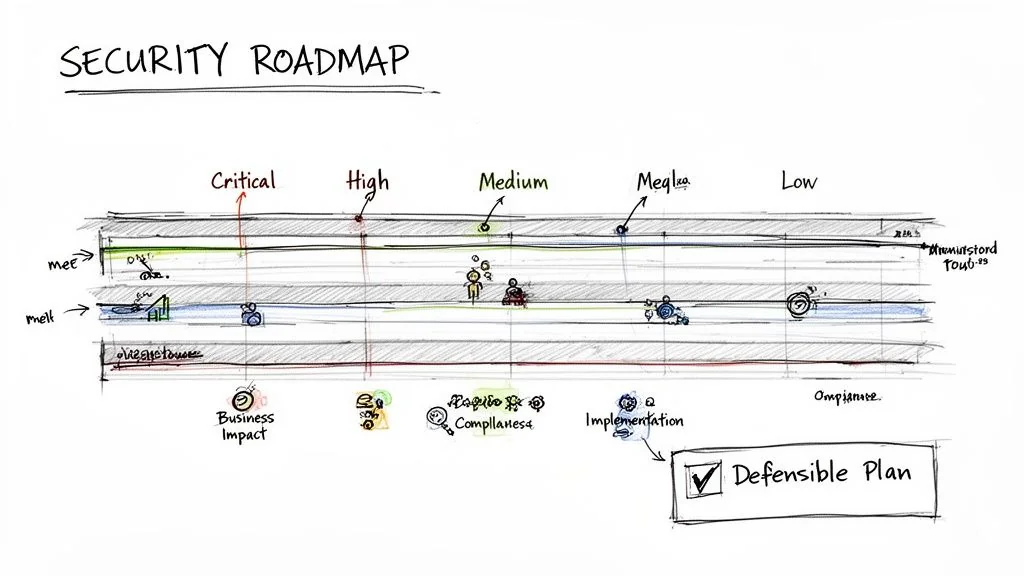
The final output of a security architecture assessment is a decision-making tool, not a report. Raw findings and maturity scores are data points; their value comes from translating them into a defensible, prioritized action plan that bridges the gap between a technical flaw and measurable business risk.
A stack of findings without priorities leads to analysis paralysis. A roadmap, on the other hand, gives you a sequence of actions tied directly to your modernization timeline. It makes security part of the project rather than an obstacle to work around. Use it to sequence fixes against milestones, tie partner statements of work to specific maturity targets and finding closures, and report progress to leadership.
From Findings to Prioritized Actions
Your first move is to synthesize every finding (from a single missing MFA on a critical tool to an entire domain scoring "Ad-Hoc") into a master list. Now, move past generic CVSS scores. A CVSS 9.8 on a development tool disconnected from the internet is far less important than a CVSS 6.5 on a production database gateway.
A business-focused risk rating ranks items by production exposure and impact on the modernization program, not CVSS alone.
- Critical: A direct, immediate threat to the project's success or core business operations. These are findings that could trigger a major data breach, a system-wide outage, or a massive regulatory fine. Think a publicly exposed S3 bucket with customer PII.
- High: A significant weakness an attacker could exploit with moderate effort. This is your hardcoded credential in a Git repository or a total lack of network segmentation between development and production environments.
- Medium: A deviation from best practices that increases your attack surface but is not an immediate threat. This might be missing log collectors on non-critical services or using libraries with known vulnerabilities that have no public exploits.
- Low: Minor procedural gaps that should be fixed but pose a negligible risk. An example is inconsistent code commenting standards for security logic.
This method allows you to make defensible tradeoffs. Critical and High items are your "fix now" list. Medium and Low items can be scheduled for later sprints or even formally accepted as business risk if the remediation cost dwarfs the potential impact.
An assessment should produce a System Security Plan to guide future security efforts. It documents the agreed-upon controls and the roadmap for addressing identified gaps, turning your assessment into a living governance document.
Aligning Security with the Modernization Timeline
Your security roadmap belongs in the main project plan, not in a separate workstream. Every remediation activity must be mapped to a specific project milestone or development sprint.
For example, if you are decomposing a monolith into microservices, the "Critical" finding to implement a service mesh for mTLS must be scheduled before those services handle a single byte of production traffic. A "Medium" finding to refactor logging formats for better analysis can wait for a later sprint.
This integration changes the dynamic. Instead of the security team being an external auditor that shows up at the end to say "no," they become embedded partners in the modernization. A Zero Trust Architecture, for instance, is not something you bolt on after the fact; it is a principle you build in from day one.
Using the Roadmap to Manage Implementation Partners
A detailed, prioritized roadmap is a strong tool for managing external implementation partners and consultants. It removes ambiguity and creates a concrete framework for accountability.
Handing a partner a vague requirement like "make it secure" invites arguments and budget overruns.
Instead, you give them the assessment report and the prioritized roadmap. Their statement of work (SoW) can now reference specific, measurable tasks like "Achieve Level 3 maturity for IAM controls by Q3" or "Resolve all Critical and High findings in the AppSec domain before the UAT phase begins."
Those SoW references give you pre-defined acceptance criteria. You can now validate their work against clear, pre-defined criteria. The conversation shifts from subjective opinions about "is it secure enough?" to objective evidence of "did you meet the requirements?"
Frequently Asked Questions
The sections below answer cadence, hybrid scope, how this work differs from penetration testing, and staffing for a first cycle.
How Often Should We Perform a Full Security Architecture Assessment?
A full, deep-dive assessment is required before any major modernization initiative (cloud migration, monolith decomposition, or a data platform overhaul). This is your ground truth, the baseline that exposes the foundational risks you have to deal with from day one.
After that initial benchmark, make the assessment a recurring practice rather than a one-off project.
- Annually: Run a lighter, but still comprehensive, assessment. This validates your security posture and catches any "drift" from your roadmap.
- On Major Changes: Trigger a targeted assessment anytime you have a significant architectural shift. This could be adopting a new technology stack, a major change in data sensitivity, or even a key acquisition.
The objective is continuous assurance rather than a periodic scramble.
Can This Framework Be Used for On-Premise and Cloud-Native Systems?
Yes. It is designed for hybrid environments. The six core pillars (Identity, Network, Data, Application, Infrastructure, and CI/CD) are universal security principles, not platform-specific checklists.
The methodology is consistent, but the specific controls and tools you are looking at will differ.
For example, when assessing Infrastructure Security:
- On-Premise: You are focused on physical server security, hypervisor configs, ancient firewall rules, and data center access logs.
- Cloud-Native: The focus shifts to container security (like image scanning with Snyk or Trivy), serverless function permissions, and the secure configuration of your cloud provider's services (IAM, VPCs, S3 bucket policies).
This adaptability is what makes the framework work for modernization projects, where you are almost always straddling both worlds.
What Is the Difference Between This Framework and a Penetration Test?
They are different activities that answer separate questions. Confusing them leaves blind spots.
-
A Security Architecture Assessment is a collaborative, "white box" design review. It looks at the blueprints (the underlying structure, configurations, and processes) to find systemic weaknesses and design flaws before they can be exploited. It asks: "Is our system designed and built to be secure?"
-
A Penetration Test is an adversarial, "black box" or "grey box" exercise. It simulates a real-world attack to find and actively exploit live vulnerabilities. It asks a much more immediate question: "Can a specific vulnerability be exploited right now?"
An assessment finds architectural rot (like a flat network with no micro-segmentation), while a pen test proves if a specific open port on that flat network can be compromised today. You must do both. One does not replace the other.
How Much Effort Does It Take to Implement This Framework?
The initial investment is real, but it can prevent costly re-architecture and security breaches later. Duration depends on portfolio size and complexity, so agree a time-box before you start.
This usually requires a lead security architect working with dedicated time from key engineers and architects on the relevant product teams. The biggest factors that extend your timeline are:
- System Complexity: A tangled monolith will take much longer to unravel than a set of well-defined microservices.
- Documentation Availability: If you have no accurate diagrams or docs, the discovery and evidence-gathering phase will be painful and slow.
- Team Availability: Getting time from the right subject matter experts is almost always the biggest bottleneck.
Subsequent assessments are faster once the process, scoring models, and tooling are in place. Start with a single, critical application to pilot the process, show the value, then expand.
Chief Analyst, Software Modernization Intelligence · 10+ years B2B market research
Published: