Legacy System Decommissioning Plan A CTO's Playbook
Execute a defensible legacy system decommissioning plan. This CTO's playbook covers risk analysis, data migration, compliance, and post-mortem ROI tracking.
On this page
- Overview
- Why Decommissioning Is a Strategic Imperative Not Janitorial Work
- The CFO case is stronger than the cleanup case
- What leaders underestimate
- What works and what fails
- Building Your Decommissioning Blueprint Scope and Dependency Mapping
- Scope the business capability, not just the app
- Build a blast-radius map
- Discovery checklist that actually prevents rework
- What teams miss most often
- Quantifying Risk and Ensuring Audit-Proof Compliance
- A practical scoring model
- Decommissioning Risk Prioritization Matrix
- Compliance evidence has to exist before shutdown
- The Data Playbook Migration Versus Archiving
- Migrate active data when the business process continues
- Archive historical data when operations no longer depend on it
- Use a decision tree, not instinct
- Validation is the line you can't cross casually
- Executing the Cutover The Final Shutdown Sequence
- Why phased shutdown beats the dramatic switch-off
- Handle resistance as an engineering risk
- The first 60 minutes after shutdown
- What a disciplined cutover team looks like
- Measuring Success Post-Decommission Monitoring and ROI Realization
- Measure in phases, not with a single closeout report
- Lessons learned that actually improve the next wave
- Set expectations with finance early
Decommissioning a legacy platform is a capital allocation decision with operational blast radius.
The most useful framing I've seen comes from the budget line, not the architecture diagram. The U.S. government spends about 80% of its IT budgets maintaining legacy systems, and 70% of Fortune 500 companies still run software more than 20 years old, according to legacy modernization statistics compiled with GAO and McKinsey references. That’s the reason a legacy system decommissioning plan belongs on a CTO agenda. Every quarter you keep an obsolete platform alive, you keep funding old constraints instead of new capability.
The mistake is treating decommissioning as a shutdown task. It is also a risk transfer, a compliance event, a data strategy decision, and a credibility test for engineering leadership. Teams that run it like janitorial cleanup usually discover too late that the legacy app was never the whole system. The overall system included interfaces nobody documented, users nobody interviewed, reports nobody owned, and retention obligations nobody wanted to touch.
Why Decommissioning Is a Strategic Imperative Not Janitorial Work
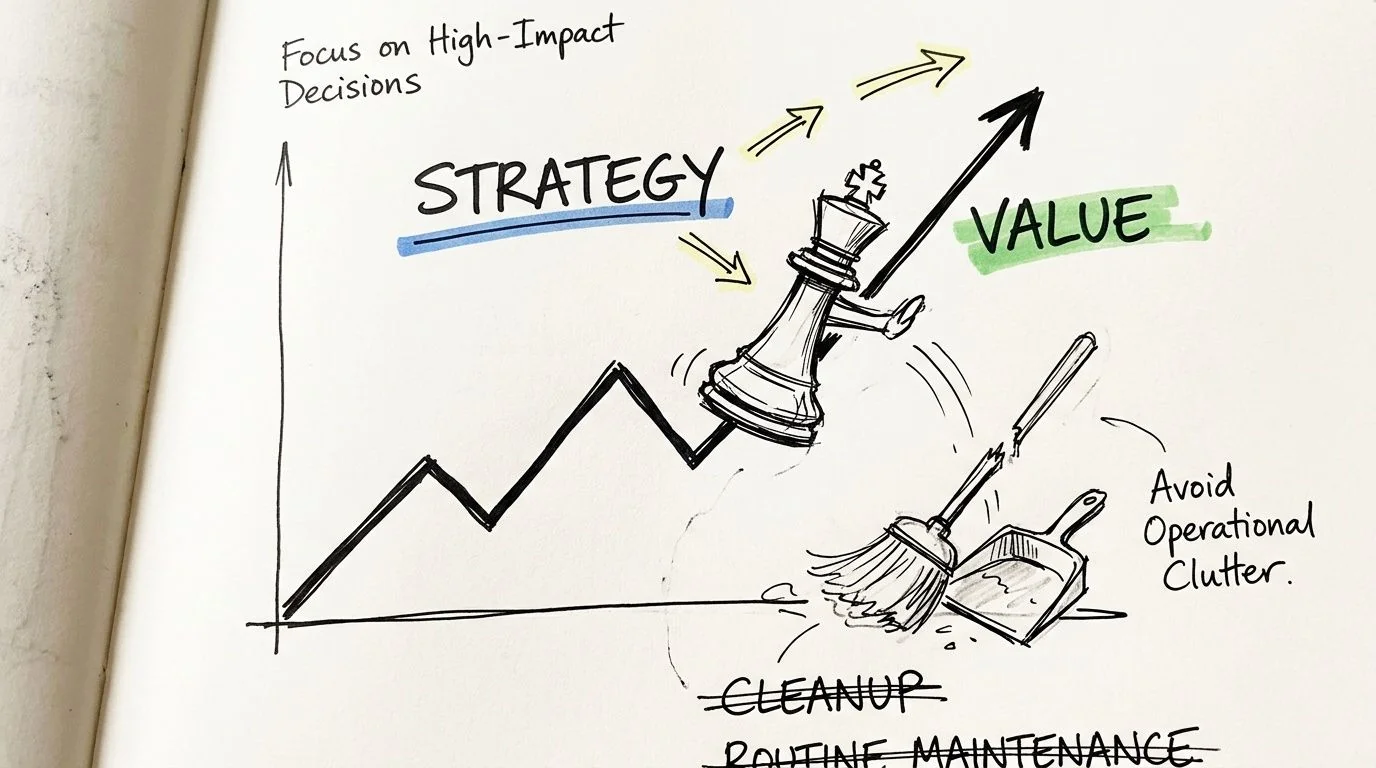
A legacy retirement program earns funding when you present it as a business control problem. Cost matters, but it isn't the full argument. The stronger case is that old systems absorb budget, preserve avoidable operational risk, and delay every adjacent modernization move.
That’s why decommissioning has to sit beside broader decisions about whether to rehost, refactor, or rebuild IT infrastructure. If the target-state strategy is wrong, the retirement sequence will also be wrong. I’ve seen teams decommission the symptom while preserving the dependency chain that made the system expensive in the first place.
The CFO case is stronger than the cleanup case
Boards rarely care that a platform is ugly. They care that it consumes spend without improving resilience or speed. Large organizations continue to tie up most of their IT funding in maintenance, and that suppresses room for product work, security hardening, and architecture renewal.
The strategic argument usually lands when you state three things plainly:
- Capital is trapped: Legacy platforms force ongoing spending on infrastructure, licenses, specialist labor, and support.
- Risk is cumulative: Unsupported or brittle platforms increase security and compliance exposure over time.
- Agility is constrained: Every integration, reporting request, and migration wave gets harder when old systems remain authoritative.
Practical rule: If the only business case you have is “we’ll clean up old servers,” you don’t have a business case. You have a disposal task.
What leaders underestimate
Most executive teams assume the danger is in the switch-off. It starts earlier, when the organization treats decommissioning as a technical afterthought to a migration that already happened.
A serious decommissioning effort answers questions that finance, audit, and operations will ask immediately:
- What cost stops on shutdown day, and what cost merely moves elsewhere?
- Which records stay accessible for audit, legal, and service operations?
- Who signs off that the old platform is no longer business-critical?
- What happens if a hidden dependency appears after cutover?
These are governance decisions, not implementation details.
What works and what fails
What works is a plan that treats retirement as a funded workstream with its own controls, evidence, owners, and acceptance criteria. What fails is the common shortcut of assuming that once users are on the new system, the old one is irrelevant.
That shortcut creates zombie estates. The application is “retired” in slide decks, but the database is still online, old integrations still run nightly, and auditors still depend on screenshots from the legacy UI. The savings never fully arrive, and the risk never fully leaves.
Building Your Decommissioning Blueprint Scope and Dependency Mapping
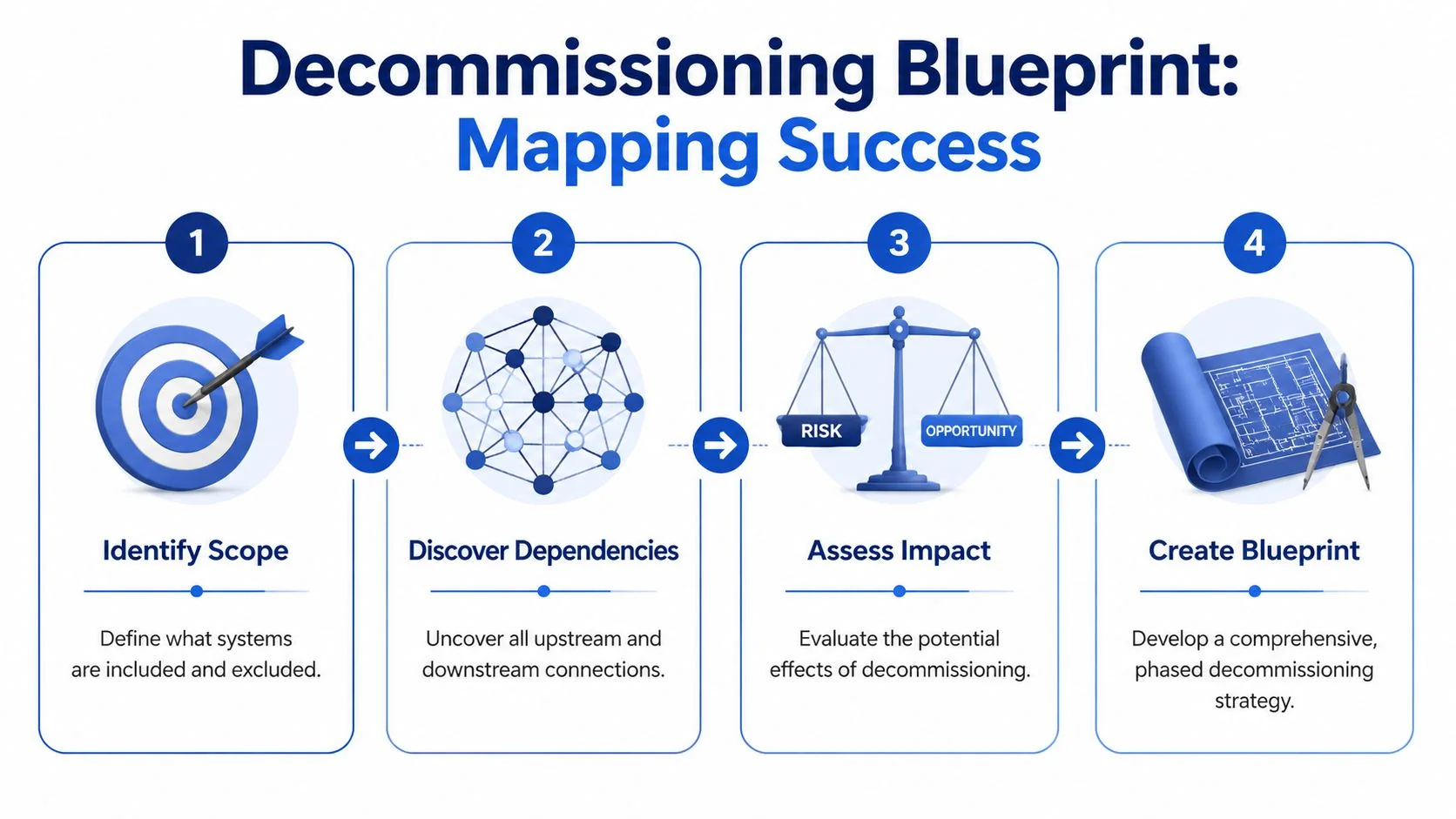
The hardest part of a legacy system decommissioning plan is defining what exactly you're retiring. The application name on the portfolio list is almost never enough.
Industry benchmarks tied to federal guidance show that 70-80% of decommissioning failures stem from overlooked interdependencies, which is why assessment, not the ceremony of shutdown, is the phase that matters most.
Scope the business capability, not just the app
Start with the business capability the legacy platform supports. “Claims processing,” “trade settlement,” “policy servicing,” “plant maintenance,” “order-to-cash reporting.” That framing forces the right discovery questions.
If you scope only by hostname, product name, or database instance, you’ll miss the people and processes that kept the platform alive long after its official purpose faded. The dependency map has to include:
- User paths: named business teams, shared mailboxes, batch operators, finance analysts, audit users
- System paths: upstream feeds, downstream consumers, file drops, APIs, message queues, scheduler jobs
- Control paths: reconciliations, month-end reports, compliance exports, retention obligations
- Infrastructure paths: storage, backup jobs, monitoring hooks, identity integration, network rules
Build a blast-radius map
A useful blueprint shows what breaks if you turn off one component. I want every team to create a blast-radius map before any retirement date is approved.
Use multiple discovery methods because no single source tells the truth on its own:
- Automated discovery from CMDB records, APM traces, ETL job inventories, and interface catalogs.
- Database and batch inspection to identify scheduled jobs, replication paths, and dormant but still referenced tables.
- Access log review to find real users, service accounts, and unexpected reporting behavior.
- Workshop validation with operations, finance, audit, security, and business owners who live with the process.
- Document archaeology across runbooks, old project tickets, and vendor support notes.
The dependency that kills your timeline usually isn't in the architecture repository. It's in a spreadsheet macro, a batch schedule, or a quarterly audit procedure nobody thought to mention.
Discovery checklist that actually prevents rework
Use this before finalizing scope:
- Confirm the source of truth: Which system is authoritative for each business object?
- List every interface owner: Not just the system name. A person must own each feed and consumer.
- Trace report lineage: Many “retired” apps survive because a regulator, auditor, or finance team still depends on historical output.
- Review contract and support terms: Shutdown sequencing often depends on vendor offboarding rules and license timing.
- Validate retention requirements: Records often outlive application usefulness by years.
- Interrogate service accounts: Shared credentials hide integrations better than any missing documentation.
- Map exception handling: Manual workarounds and fallback routines often disappear from formal diagrams.
What teams miss most often
The obvious dependencies get found. The dangerous ones are informal. Shadow reporting, desktop extracts, point-to-point scripts, and “temporary” interfaces with no owner create most of the cleanup nobody budgeted.
Be blunt about this: if your discovery process depends only on application owners self-reporting dependencies, your inventory is fiction. Use tooling, but don’t trust tooling alone. Use interviews, but don’t trust interviews alone. Force contradiction between sources until the map stabilizes.
A blueprint is credible when it shows exclusions as clearly as inclusions. If a feed, archive, or hardware component remains after decommissioning, write that down explicitly. Otherwise, someone will assume it disappears and design the shutdown around a false premise.
Quantifying Risk and Ensuring Audit-Proof Compliance
A decommissioning plan becomes defensible when it moves past color-coded risk labels. “High,” “medium,” and “low” are useless in steering committees unless everyone shares the same definition. Most don't.
The failure pattern is more concrete than that. Globally, decommissioning failures are driven primarily by data loss (35%), compliance violations (28%), and extended downtime (22%), according to aggregated decommissioning analyses from modernization consultancies. That’s the right structure for a risk model because those are the failure modes that force executive escalation.
A practical scoring model
Score each candidate system on five dimensions:
-
Business criticality (1-5)
How painful is disruption to operations, revenue recognition, customer service, or regulated reporting? -
Data loss risk (1-5)
How hard is extraction, validation, and reconstruction if corruption or omission appears later? -
Compliance breach risk (1-5)
Does the platform hold regulated records, legal hold data, privacy-sensitive data, or audit evidence? -
Annual maintenance cost
Use your actual run-rate. Don’t estimate from vendor list prices if finance already has better numbers. -
Decommission priority score
Use a weighted formula that emphasizes failure impact first, then cost release second.
A simple practitioner formula works well:
Priority Score = (Business Criticality × 2) + (Data Loss Risk × 3) + (Compliance Breach Risk × 3) + Cost Weight
The exact weighting can vary. What matters is consistency across the portfolio.
Decommissioning Risk Prioritization Matrix
| System/Application | Business Criticality (1-5) | Data Loss Risk (1-5) | Compliance Breach Risk (1-5) | Annual Maintenance Cost | Decommission Priority Score |
|---|---|---|---|---|---|
| ERP archive instance | 5 | 5 | 5 | Enter internal run-rate | Calculate from agreed formula |
| Legacy reporting mart | 3 | 2 | 4 | Enter internal run-rate | Calculate from agreed formula |
| Mainframe claims module | 5 | 5 | 4 | Enter internal run-rate | Calculate from agreed formula |
| HR historical records app | 4 | 3 | 5 | Enter internal run-rate | Calculate from agreed formula |
| Retired CRM read-only node | 2 | 2 | 3 | Enter internal run-rate | Calculate from agreed formula |
This matrix does two things. It forces explicit trade-offs, and it gives audit and finance a visible rationale for sequencing. If you need a more structured evaluation model, this guide to legacy system risk assessment is a useful companion for framing system-level exposure before retirement planning.
Compliance evidence has to exist before shutdown
Compliance is a design input from day one, not a final sign-off, though many teams treat it as one.
Build evidence for these controls before cutover:
- Retention mapping: Tie each data domain to a formal retention requirement and owning function.
- Access model: Define who can retrieve archived data, under what approval flow, and in what format.
- Sanitization procedure: For hardware or media retirement, align the method with NIST 800-88 where applicable.
- Certificate of Decommissioning: Create a signed record covering shutdown date, systems affected, archive location, validation status, and disposal action.
- Searchability proof: Don’t just store historical data. Prove that audit and legal teams can retrieve it.
If your archive is compliant in theory but retrieval is slow, incomplete, or dependent on tribal knowledge, it won't stand up when auditors ask for evidence.
Where recovery assurance is part of the risk discussion, especially for fragile media or disputed data integrity, involve specialists early. In edge cases, an external certified data recovery lab can help establish whether media should be extracted, imaged, or preserved before any shutdown or sanitization decision.
The Data Playbook Migration Versus Archiving
Most decommissioning programs fail in the data layer, not the infrastructure layer. Teams either migrate too much because they’re afraid to leave anything behind, or archive too little and discover later that the old system was still the only usable record.
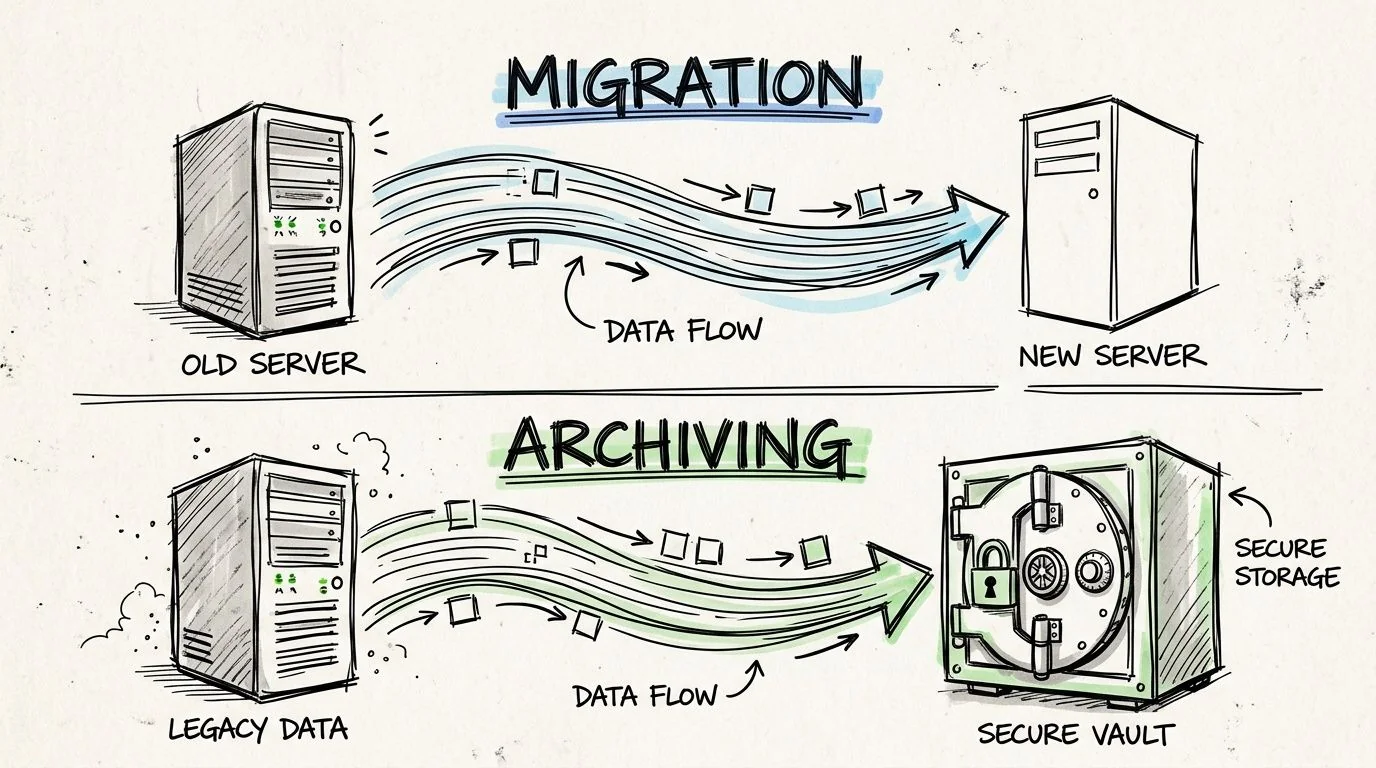
The decision starts with a blunt question. Does this data need to support live operations in the target platform, or does it need to remain accessible for reference, compliance, and audit? Those are different jobs and they need different designs.
Migrate active data when the business process continues
Migration is for data that still drives day-to-day operations. Open transactions, active master data, balances, service history that agents use, and records required by an operating workflow belong in the target platform.
The extraction approach matters. Preserve business meaning, not just rows and columns. In mainframe and ERP environments, teams get into trouble when they flatten structures without preserving business objects and referential relationships. That’s also where classic issues like COMP-3 decimal precision loss show up if the extraction and conversion path isn't disciplined.
For live migration, insist on:
- Business object-based extraction instead of raw table dumping
- Integrity checks between source and target totals
- Parallel validation with business users, not just technical reconciliation
- A final immutable backup before deactivation
- A rollback trigger list agreed before cutover
Archive historical data when operations no longer depend on it
Archiving is the right answer when records must remain accessible but the application itself no longer needs to run. Historical invoices, settled claims, prior-case history, old HR records, or audit support records usually belong here.
A good archive is not passive storage. It should provide searchable, read-only access with role-based controls, clear retention rules, and durable export options for legal, finance, and auditors.
What to preserve in the archive:
- Original context: record relationships, code translations, and metadata that make the data understandable
- Retention evidence: legal hold status, retention periods, deletion eligibility
- Access controls: read-only access by role, with audit logging
- Data lineage: a clear chain from source system to archived representation
Historical access needs to be easier after decommissioning, not harder. If users need specialist help to retrieve a record, the archive design is wrong.
Use a decision tree, not instinct
Use this decision logic:
| Question | If yes | If no |
|---|---|---|
| Does the data support an active business process? | Migrate to the target system | Evaluate for archive |
| Is it needed primarily for audit, legal, or reference access? | Archive in governed read-only form | Continue assessment |
| Does preserving operational behavior matter more than preserving the original UI? | Migrate and redesign process access | Archive with retrieval views |
| Is the source too brittle for repeated access after shutdown? | Create a golden-copy archive before cutover | Keep extraction staged but controlled |
A short technical walkthrough helps when aligning teams on these choices:
Validation is the line you can't cross casually
Nothing in a data retirement is more important than proving fidelity. Teams love talking about ETL tooling and cloud storage choices. Auditors and business owners care about whether the archived or migrated record is complete, accurate, and retrievable.
Validation has to include technical and business evidence:
- Record counts and control totals
- Field-level checks for sensitive values
- Sample-based business retrieval tests
- Comparison of historical reports
- Formal sign-off by data owners
If you skip that discipline, you haven’t decommissioned a system. You’ve hidden uncertainty in a cheaper place.
Executing the Cutover The Final Shutdown Sequence
The cleanest decommissioning cutovers are boring. No heroics, no executive panic, no overnight discovery that a finance team still pulls quarter-end data from a forgotten interface. Boring is the goal.
I don't recommend big-bang shutdowns except in very narrow cases. The operational risk is too concentrated, and the human behavior around cutover gets worse as uncertainty rises. That’s especially true because surveys indicate 40-55% of legacy systems have undocumented shadow integrations, and those hidden dependencies cause 28% of decommissioning projects to overrun by more than six months due to late discovery and business pushback, according to survey findings on shadow integrations in legacy retirement.
Why phased shutdown beats the dramatic switch-off
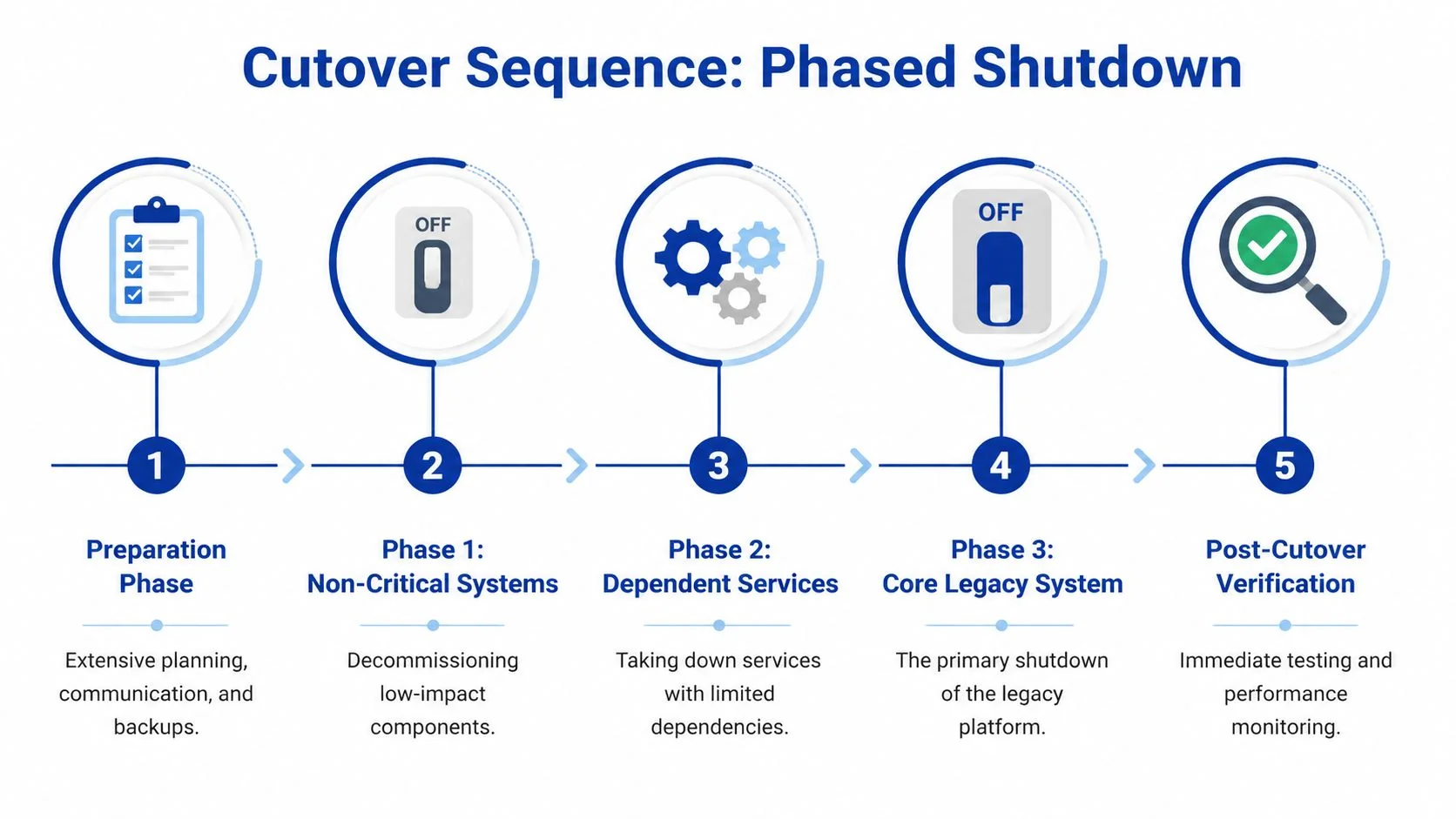
A phased cutover isolates failure. It lets you retire non-critical components first, validate user behavior in the target environment, and catch unexpected consumers before they become outages.
Big-bang plans fail for social reasons as much as technical ones. The minute a business unit fears loss of access, unofficial workarounds appear. People keep extracts on desktops, resurrect old credentials, or demand emergency exceptions. That behavior undermines governance.
A phased sequence usually follows this order:
- Preparation phase: backups, archive validation, communication, war-room staffing
- Low-impact components first: jobs, read-only services, duplicate feeds
- Dependent services next: interfaces with manageable fallback paths
- Core system shutdown: only after evidence shows upstream and downstream stability
- Post-cutover verification: active monitoring, issue triage, and controlled access to archived data
Handle resistance as an engineering risk
Organizational resistance changes timeline, scope, and risk directly. If one business unit doesn't trust the archive or target workflow, they’ll create drag in every sign-off meeting and surface new “critical” dependencies late.
What works is explicit ownership and visible evidence:
- Name every approver: business owner, compliance lead, security lead, operations lead
- Publish retrieval demos: show real users how historical records will be accessed after shutdown
- Document disputed dependencies: unresolved concerns need a decision log, not hallway conversations
- Run office hours before cutover: this flushes out shadow usage better than mass email announcements
If your team needs a practical pattern for contingency design, this article on data migration rollback planning is worth reviewing before the final event runbook is locked.
The first 60 minutes after shutdown
Most rollback plans are too abstract. They say “restore service” without saying who does what. The first hour needs exact actions.
Use a first-hour checklist like this:
-
Freeze change activity
Stop any non-essential remediation. Don’t let three teams create three new problems. -
Confirm symptom scope
Is the issue access, data, interface, or performance? Assign one owner for incident triage. -
Check predetermined rollback triggers
These should be defined before cutover. Don’t invent them while executives are waiting. -
Validate archive and target availability Many “legacy shutdown” incidents are retrieval or routing failures elsewhere.
-
Activate the communications lead
One person updates business stakeholders. Engineers should not be improvising status messages. -
Decide rollback or forward-fix within the agreed window
If the trigger threshold is met, execute rollback cleanly. If not, proceed with contained remediation.
The worst rollback is the one you debate emotionally after service has already degraded. Decide the trigger logic before shutdown day.
What a disciplined cutover team looks like
A credible cutover has named roles. Technical lead, business command lead, archive validation lead, security representative, communications owner, and executive approver. I also want one scribe capturing decisions in real time. That audit trail matters later when disputes arise over who approved what.
Tools help, but governance matters more here. ServiceNow, Jira, CMDB tooling, ETL logs, SIEM alerts, and batch schedulers all contribute evidence. One option for cross-project analysis is Software Modernization Intelligence, which provides failure analysis and implementation pattern research across modernization paths. Use it for planning context, not as a substitute for your own runbook.
Measuring Success Post-Decommission Monitoring and ROI Realization
Shutdown starts the proof period.
Too many teams announce success when the server is shut down and the license is canceled. Finance cares about realized savings. Operations cares about whether the replacement process is stable. Audit cares whether historical records remain accessible without drama. Those outcomes appear over time, not on cutover day.
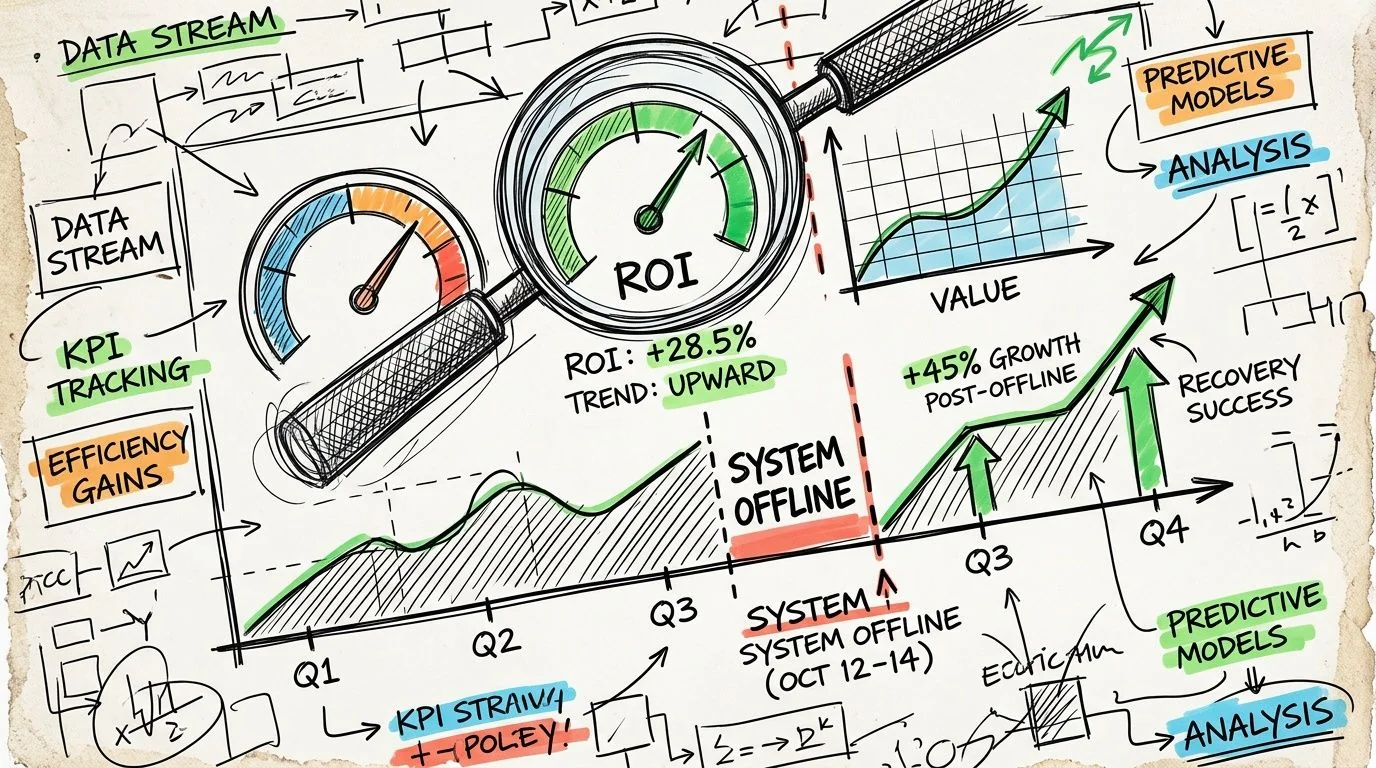
A useful benchmark comes from an analysis of 150+ enterprises. It found that 85% achieved initial maintenance cost reductions of 40-60% within 6 months, but only 62% realized full projected ROI after 18-24 months because hidden costs, especially data retrieval inefficiencies, eroded the business case, according to analysis of decommissioning ROI timelines and hidden cost leakage.
Measure in phases, not with a single closeout report
Use three monitoring windows.
First window after shutdown
Focus on operational stability. Watch retrieval requests, unresolved incidents, archive access behavior, report parity disputes, and any business process that reverted to manual workarounds.
Hidden friction emerges. The system is gone, but the process debt remains.
Middle window
Shift to cost realization and support effort. You want evidence that infrastructure, licensing, admin effort, and specialist support obligations stopped, not merely moved into another budget code.
Track items like:
- Retired infrastructure and license items
- Residual support tickets tied to historical data
- Archive retrieval turnaround
- Manual reconciliation workload
- Outstanding exceptions still requiring legacy expertise
Longer window
Here, the business case either holds or weakens. If retrieval from the archive is clumsy, if auditors need engineering help for routine access, or if downstream teams rebuild local copies of old data, your projected ROI starts leaking.
A decommissioning program succeeds financially only when the organization stops paying to compensate for what the old system used to do badly.
Lessons learned that actually improve the next wave
Every retirement should produce a short post-mortem that future waves can use. Make it a hard-nosed review, not a generic retro.
Capture these points:
| Review area | What to document |
|---|---|
| Savings realization | Which costs stopped, which shifted, which persisted |
| Data accessibility | How quickly audit, legal, and business users could retrieve records |
| Dependency misses | What wasn't found during discovery and why |
| Governance friction | Which approvals slowed progress and whether they were valid |
| Archive usability | Where retrieval, search, or context failed user expectations |
The organizations that improve fastest treat decommissioning as a repeatable portfolio discipline. They don't reset to zero every time.
Set expectations with finance early
One reason decommissioning loses executive support is that leaders expect immediate, full ROI. That’s rarely how it works. Initial maintenance savings can show up quickly, but full value often arrives later because data access, retrieval workflows, and process redesign take longer than the shutdown itself.
If your archive requires slow manual lookup and specialist interpretation, you preserve compliance but lose efficiency. For leaders thinking beyond retirement, Mastering AI transformation covers how automation changes the economics of post-modernization operations.
The final test is simple. Six months after shutdown, can finance see stopped spend, can operations run without old-system crutches, and can audit retrieve records without engineering intervention? If the answer is yes, the decommissioning plan did its job. If not, the system is gone but the legacy problem remains.
If you're building a legacy system decommissioning plan now, start with one candidate system and force rigor early. Build the dependency map. Score the risks. Prove archive retrieval. Write the rollback triggers. Then decommission on evidence, not optimism.
Chief Analyst, Software Modernization Intelligence · 10+ years B2B market research
Published: