Unclogging Legacy Database Performance: A CTO's Guide to System Transformation
Discover how to resolve legacy database performance bottlenecks with proven diagnostics, remediation patterns, and strategies to turn slow systems into assets.
On this page
- Overview
- Why Your Legacy Database Is Costing You More Than Speed
- The Real Business Impact
- A Diagnostic Framework for Pinpointing Bottlenecks
- Starting with the Right Metrics
- Common Legacy Database Bottlenecks and Key Diagnostic Metrics
- Advanced Diagnostic Techniques
- How Architectural Decay Cripples Scalability
- The Vertical Scaling Trap
- Rigid Schemas and Innovation Gridlock
- Remediation Paths: From Tactical Tuning to Full Transformation
- Tactical Tuning for Immediate Relief
- In-Place Modernization to Extend System Life
- Strategic Migration for Long-Term Health
- When Security Gaps Become Performance Killers
- The Real-World Impact of Security Debt
- How Data Precision Failures Derail Modernization
- Next Steps: A Decision Framework for Modernization
- Justifying the Cost of Database Modernization to the Board
- Making the Call: Optimize vs. Migrate
Slow performance in a legacy system is a business liability. Legacy database performance bottlenecks drain revenue, delay new features, and leave security gaps that affect your P&L. This guide covers how to diagnose them and when to tune, extend, or replace the database.
Why Your Legacy Database Is Costing You More Than Speed
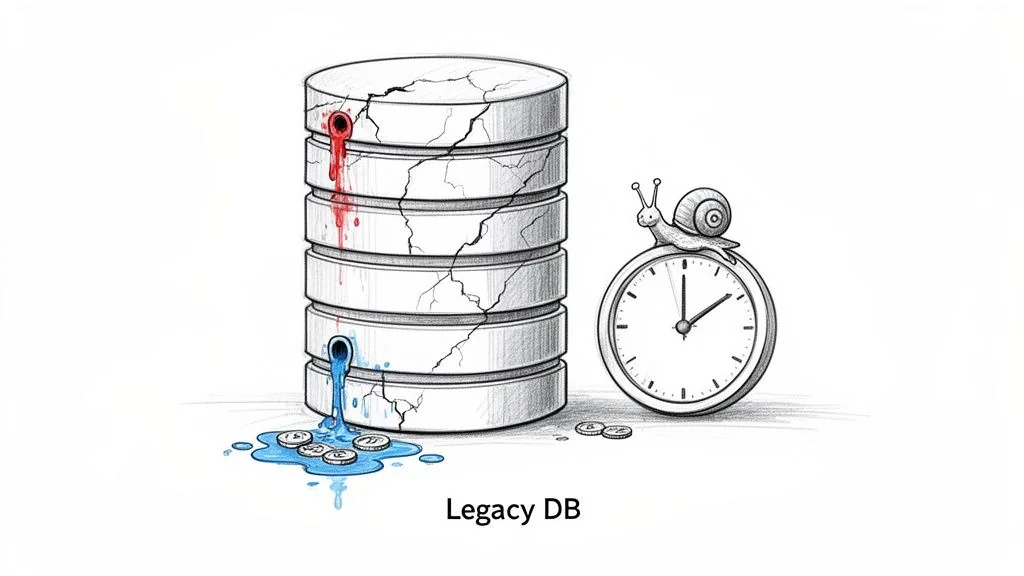
Slow queries are a symptom. The damage shows up as stalled projects, lost customers, and rising operational costs, because every application waiting on the database waits with it. This guide gives CTOs and engineering leaders a decision framework for fixing the problem: common bottlenecks first, then remediation paths from tactical tuning to full-scale transformation.
The Real Business Impact
The consequences of inaction extend beyond the IT department. They show up in financial statements, in operations, and in strategic options that are closed off.
The bottlenecks do measurable harm in four places:
- Stalled Innovation: Your team has a backlog of revenue-generating features such as AI integrations, real-time analytics, and new product lines. But the database can’t handle modern workloads, so those features stall. When a single new feature needs a six-month schema overhaul, the architecture is dictating business strategy.
- Drained Revenue: Slow application performance costs revenue, because customers abandon slow pages and checkouts.
- Spiraling Maintenance Costs: The pool of engineers who can effectively triage and fix aging systems like Sybase or mainframe databases is shrinking and getting expensive. Budgets are consumed by emergency fixes instead of strategic modernization projects.
- Security Risks: Outdated databases are attractive targets. They often lack modern encryption and fine-grained access controls, which widens the attack surface and exposes you to breaches and compliance fines.
Modernizing is a strategic decision as well as a technical one. Leaving a legacy database as it is carries a cost that grows over time and can eventually exceed the cost of migration.
It sets out the metrics that signal real trouble and the trade-offs between tactical fixes and a full-scale migration.
A Diagnostic Framework for Pinpointing Bottlenecks
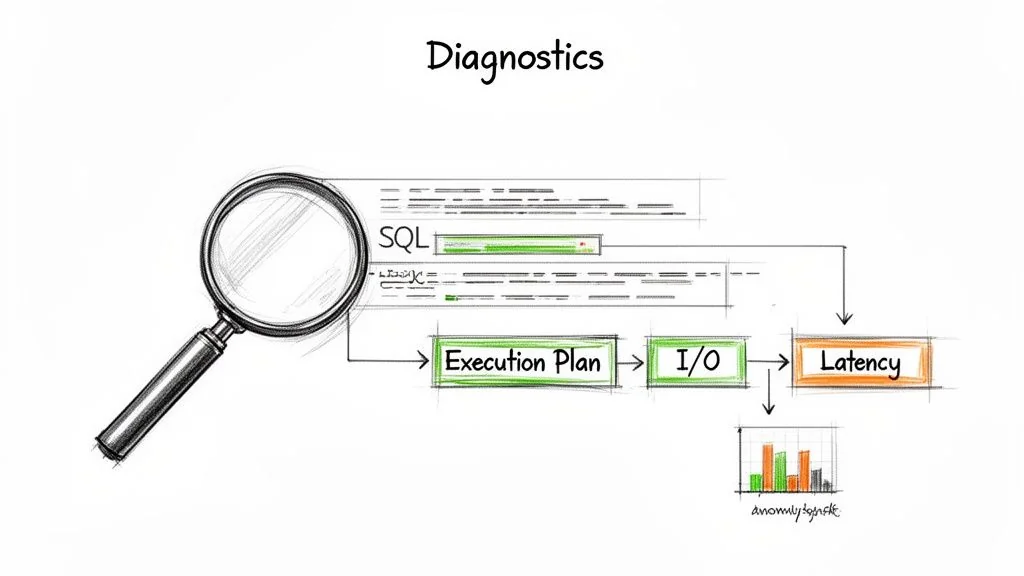
Before fixing anything, you must find the real problem. The most common and expensive mistake teams make is throwing more hardware at an undiagnosed performance issue. This rarely solves anything; it just temporarily masks deep architectural flaws or grossly inefficient queries.
To move beyond guesswork, a systematic diagnostic framework is essential. This means ignoring misleading surface-level metrics like CPU utilization. A pegged CPU is almost always a symptom, not the root cause. The causes are usually in query execution plans, I/O wait times, and hidden lock contention.
Starting with the Right Metrics
Effective diagnosis starts with collecting the right data—and knowing what to ignore. The metrics that matter depend on the database technology (a relational database behaves differently than a mainframe) and its specific workload. Your entire goal is to separate symptoms from causes. Get this wrong, and you risk a misdiagnosed modernization project that spirals over budget.
The table maps common bottlenecks to the metrics needed to diagnose them.
Common Legacy Database Bottlenecks and Key Diagnostic Metrics
| Bottleneck Type | Primary Symptom | Key Diagnostic Metrics | Diagnostic Tools |
|---|---|---|---|
| Inefficient Queries | Slow application response times, high CPU on the DB server. | Average Query Latency, P95/P99 Latency, Query Throughput. | Query execution plan analysis, SQL profilers, APM traces. |
| I/O Subsystem | Sluggish performance under load, even with low CPU usage. | Disk I/O Wait Times, Read/Write IOPS, Queue Depth. | iostat, perf, cloud provider storage metrics, wait statistics. |
| Concurrency & Locking | Application freezes, timeouts, unpredictable performance. | Lock Wait Times, Number of Deadlocks, Blocked Transaction Count. | Database-specific dynamic management views (e.g., sys.dm_os_waiting_tasks). |
| Index Issues | Formerly fast queries suddenly slow down drastically. | Index Fragmentation Level, Full Table Scan vs. Index Scan Ratio. | Index analysis scripts, execution plan viewers, database advisors. |
The table is a starting point; interpreting the data depends on your business context.
Treating all metrics equally is a common mistake. A 10% increase in CPU usage is background noise; a 10ms increase in average lock wait time for a core transaction table is a serious problem. You must interpret data within the context of your application's business-critical paths.
Advanced Diagnostic Techniques
Once you have your baseline metrics, it's time to dig deeper. Standard monitoring dashboards give you the "what," but you need more granular analysis to find the "why."
Three techniques help here:
- Execution Plan Analysis: An execution plan is the database's roadmap for running a query. Read it before changing anything. It shows whether the database is using an index (Index Scan) or reading the whole table (Table Scan). A query that suddenly flips from one to the other is a classic culprit for system-wide slowdowns.
- Transaction Tracing: End-to-end tracing follows a single request from the application front end all the way to the database and back. This is how you prove whether the bottleneck is in your application code, the network, or the database itself. A slowdown might not even originate in the database but simply manifest there as a symptom of an upstream problem.
- Wait Statistics Analysis: This is the database's own diagnostic journal. It reveals exactly what the database is spending its time waiting on. For example, high
PAGEIOLATCH_SHwaits in SQL Server tell you the system is waiting for data to be read from a slow disk into memory. It points to an I/O bottleneck.
After using these techniques to identify problem queries, mastering SQL query optimization techniques is the next step for fixing the inefficiencies you've uncovered. Diagnosing first means you spend on the actual problem, not just its symptoms.
How Architectural Decay Cripples Scalability
Most legacy databases were designed for predictable, monolithic workloads where the answer to every performance problem was a bigger server. This design choice, vertical scaling, is a major source of architectural decay. These systems are poorly suited to the demands of microservices, cloud elasticity, and AI-driven analytics.
Eventually the architecture forces a choice between two paths.
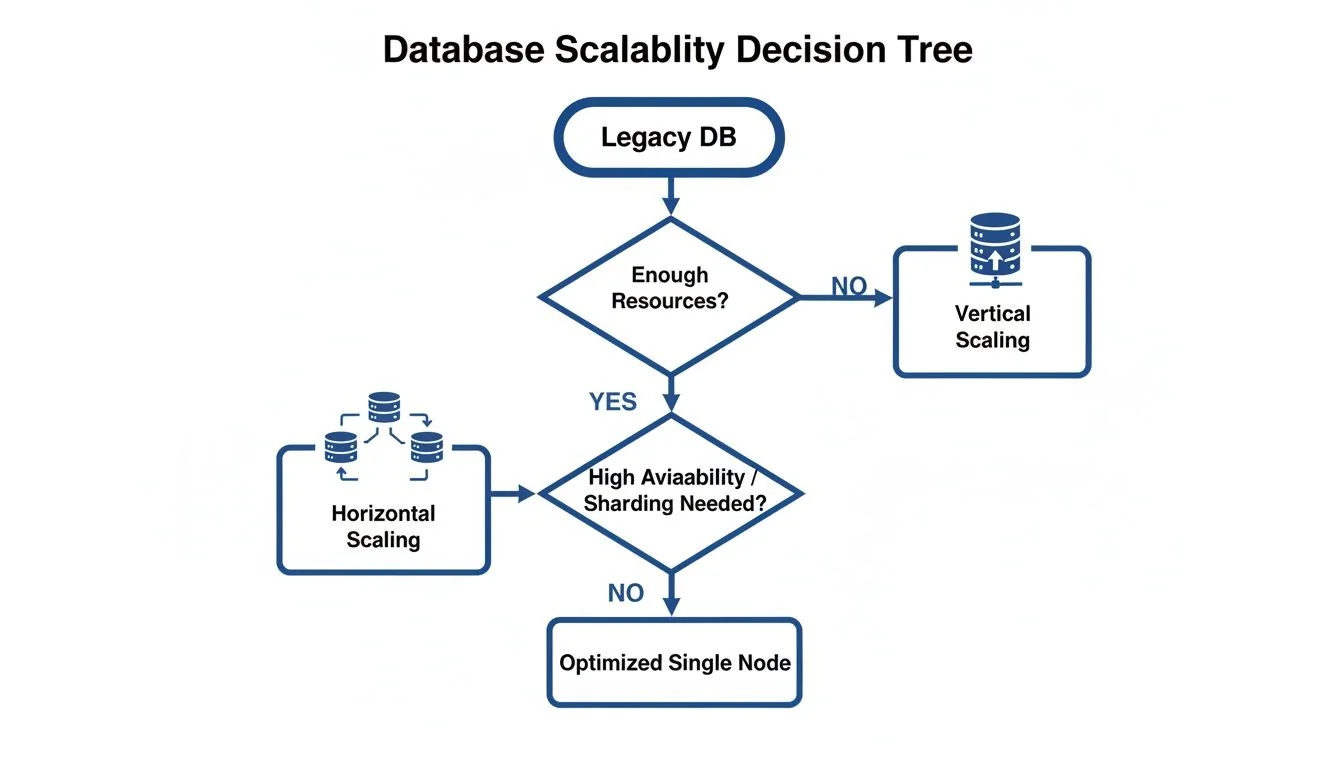
You can keep buying bigger, more expensive hardware until you hit a wall, or you can re-architect for horizontal scaling. Modern applications distribute their load across many commodity servers, a pattern most legacy databases cannot support.
The Vertical Scaling Trap
The problem starts in the monolithic design. All data lives in one tightly coupled schema, and every single query competes for the same finite CPU and memory resources. As data volume and user concurrency inevitably climb, this single point of contention becomes a severe bottleneck.
Consider an illustrative scenario: a telecom billing system built on a legacy relational database runs without a hitch for years. Then new streaming services and IoT plans multiply data ingestion rates. During peak billing cycles the database CPU pins at 100%, and the failures cascade into customer portals and payment systems. The system has hit its vertical scaling limit.
Rigid Schemas and Innovation Gridlock
Beyond the broken scaling model, outdated and brittle schemas are a primary driver of architectural decay. These schemas, often designed decades ago, have accumulated years of patches and quick fixes. They are difficult to change and hard to understand, and they stall new features.
A rigid schema slows queries and the business with them. When adding a single new feature requires a six-month database overhaul project, your ability to compete suffers. Your architecture is now dictating your business strategy.
Legacy platforms are a common blocker to cloud agility. Teams can’t adopt microservices because decoupling services requires a flexible, domain-oriented data model the monolithic database can't provide. A lift-and-shift of the database without changing the schema also tends to push infrastructure costs up, because the same inefficient workload now runs on metered compute.
Database migrations from COBOL-era platforms fail most often on ETL inefficiencies and schema redesign oversights. Our legacy system modernization research covers these challenges further. The inability to scale horizontally is a primary architectural limit on modern business initiatives.
Remediation Paths: From Tactical Tuning to Full Transformation
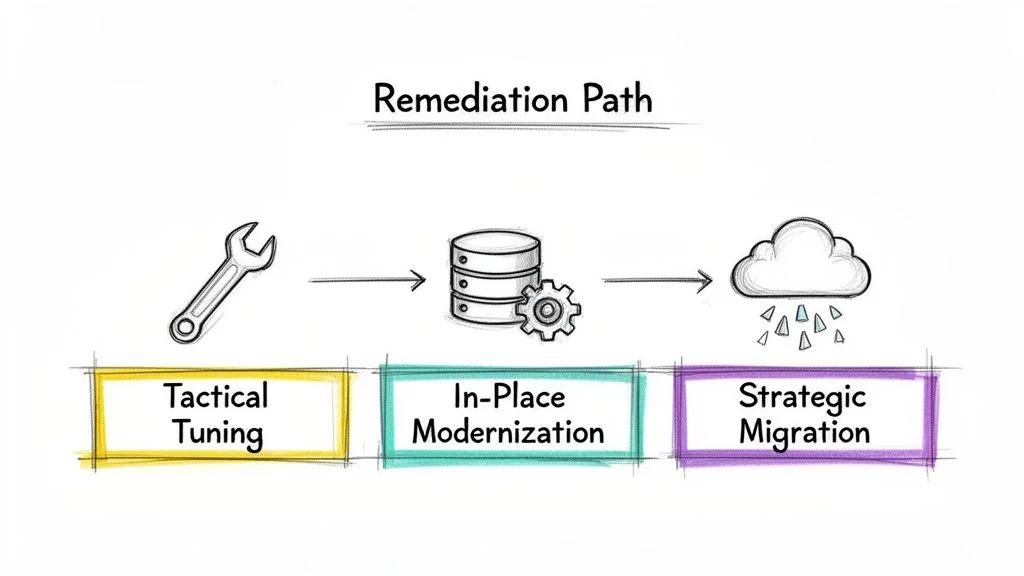
Once you’ve diagnosed why your legacy database is slow, you have to choose a fix. The right choice depends on the business impact of the system, its expected lifespan, and where you want your architecture to be in three years. A full migration where an index fix would have sufficed is wasted effort and risk. So is patching a system whose architecture is holding the business back.
Tactical Tuning for Immediate Relief
When a bottleneck is isolated and the core architecture is still fundamentally sound, tactical tuning is the fastest fix. These are targeted changes that relieve the immediate problem without a major overhaul. They suit systems with a limited remaining lifespan and non-critical applications where a large investment can't be justified.
Typical tuning options:
- Indexing Strategies: A correctly placed index can cut query times dramatically by preventing the database from doing a slow, costly full table scan.
- Query Rewriting: Poorly written SQL is a common culprit. Rewriting a query to use a more efficient join can cut execution time from minutes to seconds or less.
- Parameter Tuning: Legacy databases often run on decades-old default configurations. Adjusting parameters for memory allocation, parallelism, or query optimizer behavior can improve performance significantly.
These fixes are relatively low-risk and can often be deployed within a single sprint. They manage symptoms; they do not remove the underlying architectural decay.
In-Place Modernization to Extend System Life
When tactical fixes aren't enough but a full migration is too disruptive or expensive, in-place modernization is the middle option. This strategy involves augmenting the legacy system with modern components to extend its life and boost performance without replacing the core database itself.
Common patterns include:
- Implementing a Caching Layer: Placing an in-memory cache like Redis in front of the database can substantially reduce read load on the overburdened legacy system. The share offloaded depends on how cacheable your reads are.
- Adding Read Replicas: For read-heavy workloads, creating one or more read-only copies of the database is an established pattern. This allows you to shuttle reporting and analytical queries to the replicas, preventing them from bogging down the primary database that's handling critical transactions.
- Schema Refactoring: Carefully refactoring a problematic table or normalizing a denormalized structure can resolve deep-seated performance issues. This is more invasive than tactical tuning but an order of magnitude less risky than a full migration.
In-place modernization buys you time. It solves pressing performance problems and supports new business features, but it adds complexity to your architecture. Treat it as a strategic bridge, not a final destination.
Strategic Migration for Long-Term Health
When a legacy database suffers from fundamental architectural flaws—like an inability to scale horizontally or a schema that's become a "big ball of mud"—no amount of tuning or caching will truly fix it. In these cases, a strategic migration is usually the only viable path forward. This means moving the data and application logic to a modern platform built for today's scale and resilience demands.
These are major undertakings that address the root cause:
- Re-platforming to a Cloud-Native DB: This involves moving from a legacy on-premises system like Sybase or Oracle to a distributed SQL database like CockroachDB or a managed service like Amazon RDS. This directly addresses core scalability and resilience issues that are impossible to fix in the old architecture.
- Database Sharding: For massive datasets, sharding breaks a single, monolithic database into smaller, faster, and more manageable pieces called shards. This is how you get horizontal scaling.
- The Strangler Fig Pattern: This is a risk-mitigation strategy where you gradually migrate functionality. You build new features on the modern database and slowly "strangle" the legacy system over time, redirecting traffic piece by piece until the old system can finally be retired.
A strategic migration is the most expensive and complex option, and for a large system it can run for a year or more. But for a business-critical system, it's the only way to eliminate legacy database performance bottlenecks permanently. A well-planned migration, grounded in solid data modernization principles, removes the root cause.
When Security Gaps Become Performance Killers
Performance is more than query speed. In legacy databases, some of the most damaging bottlenecks come from security and compliance gaps. An unpatched, unsupported database is slow and also a liability, and the operational drag it creates can outweigh a missing index. These outdated systems were never built for modern security demands like granular role-based access controls (RBAC) or end-to-end data encryption.
The Real-World Impact of Security Debt
For companies in regulated industries like finance and healthcare, these gaps are severe. A legacy database that can’t support encryption at rest and in transit, or produce detailed audit logs, is a compliance failure waiting to happen.
Security debt shows up in three ways:
- Large Attack Surfaces: Years of ad-hoc patches, forgotten open ports, and unmonitored user accounts create a sprawling, poorly defended perimeter.
- Compliance Paralysis: Trying to meet regulations like GDPR or HIPAA on a system from a different era depends on manual workarounds. These slow every process and leave a compliance posture that is brittle.
- Eroding Data Trust: When data governance is weak, people stop trusting the data. Bloated schemas full of redundant or "dark" data slow reports and make accuracy impossible to guarantee, undermining business intelligence.
The financial consequences can be substantial. Unpatched vulnerabilities in older database versions are a standing target for SQL injection and credential attacks, and in regulated sectors such as banking and healthcare, a compliance failure can bring fines on top of breach costs.
How Data Precision Failures Derail Modernization
The connection between security, compliance, and performance shows up during a database migration. One of the most common and costly failure points is the loss of data precision, especially when moving data from mainframe systems that use specific data types not native to modern databases.
Precision losses, such as mishandling COMP-3 packed decimals found in COBOL data paths, are a classic cause of failed database modernizations. A single conversion oversight can force expensive rework once the wrong values are discovered.
This is more than a rounding error. It is a break in data integrity that can silently corrupt financial records or patient data for months. Data integrity is part of performance: a system that returns wrong values is not working well, however fast it answers.
Next Steps: A Decision Framework for Modernization
As a leader, you need defensible decisions rather than query fixes. When a legacy database is slowing you down, frame the solution around business outcomes.
Justifying the Cost of Database Modernization to the Board
The board cares about risk, revenue, and competitive threats more than technical debt. Build your case on three points, using your own numbers:
- Operational Risk Reduction: "Modernizing our database lets us enable current encryption standards and audit logging, which closes the gaps our last audit flagged and reduces our exposure to a GDPR fine."
- Customer Experience Improvement: "This project will cut page load times from [current] to [target]. Applying our own conversion-by-latency data, that is worth [X] in annual revenue."
- New Revenue Enablement: "This project enables our real-time analytics platform, which allows us to compete directly with our top three market rivals for the first time."
Finally, use data on the rising cost of finding developers with outdated skills to show cost avoidance, which frames the request as an investment rather than an expense.
Making the Call: Optimize vs. Migrate
Avoid over-investing in a system on its way out or under-investing in one the business depends on. Use this decision matrix.
| Decision Criteria | Optimize the Legacy System | Execute a Strategic Migration |
|---|---|---|
| Business Impact | The system is non-critical with low revenue impact. | The system is business-critical and directly impacts revenue. |
| System Lifespan | The application has a planned EOL of less than 3 years. | The system needs to support the business for 5+ years. |
| Architectural Need | Performance issues can be solved with tactical tuning (indexing, query rewrites). | The system requires horizontal scalability, which the current architecture cannot support. |
| Integration Needs | The system requires minimal integration with modern cloud services or APIs. | The system must integrate with modern cloud services, APIs, or AI platforms to stay competitive. |
Our approach to legacy system modernization covers these choices further, and the wider context of digital transformation helps align the technology stack with long-term business goals. The next step is to use this framework to build an evidence-based business case.
Chief Analyst, Software Modernization Intelligence · 10+ years B2B market research
Published: