
GitOps Adoption in Legacy Organizations: A Practical Guide
Adopting GitOps in a legacy organization is not a tooling project; it is a strategic overhaul of deployment velocity, system resilience, and governance. This replaces opaque, error-prone manual configurations with a transparent, auditable system where Git becomes the single, indisputable source of truth. For established enterprises, this shift directly attacks their core problems: slow delivery cycles and brittle, unpredictable infrastructure. The decision to adopt GitOps is a decision to fix broken software delivery pipelines that are costing the business in lost market momentum and operational overhead.
Why GitOps Is a Strategic Imperative, Not a Tech Trend
The decision to adopt GitOps is about driving tangible business outcomes. The value is its proven ability to move the needle on key DORA metrics. Organizations that implement GitOps correctly report that lead times for changes shrink by 30-50%. Mean time to recovery (MTTR) improves by as much as 80%. This is not about storing YAML in a repository; it is a fundamental operational shift.
GitOps is the natural, practical application of core DevOps principles. It builds upon foundational DevOps Practices to escape a reactive, ticket-driven operations model and move to a proactive, declarative one where engineers define the desired state and automation makes it a reality.
To frame this conversation with executive teams, this decision matrix maps common operational pains to their business impact and the corresponding GitOps solution.
GitOps Adoption Decision Matrix for Technical Leadership
This matrix helps CTOs and VPs of Engineering evaluate the strategic urgency of GitOps adoption based on current operational pain points and desired business outcomes.
| Pain Point | Traditional Approach Impact | GitOps Solution | Business Outcome |
|---|---|---|---|
| Slow deployment frequency | Manual release cycles delay deployments to monthly or quarterly. Product features lose market momentum. Failure rates are high, requiring extensive manual testing. | Infrastructure changes are managed via pull requests, enabling self-service deployments for engineering teams. Automation reduces manual overhead. | Accelerated Deployment Velocity: Deployment frequency increases by 208x for high-performers. Shorter lead times deliver value to customers faster. |
| High change failure rates | Manual changes introduce human error, leading to frequent outages and emergency rollbacks. MTTR averages hours or days, eroding customer trust and violating SLAs. | The entire system state is version-controlled in Git. Rollbacks are as simple as reverting a commit, a process that takes minutes. | Improved System Resilience: Drastically reduces MTTR by up to 80% and change failure rates by 25-50%, leading to higher system availability and reliability. |
| Inconsistent environments | The “works on my machine” problem is rampant. Dev, staging, and prod environments drift, causing production-only bugs that cost engineers an estimated 20-30% of their time. | Git serves as the single source of truth, ensuring all environments are configured identically through declarative manifests. This eliminates configuration drift. | Increased Operational Efficiency: Reduces time wasted on debugging environment-specific issues. Increases developer productivity by automating environment provisioning. |
| Poor compliance and audit trails | Audits are a painful, manual process of digging through tickets, chat logs, and server histories. Proving “who changed what” takes weeks and is often inconclusive. | Git history provides an immutable, chronological audit trail of every single change made to the infrastructure, including approvals and timestamps. | Streamlined Governance & Security: Simplifies compliance audits from weeks to hours. Enforces policy as code and provides a complete, auditable record of all infrastructure changes. |
This matrix is a tool for translating engineering improvements into the language of business value: risk reduction, speed, and reliability.
The Quantifiable Impact on Performance
The data backing this shift is clear. A staggering 93% of organizations have already embraced GitOps, with 68% planning to increase their usage. This signals a market pivot away from fragile, manual processes. High-performers who have adopted GitOps deploy 208x more frequently and have slashed their change failure rates by 25% within the first six months. These are not minor tweaks; they represent a fundamental competitive advantage. For a closer look at these trends, check out the survey findings on the pace of GitOps adoption on devops.com.
This performance leap is driven by key factors:
- Radical Developer Productivity: Engineers deploy and manage infrastructure by submitting a pull request—the same workflow they use for application code. This self-service model smashes operational bottlenecks.
- Superior System Resilience: Because the entire desired state of the system is declared in Git, recovering from a catastrophic failure is as simple as reverting a bad commit. This provides a battle-tested disaster recovery mechanism.
- Bulletproof Security and Compliance: Every single change to infrastructure is logged in the Git history, creating a perfect, immutable audit trail. This makes it trivial to answer who changed what, when, and why.
For a legacy organization, the most powerful aspect of GitOps is its ability to enforce consistency at scale. It systematically eradicates configuration drift—the silent killer of reliability that plagues any environment managed by manual changes and ad-hoc scripts.
Adopting GitOps directly targets the friction points that kill modernization efforts in established companies. It provides a concrete playbook for accelerating deployment velocity, hardening security posture, and building systems that are resilient by design.
Picking Your GitOps Migration Pattern
Attempting a “big bang” GitOps rollout in an established organization is a known anti-pattern that leads to failure. A successful adoption hinges on smart, incremental migration, not a disruptive, all-at-once tooling swap that destabilizes the systems you’re trying to improve. This is a strategic software modernization project, moving away from fragile, manual processes and brittle tribal knowledge toward an automated, auditable, and code-based workflow that accelerates delivery.
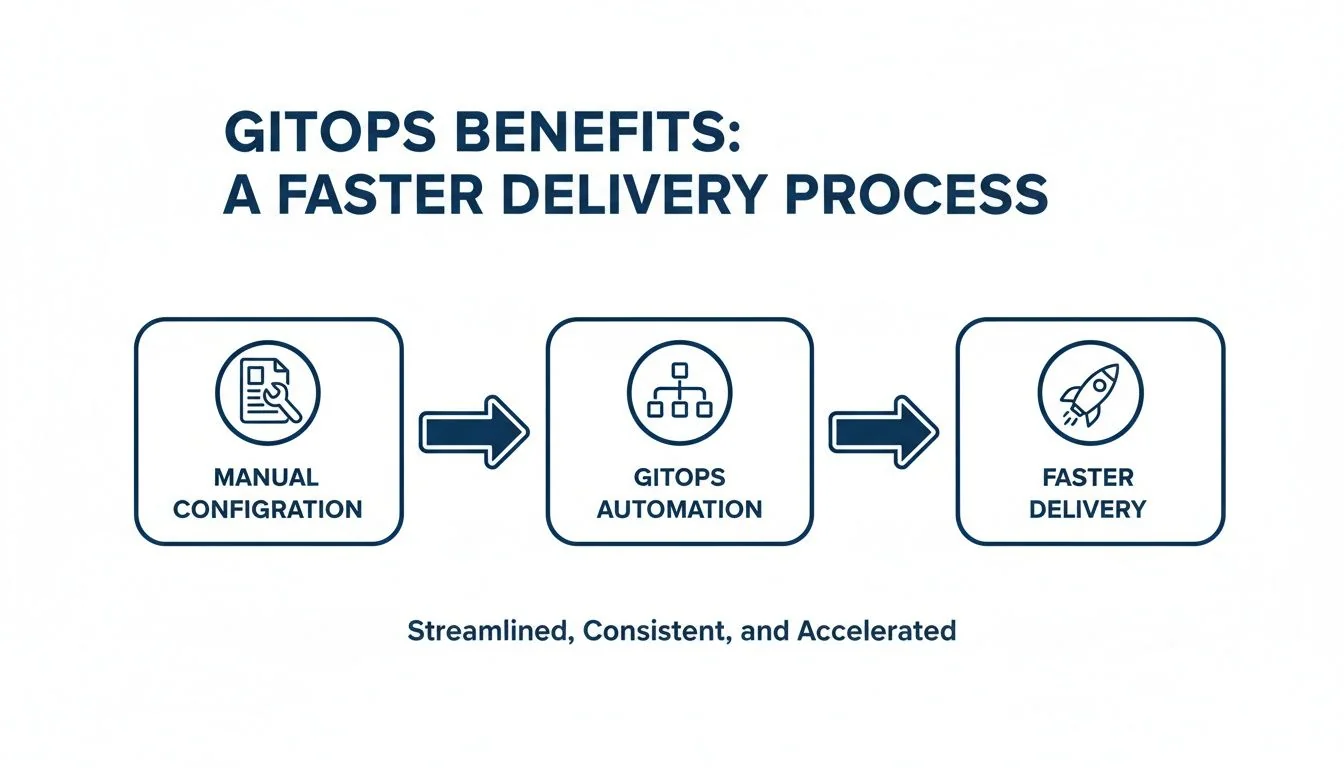
The diagram above is the core value proposition: replacing error-prone manual commands and out-of-date wikis with a version-controlled process that makes deployments faster, safer, and completely auditable.
The Environment-by-Environment Rollout
This is the default strategy because it is the lowest-risk approach. You start with your least critical environment—usually a dev or dedicated sandbox cluster—to pilot the entire workflow. This gives your team a safe harbor to learn, make mistakes, and refine repository structure and CI/CD integrations. Once the process is stable and battle-tested, you methodically promote it to staging, and only then, to production. A typical timeline for a single application is 1-2 weeks for dev, another 1-2 weeks for staging, and 2-4 weeks to fully transition production.
An Actionable Framework for Environment Rollout:
- Select Pilot Application & Environment: Target a stateless application in the
devKubernetes cluster. The risk here is a minor disruption to developer workflows, not a production outage. - Bootstrap GitOps Agent: Install and configure your chosen agent, like Argo CD or Flux, to sync with a new, dedicated infrastructure repository.
- Migrate One Service: Export the application’s existing Kubernetes manifests, clean them up, and commit them to the new Git repo.
- Validate and Observe: Confirm the GitOps agent successfully reconciles the application’s state. Check for configuration drift alerts or sync errors. This is your feedback loop.
- Disable Old Pipeline: Once the GitOps flow is validated, turn off the old deployment pipeline for that one service in the
devenvironment only. - Promote to Next Environment: After migrating a few more services, replicate the entire workflow for
staging, and finally,production.
The point is to make mistakes where they are cheap. A failure in
devis a learning opportunity; that same failure inproductionis a post-mortem and an SLA violation. This pattern guarantees a hardened process before it touches a customer.
The Strangler Fig Pattern for Monoliths
For a large monolithic application, the Strangler Fig pattern is the optimal choice for introducing GitOps while reducing technical debt. Instead of a high-risk attempt to migrate the entire monolith, you identify one specific piece of business functionality to “strangle.” Rebuild that capability as a new, containerized microservice managed entirely by your GitOps workflow from day one. An API gateway or reverse proxy sits in front of the monolith, routing traffic for the modernized feature to the new microservice. All other requests continue to flow to the legacy system. This delivers immediate value from GitOps—declarative state, automated rollouts, auditable changes—while incrementally shrinking the monolith’s surface area.
The Sidecar Injection Pattern
For applications you cannot change, such as third-party software or legacy apps with no source code, the Sidecar pattern is an effective tactic. Instead of refactoring the app, you augment its behavior by deploying a “sidecar” container alongside it in the same Kubernetes pod. In a GitOps context, you use this to inject configuration or operational logic. A classic example is a sidecar that pulls connection strings from a Git-managed ConfigMap or fetches secrets from an external vault. The legacy app itself remains untouched but now benefits from configuration managed declaratively through Git. This brings opaque, legacy components under partial GitOps control.
The right pattern depends on your architecture, risk tolerance, and team maturity. For a deeper look at redesigning the CI/CD pipelines that feed these GitOps workflows, review our guide on DevOps integration and modernization. Most successful adoptions use a mix of these strategies—the Environment-by-Environment rollout provides the framework, while the Strangler and Sidecar patterns are applied tactically to specific applications.
Designing Resilient GitOps Workflows and Governance
Successful GitOps adoption is not about dumping YAML into a repository. That is “GitOps theater”—going through the motions without reaping the benefits. True success comes from designing a resilient architecture and a robust governance model from the beginning. These upfront decisions dictate how teams work, how changes are approved, and how compliance is maintained.
Structuring Your Git Repositories
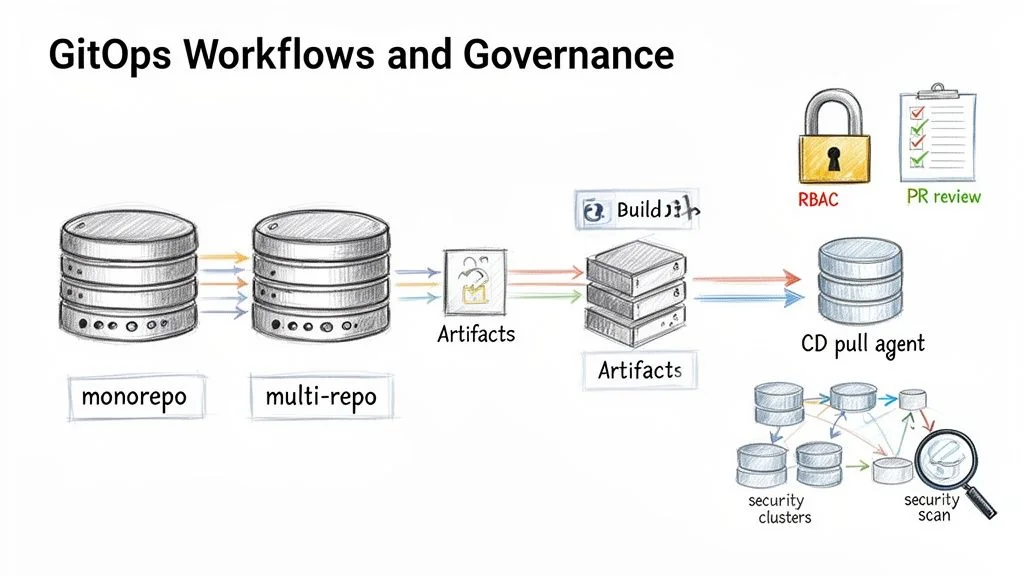
The repository structure is a foundational decision that defines the entire workflow and collaboration model. The choice between a monorepo and a multi-repo approach has significant trade-offs for an established enterprise.
Monorepo:
- What it is: A single Git repository holding all configuration manifests for all applications, infrastructure, and environments.
- Use when: Teams require absolute consistency and simple dependency management. A single pull request can update multiple services atomically.
- The Downside: Becomes a central bottleneck. The PR approval queue can grind to a halt. A bad merge has a massive blast radius, breaking unrelated services. This structure fails in organizations with more than 5-10 autonomous teams.
Multi-Repo:
- What it is: Configurations are logically separated into multiple repositories, typically by application, team, or environment.
- Use when: Larger organizations where autonomous teams need to ship at their own pace. It creates clear ownership and reduces the risk of one team blocking another.
- The Downside: Breeds configuration drift and duplicated code if not governed tightly. A cross-cutting change, like updating a logging sidecar across 50 services, becomes a logistical challenge of coordinating 50 separate PRs.
For most legacy organizations, a hybrid model is the most effective path. Create a central infrastructure repo for shared, cluster-wide resources (ingress controllers, monitoring agents) and give application teams their own repos for their specific services. This provides centralized control where needed and team autonomy where it is not.
Designing the CI/CD Pipeline
A common and costly mistake is forcing the CI system to do the CD system’s job. In a proper GitOps workflow, their roles are separate.
The CI (Continuous Integration) pipeline has one job: build, test, and package artifacts. It builds a container image or a Helm chart, runs its tests, and pushes a versioned artifact to a registry. Its responsibility ends there.
The CD (Continuous Deployment) system—your GitOps operator like Argo CD or Flux—takes over. It watches the Git repository for changes to the desired state. To deploy a new version, a developer opens a pull request to change one line in a YAML file: the image tag. Once that PR is merged, the GitOps operator detects the mismatch between the Git repo and the live cluster state. It then pulls the new configuration and automatically reconciles the cluster. This pull-based model is inherently more secure than push-based CD because cluster credentials never leave the cluster boundary.
Embedding Governance and Security
GitOps is a governance engine. According to CNCF research, the top drivers for adoption are faster delivery (71%), better configuration management (66%), and stronger security (69%). The auditable, automated nature of Git drastically cuts the risk of human error and misconfiguration. You can see the data in the full CNCF survey findings on codefresh.io.
To achieve this, build non-negotiable guardrails directly into the workflow.
A Framework for Secure GitOps Governance:
- Enforce Pull Request Reviews: No direct pushes to the
mainbranch for any environment config. Every change must go through a pull request (PR) that requires at least one approval from a designated owner. - Implement Strict RBAC: Use your Git provider’s tools to lock down who can change what. A
CODEOWNERSfile in GitHub is a direct way to enforce this. The platform team owns the core infrastructure repository, while application teams only have write access to their specific app directories. This prevents a developer from accidentally changing the ingress controller for the entire cluster. - Automate Security Scanning in the CI Pipeline: A PR should not be merged until it passes automated security checks. This is how you “shift left” and catch problems before they hit a running system.
- SAST (Static Application Security Testing): Scans application code for vulnerabilities.
- IaC Scanning: Tools like Checkov or tfsec scan Terraform and Kubernetes manifests for security misconfigurations.
- Container Image Scanning: Scans the newly built container image for known CVEs before it is tagged for deployment.
This turns the Git repository from a code store into an automated governance machine that enforces security and compliance policies on every commit.
Building GitOps Observability and Recovery Plans
In GitOps, the Git repository is the intended state. The real state is what is running in the cluster. The gap between the two is where most GitOps initiatives fail. Success requires aggressively monitoring and correcting the inevitable drift that happens in any real-world system. This requires a robust observability and recovery strategy that assumes things will break and is ready to react instantly.
Automating Drift Detection and Alerting
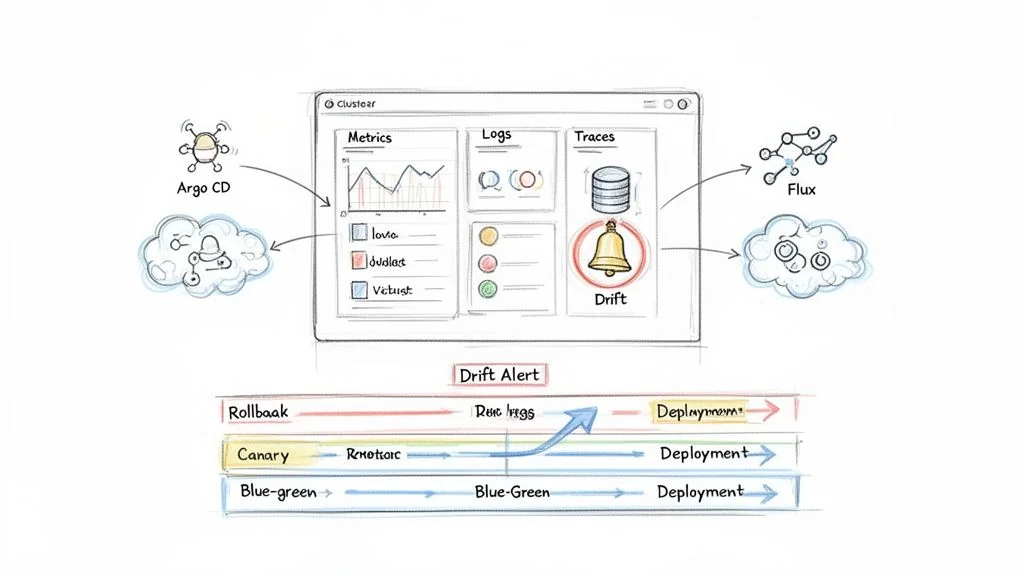
Your GitOps operator—Argo CD or Flux—is your first line of defense. These are active reconciliation engines that constantly compare the live state of the cluster against the desired state in Git. When they find a mismatch, that is configuration drift. Research shows that 90% of large-scale IaC deployments experience drift, and about half of those incidents go unnoticed. This is an unacceptable risk.
- Wire Up Your Alerts: Your GitOps tool must be integrated with your team’s incident response platform, like PagerDuty. An
OutOfSyncstatus in Argo CD or a failed Kustomization in Flux must trigger an immediate, high-priority alert. - Enable Self-Healing (Carefully): Both Argo CD and Flux can be configured for automated self-healing, where the agent automatically reverts any unauthorized changes back to the state defined in Git. For production, this is the goal. For non-prod environments where teams need to experiment, set this to alert-only to avoid frustrating developers.
Designing a Unified GitOps Dashboard
A centralized monitoring dashboard is non-negotiable for proving the value and reliability of a GitOps adoption. It must bring the three pillars of observability—metrics, logs, and traces—into a single view tailored for a GitOps workflow. This Observability Showdown can help you compare leading platforms.
A useful GitOps dashboard must answer these questions at a glance:
| Metric Category | Key Questions to Answer | Example Metrics |
|---|---|---|
| Reconciliation Health | Is the GitOps agent working? What’s its sync success rate and duration? | gotk_reconcile_condition (Flux), Argo CD sync status and duration. |
| Configuration Drift | How many resources are out of sync right now? Which ones? | Count of resources with an OutOfSync status. |
| Deployment Velocity | How often are we deploying? What’s our lead time for a change? | Count of new image tags deployed per day, time from PR merge to live. |
| Application Health | Are the deployed apps healthy? What are their error rates and latency? | Prometheus metrics like HTTP request latency, error rates (http_requests_total{code=~"5.*"}). |
A well-designed dashboard does more than report status; it builds trust. When teams see a direct, real-time link between a Git commit and system health, they start to believe in the process.
Advanced Recovery Beyond git revert
While git revert is the textbook rollback in GitOps, it is a blunt instrument. Mature GitOps practices rely on more sophisticated, declaratively orchestrated release strategies to de-risk deployments and recoveries.
Blue-Green Deployments: You run two identical production environments: “blue” (live) and “green” (next release). Deploy the new version to the green environment. After all tests pass, flip your ingress or service mesh to route 100% of traffic to it. The rollback is instant: if anything goes wrong, you flip traffic back to the still-running blue environment.
Canary Releases: Deploy the new version to a tiny subset of pods. Use your ingress or service mesh to route a small fraction of live traffic (e.g., 1%) to this “canary” release. If performance is solid, incrementally increase its traffic while scaling down the old version. A rollback is as simple as routing all traffic back to the stable version and killing the canary.
These patterns, managed through tools like Flagger or Argo Rollouts, are the hallmark of a mature GitOps practice. They turn high-anxiety deployments into routine, low-stress operations.
Common Failure Modes and How to Avoid Them
Adopting GitOps in a legacy organization is a minefield. The path is littered with predictable traps that will stall projects, burn budget, and kill team morale. Success is not about following the happy path; it is about anticipating these failures and having countermeasures ready from day one.
Ignoring these issues is a direct path to a failed modernization. Here are the failure modes seen most often in the field, and a playbook for neutralizing them.
The Trap of GitOps Theater
The most common failure is “GitOps theater.” This is where an organization gets its infrastructure-as-code (IaC) into Git but fails to implement the strict automation that makes GitOps work. Teams go through the motions of pull requests, but out-of-band changes, manual hotfixes, and a lack of automated reconciliation are still the norm. This creates an illusion of control. While a recent report shows 93% of organizations plan to expand GitOps use, maturity is dangerously low. Only 35% are using core features like continuous reconciliation and automated rollbacks. You can see the full data on the state of GitOps maturity on octopus.com.
How to Prevent It:
- Mandate Self-Healing from Day One: Configure your GitOps agent—whether it’s Argo CD or Flux—for automated self-healing in production. Any manual
kubectlchange must be immediately reverted and fire an alert. This is non-negotiable. - Revoke Direct Cluster Access: Use RBAC to remove direct
kubectl applypermissions for developers in production. All changes must go through the Git PR workflow. This creates a single, auditable path for every change.
Uncontrolled Configuration Drift
Configuration drift is the silent killer of reliability. It is the gap between the state defined in Git and what is actually running in the cluster. In legacy organizations, this almost always starts with an “emergency hotfix” applied directly to production during an outage, bypassing the GitOps flow. An estimated 90% of large-scale IaC deployments suffer from drift, and half of those incidents go unnoticed until they trigger a secondary failure. This is an unacceptable operational risk.
The danger of drift is not the initial fix. It is that the next official GitOps deployment will unknowingly overwrite that emergency patch, potentially re-introducing the bug that caused the outage.
How to Prevent It:
- Define a “Break-Glass” Procedure: Create a formal, audited process for emergency manual changes. This must include temporary credential elevation, mandatory logging, and the automatic creation of a P1 ticket to backport the manual change into Git immediately.
- Run Aggressive Drift Detection: Configure your GitOps tool to check for drift every few minutes. An
OutOfSyncstatus should be treated as a P1 alert routed straight to the on-call team.
Cultural Resistance from Siloed Teams
GitOps fundamentally changes how teams work together, blurring the lines between “dev” and “ops.” This is where the real battle is fought. Operations teams feel they are losing control, while developers feel burdened by new infrastructure responsibilities. Without buy-in, teams will find workarounds, fall back into old habits, and the entire GitOps investment will be worthless. If you’re wrestling with this, our guide on navigating legacy system modernization dives deeper into these cultural challenges.
How to Prevent It:
- Frame It as Toil Reduction: Sell GitOps as a way to eliminate manual work. Show the Ops team how it automates patching and deployment grunt work. Show developers how it gives them a self-service path to production without filing another ticket.
- Formalize Ownership with
CODEOWNERS: Use aCODEOWNERSfile in your main infrastructure repository. This gives the Operations team explicit approval rights over any change targeting production. It reassures them that while the process is new, they still hold the keys to production.
Next Steps: Address Your Core Modernization Questions
The following are the direct answers to the most common questions we receive from CTOs and VPs dealing with legacy systems and the pressure to modernize without breaking a decade’s worth of business logic.
How Do You Handle Secrets in a Legacy Environment with GitOps?
This is the most critical security question. Never store secrets in plain text in a Git repository. Doing so turns your single source of truth into a single source of compromise. A robust, externalized secrets strategy is a day-one requirement. We see two dominant patterns in successful enterprise adoptions:
-
Encrypted Secrets in Git (Starting Point): Tools like Bitnami Sealed Secrets work by encrypting a standard Kubernetes
Secretinto aSealedSecretcustom resource. This encrypted file is safe to commit to Git. A controller in the cluster holds the private key to decrypt the file into a usable KubernetesSecret. -
External Secret Stores (Enterprise Standard): This approach integrates with dedicated secrets management platforms like HashiCorp Vault or cloud services like AWS Secrets Manager and Azure Key Vault. The Git repository only stores a reference to the secret. An in-cluster tool, like the External Secrets Operator (ESO), reads that reference, securely fetches the secret from the vault, and injects it directly into the cluster as a native
Secret.
For any serious enterprise environment, the external secrets store pattern is the correct choice. It centralizes secret management, provides a bulletproof audit trail, and decouples the secret’s lifecycle from application code changes.
Can We Even Do GitOps Without Kubernetes?
Yes. While GitOps and Kubernetes are a natural pair, the core principles are platform-agnostic. The goal is a declarative, version-controlled source of truth that drives automation, whether managing containers or bare-metal VMs. It is increasingly common to build a GitOps-style workflow for legacy VM-based infrastructure using tools like Terraform.
A developer changes a Terraform file that defines an AWS security group. That commit triggers a CI/CD pipeline that automatically runs
terraform planfor the pull request review. Once merged, it runsterraform apply. Your CI/CD system—be it Jenkins or GitLab CI—acts as the “operator,” reconciling cloud infrastructure based on Git events.
The principle holds: Git is the source of truth, and every change is automated and auditable.
What’s the Single Biggest Cultural Hurdle in a GitOps Adoption?
The biggest challenge is dragging teams away from an imperative, ticket-driven mindset and into a declarative, self-service model.
The operations team’s role shifts from being gatekeepers who manually run commands to becoming enablers who build the automated platform. It is a shift from “doing the work” to “building the machine that does the work.”
At the same time, development teams must take on more ownership of their application’s operational destiny by learning to write and manage the IaC manifests that define it. This requires targeted training, clear communication about the benefits (less waiting, faster feedback), and building guardrails like mandatory PR reviews to build trust and ensure nobody can unilaterally break production. Addressing this cultural shift head-on is critical for success.