
Feature Flags in Legacy Modernization: A CTO's Guide to Safer Migration
Feature flags are a critical tool for modernizing a legacy system. They allow you to introduce new code into an old monolith without the high risk of a “big bang” deployment. The concept is straightforward: decouple deploying code from releasing the feature. This enables testing new services in production with zero user impact before a gradual rollout.
Why Many Legacy Modernization Efforts Fail
Legacy modernization projects are notorious for exceeding budgets and timelines. The issue is rarely the new technology; it’s the risk associated with replacing a system that, despite its limitations, is foundational to the business.
The classic “big bang” release—flipping a switch to turn off the old system and turn on the new one—is a high-stakes deployment strategy. It often fails.
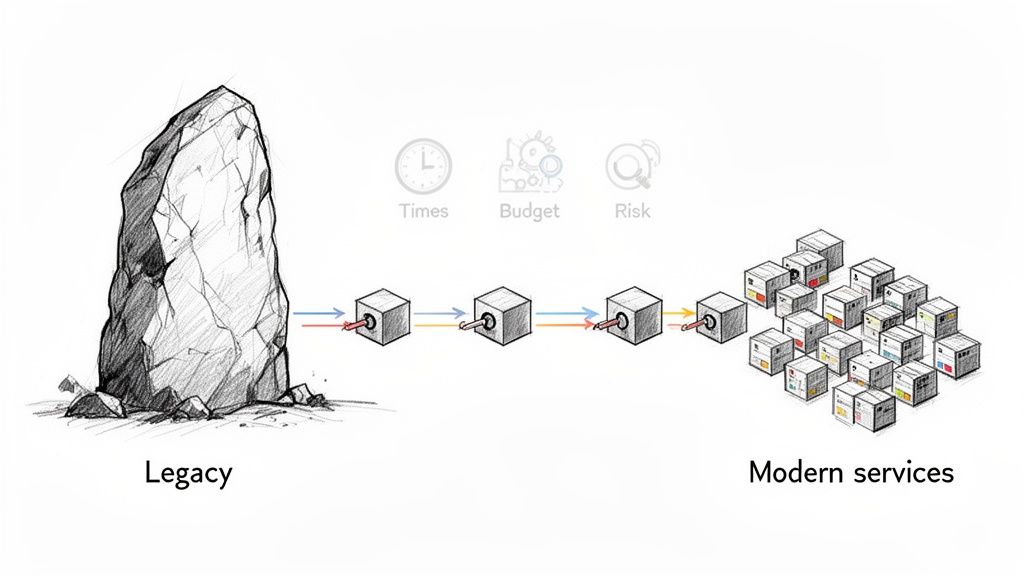
When these large-scale migrations fail, the consequences range from service outages to the entire project being cancelled. You are often dealing with tangled dependencies, undocumented business logic, and a volume of changes that makes a single, clean cutover unrealistic. This is where an incremental, piece-by-piece approach becomes a necessity.
De-Risking the Transition with Controlled Rollouts
Feature flags provide a control panel for this process. Instead of betting the company on a single deployment, you can wrap new functionality—whether a refactored module or a new microservice—inside a flag. That code gets deployed to production but remains dormant, or “dark,” until activated.
This changes the risk profile of modernization.
- Deploy Doesn’t Mean Release: Ship new code to production without any user noticing. You separate the technical act of deploying from the business decision of releasing.
- Test in Production (Safely): Activate the new service only for your internal QA team or automated tests. This allows you to observe its behavior with real production infrastructure and data, identifying problems before customers do.
- Gradual User Exposure: Once confident, you can roll the feature out to 1% of users, then 5%, then 20%. At each step, you monitor performance dashboards and business metrics.
The objective is to transform modernization from an all-or-nothing event into a series of small, reversible steps. If a new microservice shows latency spikes at 5% traffic, a single click turns the flag off. Instantly, all users are back on the stable legacy path. No rollback deployment is needed.
This directly mitigates the primary causes of modernization project failure.
Here is a breakdown of how flags turn common modernization risks into manageable tasks.
Modernization Risk vs Feature Flag Mitigation
| Common Modernization Risk | How Feature Flags Mitigate It |
|---|---|
| Big Bang Failure: The new system has a critical bug discovered post-launch, causing a major outage. | Instant Kill Switch: Disable the flag to immediately revert all traffic to the legacy path. The problematic code is still deployed but inactive. |
| Performance Degradation: A new service consumes too many resources, slowing down the entire system. | Canary Release: Roll out to a small percentage of users (1%-5%) and monitor performance metrics. Catch degradation before it impacts everyone. |
| Unknown Dependencies: The new module breaks an obscure, undocumented downstream system. | Targeted Rollout: Release the feature to internal teams or a beta group first. They will likely find edge cases and integration bugs in a controlled environment. |
| Business Logic Mismatch: The new implementation doesn’t perfectly match the legacy system’s behavior, affecting revenue. | A/B Testing & Monitoring: Run both the old and new paths simultaneously. Monitor key business metrics (e.g., conversion rate, order value) to ensure parity. |
By mapping each risk to a specific control, feature flags provide a clear path to reducing uncertainty.
This approach is effective. One financial services firm integrated feature flags into their modernization strategy and increased their deployment frequency by 400%. Concurrently, their deployment-related rollbacks dropped from 15% to 3%. Their 8+ hour deployment windows were reduced to 45 minutes.
Adopting feature flags in legacy modernization is about fundamentally changing how you manage risk. You can find more detail on how to do this in our full feature flag implementation guide.
Architectural Patterns for Integrating Feature Flags
Integrating feature flags into a legacy system requires a strategy. Without a deliberate architectural approach, you risk creating a system that is more complex to manage than the original monolith.
To implement this correctly, you need a blueprint. Two patterns are field-proven: the Strangler Fig Pattern for carving out functionality and the Branch by Abstraction pattern for refactoring code within the monolith. These are established methods for dissecting a legacy application without taking it offline.
Strangler Fig Pattern Supercharged with Feature Flags
The Strangler Fig is a widely used pattern. You build new functionality in separate services and incrementally redirect traffic from the old monolith to the new ones. Over time, the old system is “strangled” and can be retired. Feature flags act as the control valve that makes this process safe and reversible. Before proceeding, if you are new to the concept, here is a primer on what is feature flagging.
Imagine you are modernizing a monolithic Java e-commerce platform. The OrderProcessing module is critical and high-risk, and a “big bang” replacement is not a viable option.
A feature flag can function as a router. You place it at the entry point of the business logic to decide which code path to execute.
// Legacy Monolith Code - OrderController.java

@Inject
private FeatureFlagClient featureFlagClient;

@Inject
private LegacyOrderService legacyOrderService;

@Inject
private NewOrderMicroserviceClient newOrderMicroserviceClient;

public Response processOrder(OrderRequest orderRequest) {
    // Check the 'use-new-order-service' feature flag.
    // The context can include user ID, region, or other attributes.
    boolean useNewService = featureFlagClient.getBooleanValue("use-new-order-service", false, new UserContext(orderRequest.getUserId()));

    if (useNewService) {
        // Route to the new microservice
        return newOrderMicroserviceClient.submitOrder(orderRequest);
    } else {
        // Route to the old, trusted legacy path
        return legacyOrderService.process(orderRequest);
    }
}
This if/else block is your safety mechanism. You can deploy the new microservice and this updated controller logic with the flag turned completely off. No user is affected. Then, you can increase exposure gradually:
- Internal Dogfooding: Activate the flag for internal user IDs (e.g.,
userIdstarting with ‘emp-’). - Canary Release: Roll it out to 1% of real users to observe its behavior.
- Gradual Rollout: If all systems are stable, slowly increase the percentage to 100%.
The moment dashboards show a spike in errors or latency from the new service, you turn the flag off. All traffic instantly reverts to the stable, legacy path. No rollback or hotfix deployment is required. You can see a more detailed breakdown of this in a real-world Strangler Fig pattern example we’ve documented.
Branch by Abstraction for Internal Refactoring
Not all modernization involves building microservices. Sometimes it is necessary to perform major changes inside the monolith, such as replacing an old persistence layer. This is where Branch by Abstraction, controlled by feature flags, is useful. It helps avoid the issues associated with long-lived feature branches that are difficult to merge.
The approach is to create an abstraction layer—an interface—that sits in front of the component being replaced. All code that previously called the old component now calls this new abstraction instead.
For example, say you’re replacing a custom-built data access object (DAO) with JPA in a C# application.
First, create the abstraction. Define an interface that specifies the component’s function.
// IProductRepository.cs
public interface IProductRepository
{
    Product GetProductById(int id);
    void SaveProduct(Product product);
}
Next, create two implementations. One class wraps the old legacy code, and the other contains the new implementation.
// LegacyProductRepository.cs (Wrapper for old code)
public class LegacyProductRepository : IProductRepository { /* ... calls old DAO ... */ }

// NewProductRepository.cs (New JPA implementation)
public class NewProductRepository : IProductRepository { /* ... new logic ... */ }
Finally, use a factory controlled by a feature flag. This factory’s sole purpose is to decide which implementation to provide based on the flag’s status.
// ProductRepositoryFactory.cs
public class ProductRepositoryFactory
{
    private readonly IFeatureFlagClient _flagClient;

    public ProductRepositoryFactory(IFeatureFlagClient flagClient) {
        _flagClient = flagClient;
    }

    public IProductRepository GetRepository()
    {
        if (_flagClient.GetBoolValue("use-new-product-repo", false))
        {
            return new NewProductRepository();
        }
        return new LegacyProductRepository();
    }
}
Once you refactor the client code to use the ProductRepositoryFactory, you gain complete control over the data access strategy with a toggle. You can deploy the new repository code into production—turned off—and then enable it for internal testing or phased rollouts, similar to the Strangler Fig pattern. This technique isolates the risk of a large internal change, turning a potentially chaotic project into a manageable and observable process.
Implementing a Phased Modernization Rollout
Architectural patterns are the blueprint, but operational discipline is required to complete a modernization project. Using feature flags involves more than wrapping new code in an if/else block. It requires executing a deliberate, multi-stage rollout that systematically mitigates risk at each step. This process turns a high-stakes migration into a series of controlled, reversible experiments.
The core principle is to separate code deployment from feature release. Your new, modernized code should be deployed to the production environment well before any user is exposed to it. This provides an opportunity to observe its behavior under real-world load without impacting the customer experience.
Stage 1: Dark Launching and Internal Dogfooding
The first step in a controlled rollout is the dark launch. This means deploying your new code to production with the feature flag turned completely off for all users. The code is live but dormant. This practice eliminates deployment-day issues. The act of pushing code carries zero immediate risk to system stability.
Once the code is deployed “dark,” you activate it for a trusted, internal audience. This is called dogfooding. You configure the feature flag to activate the new code path only for specific, internal users.
Common dogfooding targets include:
- Employee User IDs: Let your engineering, QA, and product teams test it.
- Internal IP Ranges: Restrict access to anyone on your corporate network.
- Specific Test Accounts: Use a curated list of accounts created for validation.
This internal testing phase is critical. It is the first opportunity to see the new functionality interact with real production data and infrastructure, which often uncovers integration bugs and performance issues that cannot be replicated in staging environments.
Feature flags act as the control point in the architectural shift from a monolith to new services.
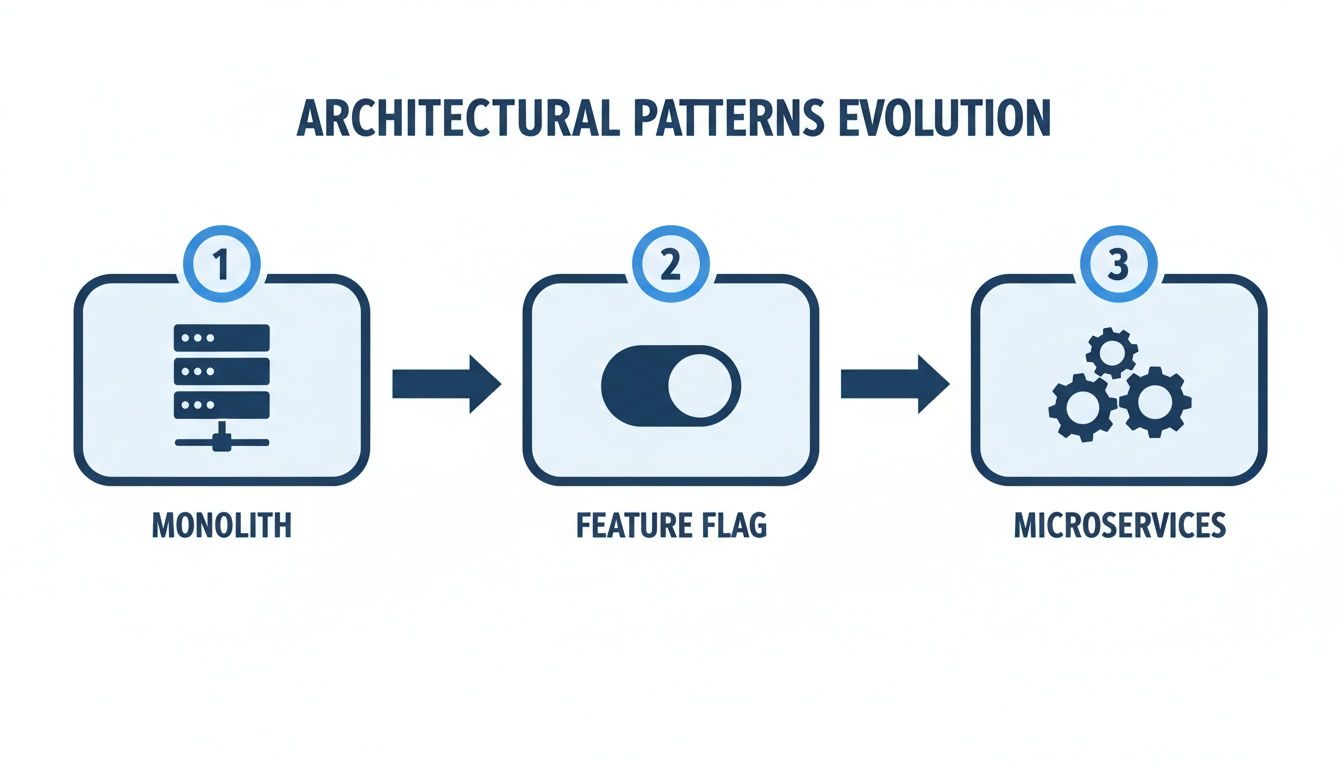
The flag is the gatekeeper, enabling a controlled transition instead of a high-risk, big-bang cutover.
Stage 2: Canary Releases
After your internal teams have validated the new functionality, it’s time for the first real test: the canary release. The goal is to expose the new code to a small, statistically significant slice of real users while closely monitoring performance dashboards.
You start small, typically targeting 1% to 5% of your user base. A capable feature flagging platform will allow you to define these user groups with high precision.
Common Targeting Strategies
| Targeting Method | Use Case Example |
|---|---|
| Percentage-Based | Randomly route 2% of all traffic to the new microservice to gauge baseline performance and error rates. |
| Regional/Geographic | Enable the new feature for users in a single, smaller market (e.g., New Zealand) before a global rollout. |
| Subscription Tier | Release a new reporting module to “Pro” tier users first, as they may be more tolerant of beta features. |
| Specific User IDs | Manually add a list of friendly beta customers who have opted in to test new functionality. |
During this phase, your observability platform is essential. You must monitor application performance (latency, error rates) and key business metrics (conversion rates, support tickets) closely. Any negative signal is a reason to pause. To do this correctly, you must incorporate modern release management strategies that treat flagging as a core part of the release lifecycle.
Stage 3: Full Rollout and the Kill Switch
If the canary release performs as expected, you can begin the full rollout. Do not jump from 5% to 100%. A safer approach is to ramp up exposure in stages: 10%, 25%, 50%, and finally 100%, pausing at each step to verify stability. This methodical process is central to a successful strategy for incremental legacy modernization.
Throughout this entire process, from dogfooding to 100% release, one capability is non-negotiable: the kill switch.
A kill switch is the ability to instantly disable a feature flag for all users, immediately reverting traffic back to the stable, legacy code path. This is your ultimate safety net.
If a critical bug is discovered at any stage, the kill switch lets you mitigate the impact in seconds. It changes your Mean Time to Resolution (MTTR) by eliminating the need for a high-pressure rollback deployment. The problematic code remains in production but is rendered harmless and can be debugged in a controlled manner.
How to Evaluate Feature Flag Platforms
Choosing a feature flag platform is more than a procurement checkbox. You are embedding a critical piece of infrastructure into your modernization stack. The wrong choice can introduce performance bottlenecks, security vulnerabilities, or fail to support the legacy languages at the heart of your migration. A platform designed for a mobile-first startup may not perform well under the load of a monolithic enterprise application.
The market for these tools is growing. Feature flagging is projected to become a $9.8 billion market by 2033, driven largely by complex modernizations. A VP of Engineering at a Fortune 500 retailer we worked with was faced with orchestrating over a billion flag evaluations per day on a 20-year-old system. The right platform makes that scale manageable. Mature adopters report a 3x improvement in MTTR.
Core Technical Requirements for Legacy Environments
When your stack is more than a decade old, your evaluation criteria must be practical. Many modern platforms are built for JavaScript frameworks and cloud-native services, with legacy support as a secondary consideration.
First, focus on the SDKs and their performance.
- Real Legacy SDK Support: Does the vendor offer production-ready, actively maintained SDKs for your specific environment? This includes not just Java 8 or .NET Framework 4.5, but potentially COBOL, C++, or older versions of enterprise languages. A “community-supported” SDK can be a risk.
- Performance Hit: A single flag evaluation should have negligible performance impact—measured in microseconds, not milliseconds. Request performance benchmarks from vendors. How does the SDK handle high throughput? Does it evaluate flags locally or require a network roundtrip for every decision? Network-bound evaluations are not viable at scale.
- Startup and Caching: How quickly does the SDK initialize and sync its flag rules? For a server-side monolith handling thousands of requests per second, a slow startup or an inefficient caching mechanism can degrade application performance on every restart.
Security and Compliance Are Not Optional
A modernization project almost always deals with sensitive data governed by PCI, HIPAA, or GDPR. A feature flag system directly controls data flows and user experiences, making it part of your compliance surface. It requires the same security scrutiny as your application code.
Your checklist must be stringent:
- Granular Permissions (RBAC): Can you create roles that limit who can create, change, or toggle flags? A product manager should be able to activate a new UI feature in production but should not be able to modify targeting rules for a flag that routes sensitive financial data.
- Ironclad Audit Logs: Every change to a flag must be logged immutably: who made the change, what the change was, and the exact timestamp. This is non-negotiable in regulated industries. In the event of an incident, the audit log is a primary source of information.
- No PII Leakage: The platform must not require you to send Personally Identifiable Information (PII) to its servers. Targeting should happen locally within your infrastructure, based on user attributes you provide to the SDK.
An often-overlooked detail is how the platform fits into your existing security operations. Does it support SSO with your company’s identity provider? Can it pull SDK keys from your secrets management tool?
Is It a Good Operational and Integration Fit?
A feature flag platform does not exist in isolation. Its value comes from how well it integrates into your existing DevOps toolchain and workflows. If it requires manual steps for every flag change, it adds friction, which is counterproductive. For any organization building an internal developer platform, this choice is a foundational part of a solid platform engineering setup.
Demand seamless integrations:
- CI/CD Integration: Can you manage your flags as code? Look for a Terraform provider or a well-documented API that lets you automate flag creation and updates within your deployment pipelines. This is the core of GitOps for feature flagging.
- Observability Hooks: The platform must be able to send flag evaluation data to your monitoring tools like Datadog, Splunk, or Prometheus. Without this, you cannot correlate a new feature release with a sudden spike in application errors or latency.
- Partner Knowledge: If you’re working with a system integrator, ask about their direct, hands-on experience with your chosen tool in your specific legacy context. A partner skilled with AWS and serverless may not have the necessary experience to modernize an on-premise mainframe.
Feature Flag Platform Evaluation Checklist
Choosing a platform is a long-term commitment. Use this checklist to evaluate vendors based on what is critical for a complex legacy modernization effort.
| Evaluation Criterion | Key Questions to Ask | Red Flags to Watch For |
|---|---|---|
| Legacy SDK Support | Do you have a first-party, production-ready SDK for [Our Language/Framework]? What is its performance overhead under 10,000 requests/sec? | ”Community-supported” SDKs. Network calls for every flag evaluation. Vague performance answers. |
| Performance | How fast is SDK initialization? How are flag rules cached? How often does it contact the service? What’s the latency of a single flag check? | Slow cold starts (>1 second). In-memory caching without persistence. Frequent polling that impacts the vendor’s API. |
| Security & RBAC | Can I create a “read-only” role? Can I restrict who can toggle flags in production vs. staging? Is every action in the UI logged? | All users are admins. Audit logs that can be edited or deleted. Requiring PII to be sent for targeting. |
| Compliance | Is your platform SOC 2 Type II, ISO 27001, HIPAA, or PCI compliant? Where is our data stored? Do you support data residency? | Lack of standard compliance certifications. Inability to specify data storage region. |
| Integration (DevOps) | Do you have a Terraform provider or robust management API? Can you export flag evaluation events to Datadog/Splunk/Prometheus? | ”You can build your own integration with our API.” No pre-built observability connectors. |
| Scalability | How many flag evaluations per second can your system handle? What is your architecture for high availability? What’s the fail-safe behavior if your service is down? | No clear answers on architectural limits. SDK fails “closed” (blocks features) if it can’t reach the service. |
| Pricing Model | Is pricing based on seats, MAUs, or flag evaluations? Are there overage charges? Is there a separate charge for the management API? | Per-evaluation pricing (can lead to high costs). Opaque pricing that requires a sales call for an estimate. |
| Support | What are your support SLAs for a production-down incident? Do we get a dedicated support engineer or a shared queue? | Support only offered via email or community forums. No guaranteed response times for critical issues. |
Ultimately, the best tool is one that your team can trust. During a high-stakes migration, your feature flagging system should be a source of safety and control, not another source of risk.
Common Failure Modes and How to Avoid Them
Feature flags are a tool for managing risk, but they are not a complete solution. Adopting them without a plan for operational discipline can lead to trading one kind of technical debt for another. Teams that treat flags as a “fire and forget” solution often end up with a modernized codebase that is more complex than the legacy system they started with.
The primary danger is not a catastrophic failure but the slow accumulation of issues that degrade performance, bloat the code with dead logic, and make the system difficult to maintain. Understanding these pitfalls is the first step to avoiding them.
Here are the three most common ways feature flag implementations fail and the strategies to prevent them.
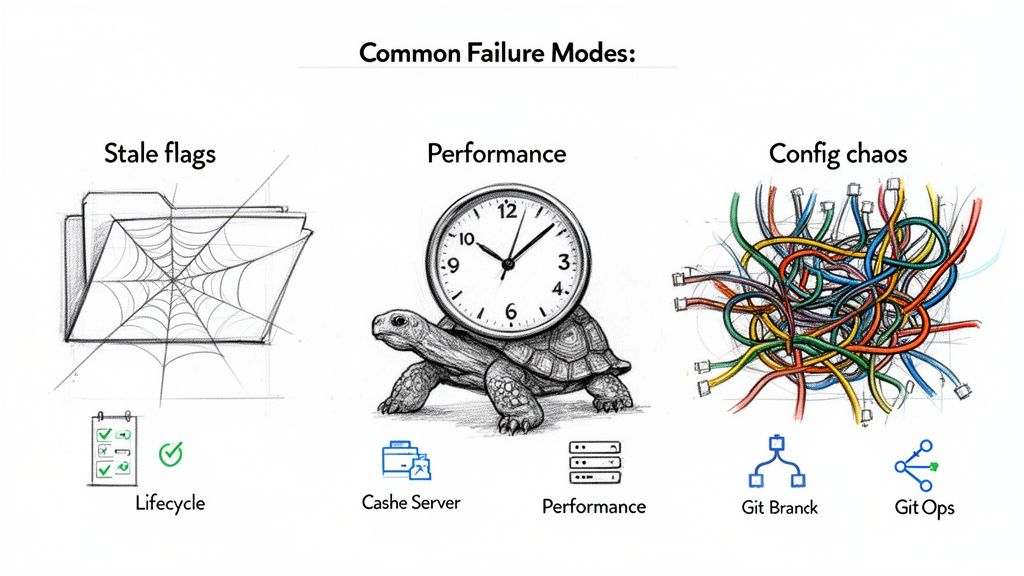
Failure Mode 1: Technical Debt from Stale Flags
Stale flags—those left in the code long after a feature is fully rolled out or abandoned—are the most common problem. Every abandoned flag leaves behind dead code paths, if/else blocks, and unused logic that clutters the codebase.
Over time, it becomes difficult for the team to remember why a flag exists or if it is safe to remove. This can lead to code paralysis. Some teams have accumulated hundreds of these “zombie” flags, turning a clean service into a maze of conditional logic.
To combat this, you need a strict flag lifecycle policy. This is a non-negotiable requirement for using flags at scale.
- Assign an Owner: Every flag must have a designated owner responsible for its eventual removal.
- Set an Expiration Date: Treat flags as temporary by default. Assign each one a shelf life (e.g., end of the current quarter) that automatically triggers a review.
- Define Flag Types: Use clear types like
Temporary(for a release),Operational(for a long-term kill switch), orExperiment(for A/B testing). OnlyOperationalflags should be exempt from expiration. - Automate the Cleanup: Your CI/CD pipeline should enforce this policy. Use linters or custom scripts to detect and flag code associated with expired flags, failing the build if necessary.
The goal is to make removing a flag a standard part of your workflow. When a feature is stable at 100% rollout, the next sprint should include a ticket to remove the flag and its associated legacy code.
Failure Mode 2: Performance Degradation at Scale
A single flag evaluation is fast—on the order of microseconds. However, at a scale of a billion evaluations per day, performance drag can become significant, especially with a suboptimal implementation. This problem often manifests as a slow increase in application latency that is difficult to diagnose.
The usual cause is network-bound evaluations. If your SDK must make a network call to a central service for every decision, you introduce a bottleneck and a single point of failure.
The fix is to keep evaluations local and in-memory:
- Use Server-Side SDKs: Your feature flag platform’s SDK must download all rules at application startup and evaluate them locally. Network calls should only occur in the background to fetch rule updates, not for every user request.
- Cache Aggressively: The SDK must have a robust in-memory cache. This is essential for any high-traffic system.
- Monitor Evaluation Latency: Track the P95 and P99 latency of your flag evaluations in your observability platform. A sudden spike is an early warning indicator.
Failure Mode 3: Configuration Chaos
As the number of flags grows, managing their configurations becomes a significant operational challenge. Without a structured process, you can get “configuration drift,” where the settings in production do not match what is in staging or what developers expect to be live. This leads to unpredictable behavior and difficult debugging sessions.
The solution is to treat flag configurations with the same rigor as application code. Applying GitOps principles is an effective strategy.
- Flags-as-Code: Define your flag configurations in a declarative format like YAML or JSON and check them into a Git repository. This becomes your single source of truth.
- Automated Syncing: Changes merged into your main branch should automatically trigger an update to your feature flag platform, either through its API or a Terraform provider.
- Pull Request Workflow: Every change—from toggling a flag to adjusting a targeting rule—must go through a pull request. This provides peer review, a clear audit trail, and prevents errors from manual changes in a production UI.
Common Questions (And Brutally Honest Answers)
Even with a solid plan, technical leaders often have questions before committing to feature flags for a modernization project. These are real-world concerns about the nuances and trade-offs. Here are direct answers.
When Are Feature Flags a Terrible Idea for Modernization?
Feature flags are not suitable for all types of changes. They are the wrong tool for deep, all-or-nothing architectural modifications, such as core database schema migrations or replacing a fundamental security protocol. If you have to flag every database call or every cryptographic function, you are trading one form of complexity for another, potentially riskier one.
For these types of large-scale changes, a classic blue-green deployment is often safer and less error-prone. You build the new environment, test it, and then switch traffic over.
A significant risk is a lack of team discipline. If your organization does not have a rigorous process for managing the flag lifecycle—creating, tracking, and removing them—you will accumulate technical debt. The new codebase can become more complex than the legacy system it was meant to replace.
How Does This Break Our QA Process?
Adopting feature flags requires a shift in the QA mindset from “ensure perfection before deployment” to “continuously validate safety in production.” This is a significant change, and the QA process must adapt.
Test suites need to handle every possible permutation of a feature: on, off, and targeted to various user segments.
- Smarter Automation: Your automated testing framework must be able to programmatically toggle flags. It needs to run tests against different code paths for every build, not just the default state.
- Serious Observability: A significant investment in observability is non-negotiable. You need detailed metrics, structured logging that includes flag states, and distributed tracing to understand what your new code is doing under real-world load. A staging environment cannot replicate the conditions of production.
This shift transforms QA from a gatekeeper into an active partner in shipping code safely and quickly.
Can’t We Just Build Our Own Flagging System?
Building a basic “on/off” switch is simple. It might start as a config file or a database table. However, the total cost of ownership for a homegrown, production-grade platform is a significant hidden cost that is often underestimated. It can become a distraction from the actual modernization work.
A simple toggle is insufficient for a complex migration. An enterprise-grade system is a full product that requires dedicated engineering investment to build and maintain.
The Anatomy of a Production-Ready System
| Component | Why It’s Harder Than You Think |
|---|---|
| High-Availability Engine | Must serve flag decisions in milliseconds with 99.99% uptime. If it’s down, your application is down. |
| Performant SDKs | Requires deep expertise in every language in your stack, including older versions. |
| Intuitive UI | Needs to be reliable for non-engineers (Product, Marketing) to manage releases without causing production issues. |
| Granular Targeting | A sophisticated rules engine for targeting by user ID, region, email domain, or custom attributes is complex to build. |
| Comprehensive Audit Trail | Immutable logs are required for compliance (SOC 2, HIPAA) and blameless post-mortems. |
| Robust Security Controls | Requires RBAC, SSO integration, and secure secrets management. This is not a side project. |
For most companies, the engineering hours required to build this infrastructure will far outweigh the cost of buying a commercial or using a mature open-source solution. It diverts your best engineers from the modernization project. A thorough build-vs-buy analysis for a high-stakes legacy migration almost always favors buying.
Navigating the complexities of legacy modernization requires unbiased, data-driven insights. Modernization Intel provides deep research on over 200 implementation partners, offering transparent cost data and failure analysis to help you select the right vendor. Avoid costly mistakes by making your next modernization decision with defensible intelligence. Get your vendor shortlist at https://softwaremodernizationservices.com.