Mastering Data Quality in Migration Projects
Learn why data quality in migration projects is critical. This guide provides a framework to prevent failure and ensure your modernization initiative succeeds.
On this page
- Overview
- Why Migrations Fail The Data Quality Test
- Common Data Quality Failure Modes
- A Practical Framework for Data Verification and Remediation
- Pre-Migration Profiling
- In-Flight Reconciliation
- Post-Migration Validation
- Defining and Measuring Data Quality KPIs
- Core Data Fidelity Metrics
- Leading vs. Lagging KPIs: Spotting Trouble Before It Happens
- Leading vs. Lagging Data Quality KPIs for Migrations
- Evaluating Vendor Competency in Data Migration
- Core Competencies Versus Critical Red Flags
- The Impact of Specialized Expertise
- The Role of AI and Automation in Modern Data Migration
- Where AI Excels in Data Migration
- The Pitfall of Automated Translation
- Common Questions About Data Migration Quality
- How Do We Estimate The Cost And Timeline For Data Cleansing?
- What’s The Single Biggest Mistake We Can Make?
- Can We Just Fix The Data After The Migration?
Poor data quality is among the leading reasons software modernization projects fail. It is a project risk more than a technical hurdle. Ignoring data integrity makes budget overruns and operational disruption likely, and can turn a strategic modernization into a salvage mission.
Data quality underpins a successful migration. A CTO or engineering leader who treats it as an afterthought is accepting a high risk of overrun or failure.
Why Migrations Fail The Data Quality Test
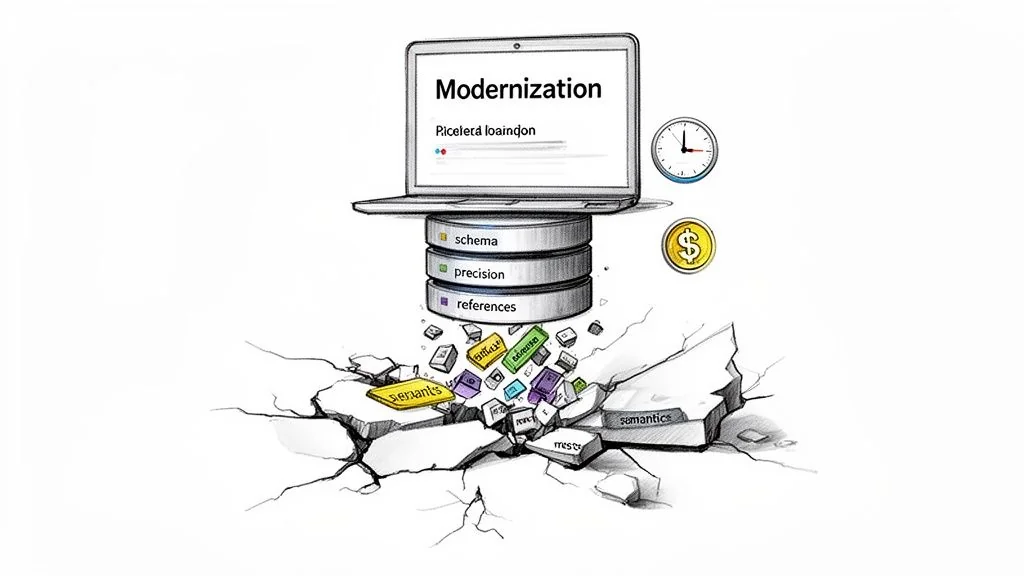
Most modernization projects kick off with a focus on new application features or cloud infrastructure. The data, often trapped in legacy systems for decades, is treated like cargo to be forklifted from point A to point B. That assumption is flawed and expensive.
Data migrations are among the projects most likely to fail outright or exceed their budgets and timelines. These failures are not server fires. They happen when the business meaning of the data is corrupted in transit, and the cost goes beyond a delayed timeline: core operational data can be permanently corrupted.
Treating data quality as an afterthought leads to:
- Operational Disruption: New applications fail in unpredictable ways because the data they rely on is garbage.
- Failed Business Goals: The analytics and reporting that justified the entire modernization produce wrong answers, eroding executive trust.
- Compliance Breaches: Migrated data that loses its integrity creates violations of regulations like GDPR or SOX, leading to fines and legal exposure.
Common Data Quality Failure Modes
Vague worries about "bad data" are not actionable. Four predictable failure modes consistently derail data quality in migration projects.
"A 'lift-and-shift' approach to data fails. The real work in a migration isn't moving bytes; it's preserving the business meaning and structural integrity of information that has degraded over years of undocumented changes."
Primary Data Quality Failure Modes in Migration
| Failure Mode | Technical Root Cause | Business Impact |
|---|---|---|
| Schema Mismatch | Source VARCHAR(255) mapped to target VARCHAR(50). Implicit data type changes (e.g., INT to FLOAT). | Silent data truncation. Customer names get cut off, product IDs are silently corrupted, and application logic fails. |
| Precision Loss | Migrating financial data (e.g., DECIMAL(18,8)) into a FLOAT data type in the new system. | Rounding errors in financial calculations, leading to incorrect invoices, failed audits, and untraceable accounting discrepancies. |
| Referential Integrity | Orphaned records are created when a parent record in one table is moved but its dependent child records in another table are not. | Inability to look up related information. An order is migrated without its corresponding customer record, making it impossible to process or analyze. |
| Semantic Drift | A field like status_code meant 'Active' (1) or 'Inactive' (0) in the legacy system, but means 'Pending' (1) or 'Complete' (2) in the new one. | The data is technically correct but functionally wrong. Reports show incorrect statuses, and business logic triggers the wrong actions, causing operational errors. |
These four failure modes cause most data-related migration disasters. Our guide to legacy system modernization covers the wider approach.
A Practical Framework for Data Verification and Remediation
A reactive, “we’ll fix it later” stance on data quality leads to budget overruns and messy rollbacks. Better teams use a multi-phase framework that makes data quality in migration projects verifiable from start to finish. It has three phases: Pre-Migration Profiling, In-Flight Reconciliation, and Post-Migration Validation.
Pre-Migration Profiling
This is where you create a verifiable baseline of data health before a single byte gets moved. You cannot certify the quality of migrated data if you never understood its starting state. Use automated tools to scan source systems and quantify the problems.
Effective profiling goes beyond simple row counts. It is a statistical analysis that uncovers hidden problems before they derail the migration.
- Column Frequency and Distribution Analysis: This first pass shows the range and frequency of values in each column. It is the fastest way to validate business rules and spot unexpected values that have crept in over the years.
- Outlier and Anomaly Detection: Analyzing value patterns automatically red-flags data that falls outside the norm. This is how you find
order_datevalues from 1900 or negative numbers in aquantityfield, which are clear signs of data entry or system errors that must be fixed. - Null and Uniqueness Analysis: This process quantifies the percentage of null values and verifies that primary key constraints are actually being enforced in the legacy system. Finding a large share of nulls in a field everyone thought was critical is a red flag to address before migration.
This profiling phase gives you a data-backed inventory of every potential problem, so you can build remediation rules directly into your ETL scripts.
In-Flight Reconciliation
Once the migration kicks off, you need real-time validation. In-flight reconciliation is your early warning system. It involves building automated checks that compare data as it moves from the source to the target, designed to catch discrepancies the moment they happen, not weeks after go-live when the damage is done.
The core principle of in-flight reconciliation is to never trust, always verify. Assume that the ETL process will introduce errors and build automated checks to prove otherwise.
These checks must be automated and run continuously with every migration batch. Key tactics are:
- Record Count Matching: Does the number of records extracted from the source table match the number loaded into the target for every batch?
- Financial Total Reconciliation: For financial data, run this check every time. Sum key numeric columns like
transaction_amountin both the source and target. Any discrepancy, no matter how small, points to a critical failure, usually related to precision loss. - Checksum Verification: Generate checksums or hashes for specific rows or entire datasets at both ends. If the hashes don't match, you have definitive proof that data was altered or corrupted in transit.
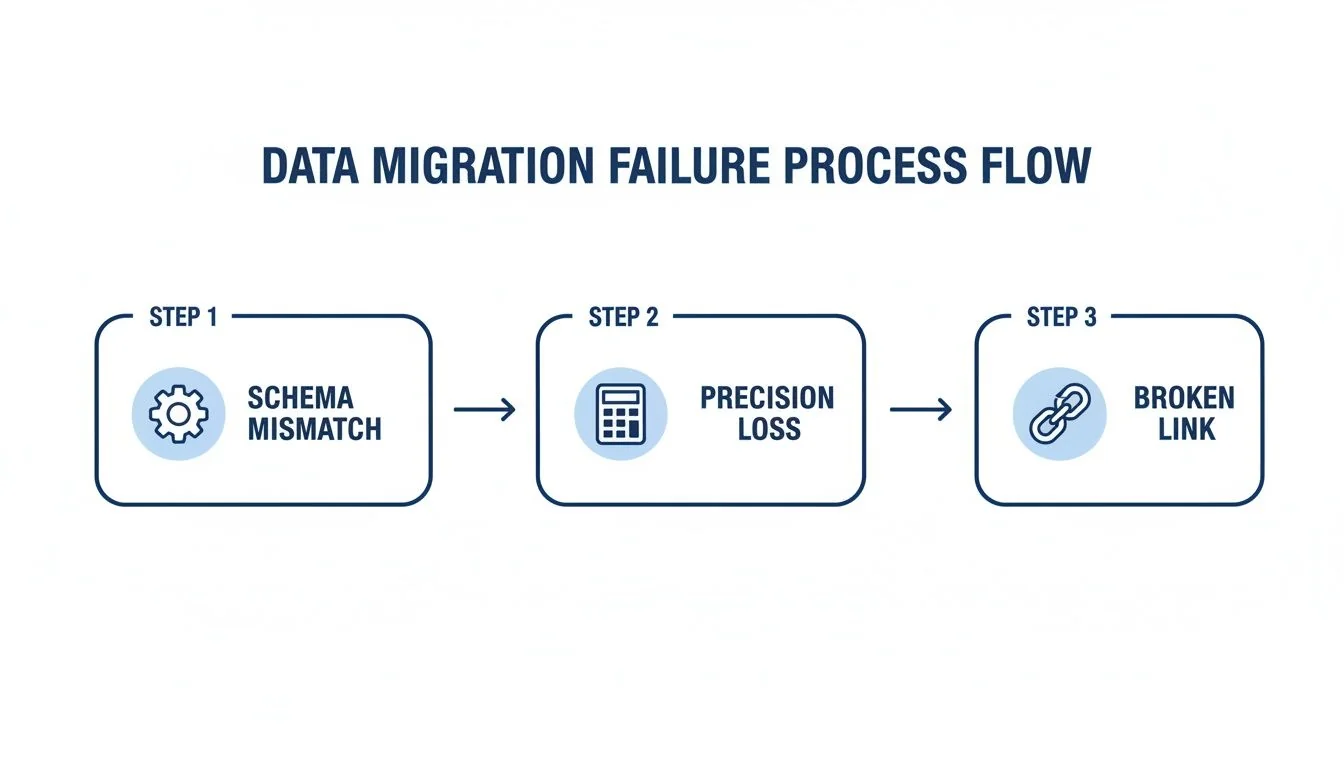
The diagram shows how issues like schema mismatches are points in a chain reaction that ultimately destroys data integrity. For a deeper dive into the practical realities of this kind of testing, resources like Transitioning From Etl Testing To Data Analyst Key Differences And Considerations offers practical background.
Post-Migration Validation
The final phase certifies that the new system works with its migrated data, which means testing business functionality as well as the data itself. COBOL migrations stumble on these data quality pitfalls often. A classic example is COMP-3 decimal precision loss, where packed decimal formats from the mainframe get truncated during ETL, inflating or deflating financial records by tiny fractions that compound into large discrepancies.
Two strategies matter most here:
- Stratified Sampling: Use a structured approach instead of random spot-checks. Select a representative sample of data across different segments—high-value customers, new accounts, specific product lines—and have business users validate it against the legacy system.
- Business Process Simulation: Run critical business processes end-to-end in the new system using migrated data. Can you "create a new order"? Can you "run the month-end report"? This simulation confirms that the data not only arrived intact but is fit for its new purpose.
Together, the three phases give a systematic way to de-risk the data transfer. Our guide to data modernization.
Defining and Measuring Data Quality KPIs
Vague assurances from a migration partner are not evidence, so ask for a dashboard with hard numbers. Defining data quality in migration projects turns abstract goals like “good data” into a scorecard that triggers action.
Core Data Fidelity Metrics
These three metrics are the core of any quality scorecard. If your migration partner cannot report on them against pre-defined thresholds, treat it as a red flag.
-
Data Accuracy: Does the value in the target system match what was in the source? For critical data elements (CDEs), the tolerance for error is zero. Across the entire dataset, any deviation greater than 0.1% must trigger an immediate investigation.
-
Completeness: A simple metric:
(Records Loaded to Target / Records Extracted from Source) * 100. A goal of 99.99% is a reasonable starting point, as even a 0.01% loss can mean thousands of missing customer records. -
Lineage Coverage: What percentage of your most critical data can be traced from its source, through every transformation rule, to its final destination? Anything less than 95% coverage means you have blind spots in how your most important data is handled.
These metrics answer the most fundamental question: did the data get there, and did it get there correctly?
Leading vs. Lagging KPIs: Spotting Trouble Before It Happens
Most teams focus on lagging indicators—metrics that tell you a failure has already happened. A mature migration strategy tracks leading indicators, which predict problems before they derail the project.
A focus on lagging indicators like "number of post-migration support tickets" is a sign of a poorly managed project. The goal is to track leading indicators like "ETL rule validation failure rate" to prevent those tickets from ever being created.
Instrument the migration pipeline to track these leading indicators in real-time. This changes the conversation from a reactive "What broke?" to a proactive "What is about to break?"
The table below contrasts the two kinds of indicator.
Leading vs. Lagging Data Quality KPIs for Migrations
| Metric Type | KPI Example | Purpose |
|---|---|---|
| Leading Indicator | Data Profiling Anomaly Rate: The percentage of source records violating business rules before migration starts. | Proactively flags the exact scope of data cleansing needed. A high rate predicts major ETL complexity and risk. |
| Lagging Indicator | Reconciliation Delta Threshold: The monetary or record count difference between source and target systems detected after a migration batch runs. | Reactively confirms a data transfer failed. It tells you data was lost or corrupted but doesn't prevent the failure itself. |
| Leading Indicator | Schema Drift Alerts: Automated notifications triggered when a source schema changes unexpectedly (e.g., new column, changed data type). | Prevents silent data truncation or mapping errors by flagging structural changes that will break ETL jobs before they run. |
| Lagging Indicator | UAT Defect Density: The number of data-related defects found per 1,000 records during User Acceptance Testing. | Confirms the end-user impact of poor data quality after the migration is already in their hands, representing the final stage of failure. |
By prioritizing leading indicators, your engineers can find and fix issues inside the pipeline, before data quality problems reach the target system, where fixing them is far more complex and expensive.
Evaluating Vendor Competency in Data Migration
The choice of implementation partner largely determines data quality outcomes. A vendor who pitches migration as a simple "lift-and-shift" exercise is showing they do not understand the data risk.
When you hire a partner for a data migration, you are paying for data integrity, and their skill in preserving data quality in migration projects matters more than anything else in the proposal. You need to see their methodology, their tools, and their track record on past projects.
Core Competencies Versus Critical Red Flags
Many vendors claim data expertise, but few have an engineering-led discipline for maintaining data fidelity. A strong partner cares about accuracy as much as the go-live date, and treats preserving the business context of your data as more valuable than moving bytes.
The single biggest red flag is a vendor who cannot show you their automated data reconciliation process. If their plan for validation is "manual spot-checks" or waiting for users to complain after go-live, run. They are not equipped for a serious project.
Use this matrix to score potential vendors. It is a quick check based on what predicts success versus failure.
Vendor Evaluation Matrix for Data Quality
| Criteria | Expert Partner (Green Flag) | Incompetent Partner (Red Flag) |
|---|---|---|
| Methodology | Shows a plan with pre-migration profiling, live reconciliation during the migration, and business validation after. They have distinct phases for data. | Talks only about "lift-and-shift" speed and running scripts. Data validation is an afterthought, if it's mentioned at all. |
| Tooling | Uses automated reconciliation platforms that understand semantic context. They can show you a real-time dashboard with quality KPIs. | Relies on hand-written scripts and manual checks in spreadsheets. Can't produce automated reports on accuracy or completeness. |
| Domain Experience | Gives you references from your industry (e.g., banking, telecom) who will vouch for the integrity of their data post-migration. | Has generic case studies that don't touch on your industry's specific data challenges, like regulatory rules or complex formats. |
| Semantic Mapping | Has a clear process for figuring out what data fields actually mean to the business, especially in old, poorly-documented systems. | Treats data fields like simple column names, completely ignoring the risk of semantic drift that will break your business logic. |
The Impact of Specialized Expertise
Partners with deep experience in complex industries like finance or healthcare tend to understand the semantic and lineage issues that generic teams miss. Ask for references that show strict semantic mapping on a migration like yours. For how these details affect real projects, see more on legacy system modernization.
Use this framework to judge vendors on their demonstrated ability to protect your data rather than on marketing claims.
The Role of AI and Automation in Modern Data Migration
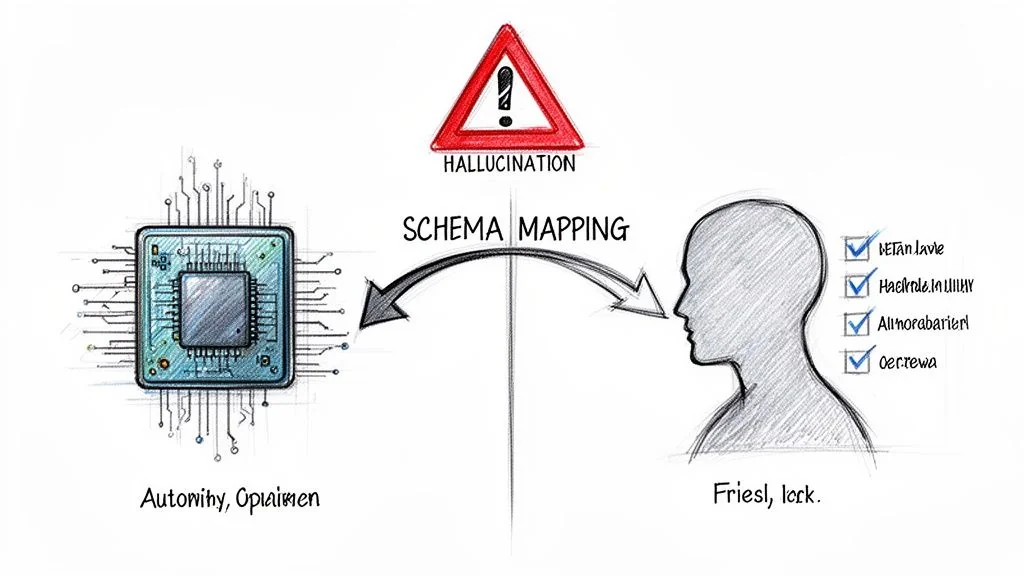
AI-powered tools are pitched as the fix for legacy modernization. They promise to automate everything from code conversion to schema mapping. But when applied blindly to data migration, these tools create a new failure mode: "hallucinated" business rules that silently corrupt data at a scale no manual process ever could.
AI's promise in areas like COBOL modernization runs into the reality of data quality. IBM's worst single-day share drop in 25 years, in February 2026, fueled by fears of an automated legacy exodus, put this risk in the spotlight. Treating migration as a simple syntactic translation ignores structural problems, such as duplicated data types, that plague bottom-up COBOL-to-web-services conversions. You can get the full story on how COBOL tools rattled investor confidence.
Protecting data quality in migration projects depends on understanding both what AI does well and where it fails.
Where AI Excels in Data Migration
Used for analysis, not blind execution, AI and automation are useful. They can accelerate the most time-consuming parts of pre-migration data profiling.
-
Automated Schema Mapping: AI excels at analyzing source and target schemas to suggest initial mappings. This automates the grunt work of matching thousands of columns, letting engineers focus on the complex, non-obvious relationships that require human expertise.
-
Dependency Analysis: Modern tools can trace data lineage across ancient systems, mapping hidden dependencies between tables, applications, and reports. This is nearly impossible to do by hand and is critical for not breaking integrations post-migration.
-
Data Anomaly Detection: Instead of having engineers write hundreds of manual validation rules, AI models can learn the "normal" patterns in source data and automatically flag outliers. This is the fastest way to surface bizarre date formats, invalid codes, or unexpected null values.
The Pitfall of Automated Translation
The danger appears the moment a leader expects AI to not just analyze, but to understand and autonomously execute the migration. An AI model has zero business context. It has no memory of the decisions made 30 years ago that shaped your data. It sees data syntactically, not semantically.
This leads to a serious failure mode: an AI tool correctly translates a data field's type but misinterprets its business meaning, a form of semantic drift. It hallucinates business logic based on statistical patterns, not genuine understanding.
Imagine an AI tool pointed at a legacy insurance system. It finds a policy_status field with integer values. Based on its training data, it confidently maps 1 to "Active" and 0 to "Inactive." The problem? In this 30-year-old system, 1 actually meant "Lapsed - Pending Legal Review." By automating this "translation" without human validation, the AI has just created a compliance and financial risk.
Use AI for what it's good at: pattern recognition, large-scale analysis, and dependency mapping. Human experts with actual business knowledge must have the final say on all transformations. Use AI to accelerate analysis, not to abdicate responsibility for data integrity.
Common Questions About Data Migration Quality
These are common questions when facing a data migration.
How Do We Estimate The Cost And Timeline For Data Cleansing?
Start by running automated data profiling tools on a representative sample of your source data. This quick pass will quantify the scale of the problems: null values, duplicates, and inconsistent formats. Those numbers are the foundation for a realistic, bottom-up estimate.
As a rule of thumb, give data quality work its own line in the budget and timeline, sized from the profiling results rather than folded into general ETL effort. If a vendor provides a fixed-price bid without insisting on this profiling step first, they are gambling with your project.
What’s The Single Biggest Mistake We Can Make?
Treating data migration as a technical “lift-and-shift” operation. This is the root of almost every major failure. Data migration is a business initiative whose success depends on context, not an infrastructure task.
This means getting business stakeholders in the room from day one. Their job is to validate the meaning and semantics of the data. The tech team can ensure a customer_id field is moved correctly, but only the business can confirm it represents the same "customer" in the new system.
The primary cause of post-migration failure is the gap between technical data movement and business context. When that context is lost, the data is technically correct but functionally useless, and the new system cannot be relied on.
Can We Just Fix The Data After The Migration?
No. It is possible, but cleaning up data after migration is far more expensive and disruptive. You will be forcing system downtime, writing complex data patches under pressure, and eroding user trust in the new platform. A proactive approach is the only professional way to operate.
When GRAWE Group modernized their core platform, they migrated over 6 million lines of code from a legacy mainframe. Deloitte's case study reports a trouble-free cutover and costs cut by more than 60%. You can get the full story from this deep-dive into their large-scale migration project.
Chief Analyst, Software Modernization Intelligence · 10+ years B2B market research
Published: