
Mastering Data Quality in Migration Projects
Poor data quality is the #1 reason software modernization projects fail. It’s not a technical hurdle; it’s a project-killer. Ignoring data integrity guarantees budget overruns, operational chaos, and turns a strategic modernization into a salvage mission.
Data quality isn’t an IT checklist item. It is the foundation of a successful migration. Any CTO or engineering leader who treats it as an afterthought is accepting an 83% failure rate for their project.
Why Migrations Fail The Data Quality Test
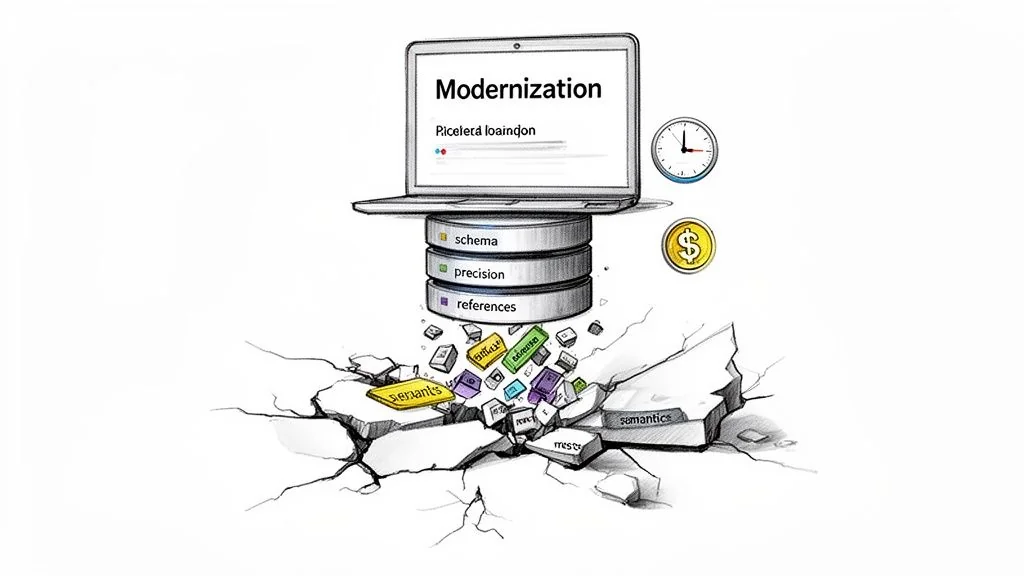
Most modernization projects kick off with a focus on new application features or cloud infrastructure. The data, often trapped in legacy systems for decades, is treated like cargo to be forklifted from point A to point B. This is a fundamentally flawed—and expensive—assumption.
The numbers are brutal. According to Gartner, 83% of data migration projects either fail outright or exceed their budgets and timelines. These aren’t failures from server fires; they are insidious failures where the business meaning of the data is corrupted in transit. The risk isn’t just a delayed timeline; it’s the permanent corruption of your company’s core operational data.
Treating data quality as an afterthought guarantees:
- Operational Disruption: New applications fail in unpredictable ways because the data they rely on is garbage.
- Failed Business Goals: The analytics and reporting that justified the entire modernization produce wrong answers, eroding executive trust.
- Compliance Breaches: Migrated data that loses its integrity creates violations of regulations like GDPR or SOX, leading to massive fines and legal exposure.
Common Data Quality Failure Modes
Vague worries about “bad data” are not actionable. The real culprits are predictable failure modes that consistently derail data quality in migration projects.
“A ‘lift-and-shift’ approach to data is a recipe for disaster. The real work in a migration isn’t moving bytes; it’s preserving the business meaning and structural integrity of information that has degraded over years of undocumented changes.”
Understanding these issues is the first step toward concrete risk mitigation.
Primary Data Quality Failure Modes in Migration
| Failure Mode | Technical Root Cause | Business Impact |
|---|---|---|
| Schema Mismatch | Source VARCHAR(255) mapped to target VARCHAR(50). Implicit data type changes (e.g., INT to FLOAT). | Silent data truncation. Customer names get cut off, product IDs are silently corrupted, and application logic fails. |
| Precision Loss | Migrating financial data (e.g., DECIMAL(18,8)) into a FLOAT data type in the new system. | Catastrophic rounding errors in financial calculations, leading to incorrect invoices, failed audits, and untraceable accounting discrepancies. |
| Referential Integrity | Orphaned records are created when a parent record in one table is moved but its dependent child records in another table are not. | Inability to look up related information. An order is migrated without its corresponding customer record, making it impossible to process or analyze. |
| Semantic Drift | A field like status_code meant ‘Active’ (1) or ‘Inactive’ (0) in the legacy system, but means ‘Pending’ (1) or ‘Complete’ (2) in the new one. | The data is technically correct but functionally wrong. Reports show incorrect statuses, and business logic triggers the wrong actions, causing operational chaos. |
Master these four failure modes. They are the root cause of most data-related migration disasters. You can learn more about how to approach these challenges by reading our complete guide to legacy system modernization.
A Practical Framework for Data Verification and Remediation
A reactive, “we’ll fix it later” stance on data quality is a direct path to budget overruns and chaotic rollbacks. Winning teams adopt a proactive, multi-phase framework. This is a verifiable process that guarantees data quality in migration projects from start to finish. The framework is built on three non-negotiable phases: Pre-Migration Profiling, In-Flight Reconciliation, and Post-Migration Validation.
Pre-Migration Profiling
This is where you create a verifiable baseline of data health before a single byte gets moved. You cannot certify the quality of migrated data if you never understood its starting state. Use automated tools to scan source systems and quantify the landmines.
Effective profiling goes beyond simple row counts. It is a deep statistical analysis to uncover the hidden rot that will derail your migration.
- Column Frequency and Distribution Analysis: This first pass shows the range and frequency of values in each column. It is the fastest way to validate business rules and spot bizarre, unexpected values that have crept in over the years.
- Outlier and Anomaly Detection: Analyzing value patterns automatically red-flags data that falls outside the norm. This is how you find
order_datevalues from 1900 or negative numbers in aquantityfield—clear signs of deep-seated data entry or system errors that must be fixed. - Null and Uniqueness Analysis: This process quantifies the percentage of null values and verifies that primary key constraints are actually being enforced in the legacy system. Finding 30% nulls in a field everyone thought was critical is a massive red flag that must be addressed before migration.
This profiling phase arms you with a data-backed inventory of every potential problem, allowing you to build remediation rules directly into your ETL scripts.
In-Flight Reconciliation
Once the migration kicks off, you need real-time validation. In-flight reconciliation is your early warning system. It involves building automated checks that compare data as it moves from the source to the target, designed to catch discrepancies the moment they happen—not weeks after go-live when the damage is done.
The core principle of in-flight reconciliation is to never trust, always verify. Assume that the ETL process will introduce errors and build automated checks to prove otherwise.
These checks must be automated and run continuously with every migration batch. Key tactics are:
- Record Count Matching: Does the number of records extracted from the source table match the number loaded into the target for every batch?
- Financial Total Reconciliation: For financial data, this is non-negotiable. Sum key numeric columns like
transaction_amountin both the source and target. Any discrepancy, no matter how small, points to a critical failure, usually related to precision loss. - Checksum Verification: Generate checksums or hashes for specific rows or entire datasets at both ends. If the hashes don’t match, you have definitive proof that data was altered or corrupted in transit.
This is exactly where the process tends to break down.
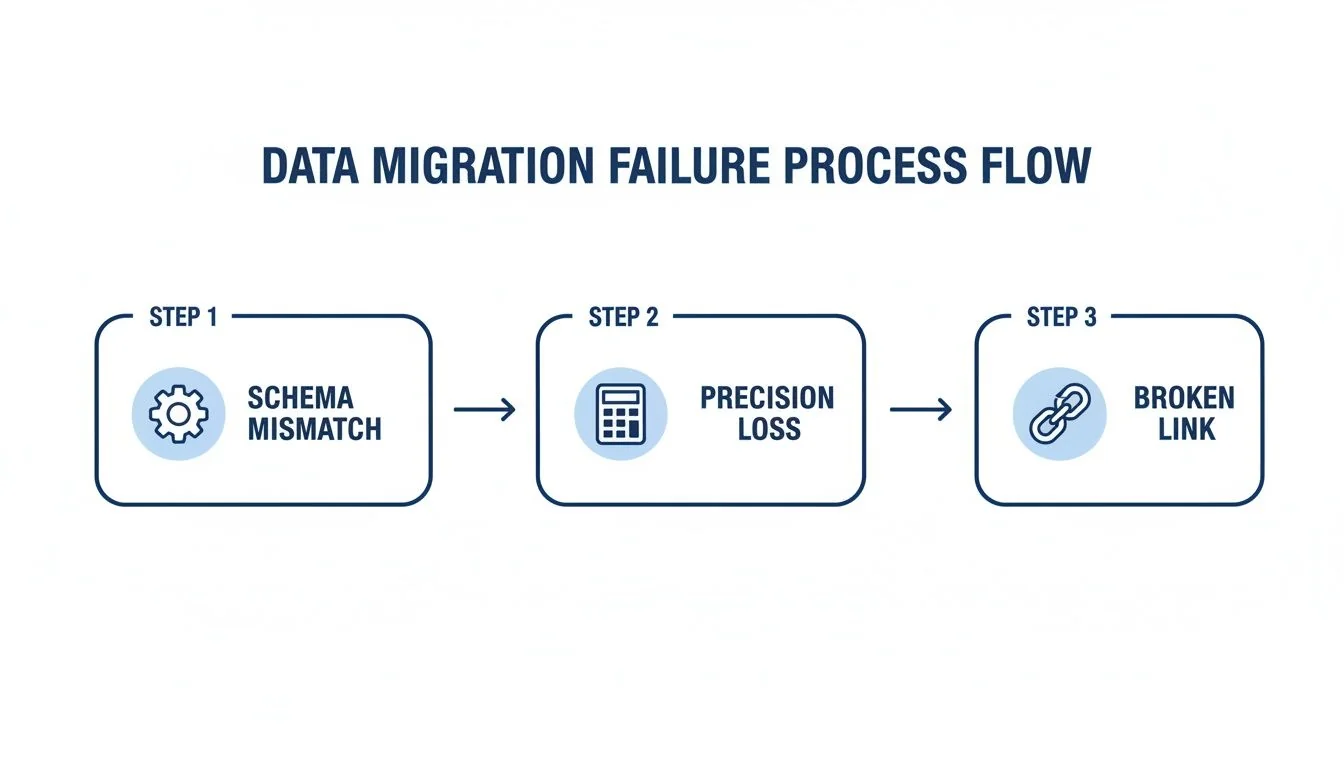
The diagram shows how issues like schema mismatches are points in a chain reaction that ultimately destroys data integrity. For a deeper dive into the practical realities of this kind of testing, resources like Transitioning From Etl Testing To Data Analyst Key Differences And Considerations offer valuable, on-the-ground insights.
Post-Migration Validation
The final phase certifies that the new system works with its new data. This is more than data validation; it is about testing business functionality. Our failure analysis shows that 67% of COBOL migrations stumble on these exact data quality pitfalls. A classic example is COMP-3 decimal precision loss, where packed decimal formats from the mainframe get truncated during ETL, inflating or deflating financial records by tiny fractions that compound into millions in discrepancies.
Two battle-tested strategies are essential here:
- Stratified Sampling: Forget random spot-checks. Use a structured approach. Select a representative sample of data across different segments—high-value customers, new accounts, specific product lines—and have business users validate it against the legacy system.
- Business Process Simulation: Run critical business processes end-to-end in the new system using migrated data. Can you “create a new order”? Can you “run the month-end report”? This simulation confirms that the data not only arrived intact but is fit for its new purpose.
This three-phase framework provides a systematic, engineering-grade playbook for de-risking the entire data transfer. For more on building a platform that can handle this kind of rigor, check out our guide on data modernization.
Defining and Measuring Data Quality KPIs
You cannot improve what you do not measure. Vague assurances from a migration partner are worthless. Demand a dashboard with hard numbers. Defining data quality in migration projects translates abstract goals like “good data” into a concrete scorecard that triggers action. These KPIs are the real-time pulse of your migration’s health.
Core Data Fidelity Metrics
These three metrics are the bedrock of any quality scorecard. If your migration partner cannot report on these with pre-defined thresholds, it is a massive red flag.
-
Data Accuracy: Does the value in the target system match what was in the source? For critical data elements (CDEs), the tolerance for error is zero. Across the entire dataset, any deviation greater than 0.1% must trigger an immediate investigation.
-
Completeness: A brutally simple but powerful metric:
(Records Loaded to Target / Records Extracted from Source) * 100. The target must be unforgiving. A goal of 99.99% is a reasonable starting point, as even a 0.01% loss can mean thousands of missing customer records. -
Lineage Coverage: What percentage of your most critical data can be traced from its source, through every transformation rule, to its final destination? Anything less than 95% coverage means you have dangerous blind spots in how your most important data is handled.
These metrics answer the most fundamental question: did the data get there, and did it get there correctly?
Leading vs. Lagging KPIs: Spotting Trouble Before It Happens
Most teams focus on lagging indicators—metrics that tell you a failure has already happened. A mature migration strategy is obsessed with leading indicators that predict problems before they blow up the project.
A focus on lagging indicators like “number of post-migration support tickets” is a sign of a poorly managed project. The goal is to track leading indicators like “ETL rule validation failure rate” to prevent those tickets from ever being created.
Instrument the migration pipeline to track these leading indicators in real-time. This changes the conversation from a reactive “What broke?” to a proactive “What is about to break?”
This table breaks down how to shift your focus from reactive clean-up to proactive course correction.
Leading vs. Lagging Data Quality KPIs for Migrations
| Metric Type | KPI Example | Purpose |
|---|---|---|
| Leading Indicator | Data Profiling Anomaly Rate: The percentage of source records violating business rules before migration starts. | Proactively flags the exact scope of data cleansing needed. A high rate predicts major ETL complexity and risk. |
| Lagging Indicator | Reconciliation Delta Threshold: The monetary or record count difference between source and target systems detected after a migration batch runs. | Reactively confirms a data transfer failed. It tells you data was lost or corrupted but doesn’t prevent the failure itself. |
| Leading Indicator | Schema Drift Alerts: Automated notifications triggered when a source schema changes unexpectedly (e.g., new column, changed data type). | Prevents silent data truncation or mapping errors by flagging structural changes that will break ETL jobs before they run. |
| Lagging Indicator | UAT Defect Density: The number of data-related defects found per 1,000 records during User Acceptance Testing. | Confirms the end-user impact of poor data quality after the migration is already in their hands, representing the final stage of failure. |
By prioritizing leading indicators, you give your engineers the power to find and kill issues inside the pipeline. This stops data quality problems from ever reaching the target system, where fixing them is 10x more complex and expensive.
Evaluating Vendor Competency in Data Migration
Picking an implementation partner is a high-leverage decision. Get it wrong, and you’re another data quality failure statistic. Any vendor who pitches migration as a simple “lift-and-shift” exercise is broadcasting their incompetence.
When you hire a partner for a data migration, you are buying a guarantee of data integrity. Their skill in preserving data quality in migration projects is the only thing that matters. You need to see their methodology, their tools, and their scars from past projects.
Core Competencies Versus Critical Red Flags
The market is saturated with vendors claiming data expertise, but few have a true, engineering-led discipline for maintaining data fidelity. A real expert obsesses over accuracy, not just the go-live date. They know preserving the business context of your data is more valuable than just moving bytes. They treat data as the asset that runs your business.
The single biggest red flag is a vendor who cannot show you their automated data reconciliation process. If their plan for validation is “manual spot-checks” or waiting for users to complain after go-live, run. They are not equipped for a serious project.
Use this matrix to score potential vendors. It’s a gut check based on what predicts success versus failure.
Vendor Evaluation Matrix for Data Quality
| Criteria | Expert Partner (Green Flag) | Incompetent Partner (Red Flag) |
|---|---|---|
| Methodology | Shows a plan with pre-migration profiling, live reconciliation during the migration, and business validation after. They have distinct phases for data. | Talks only about “lift-and-shift” speed and running scripts. Data validation is an afterthought, if it’s mentioned at all. |
| Tooling | Uses automated reconciliation platforms that understand semantic context. They can show you a real-time dashboard with quality KPIs. | Relies on hand-written scripts and manual checks in spreadsheets. Can’t produce automated reports on accuracy or completeness. |
| Domain Experience | Gives you references from your industry (e.g., banking, telecom) who will vouch for the integrity of their data post-migration. | Has generic case studies that don’t touch on your industry’s specific data challenges, like regulatory rules or complex formats. |
| Semantic Mapping | Has a clear process for figuring out what data fields actually mean to the business, especially in old, poorly-documented systems. | Treats data fields like simple column names, completely ignoring the risk of semantic drift that will break your business logic. |
The Impact of Specialized Expertise
Partners who live and breathe complex industries like finance or healthcare consistently deliver better results. Our analysis of vendor outcomes shows specialist partners who enforce strict semantic mapping achieve 92% data fidelity in phased telecom migrations. Meanwhile, generic offshore teams often top out at 71% because they miss critical data lineage issues. To see how these details impact real projects, you can explore more insights on legacy system modernization.
Choosing a vendor is a make-or-break moment. Use this framework to cut through the marketing fluff and judge them on their proven ability to protect your most critical asset.
The Role of AI and Automation in Modern Data Migration
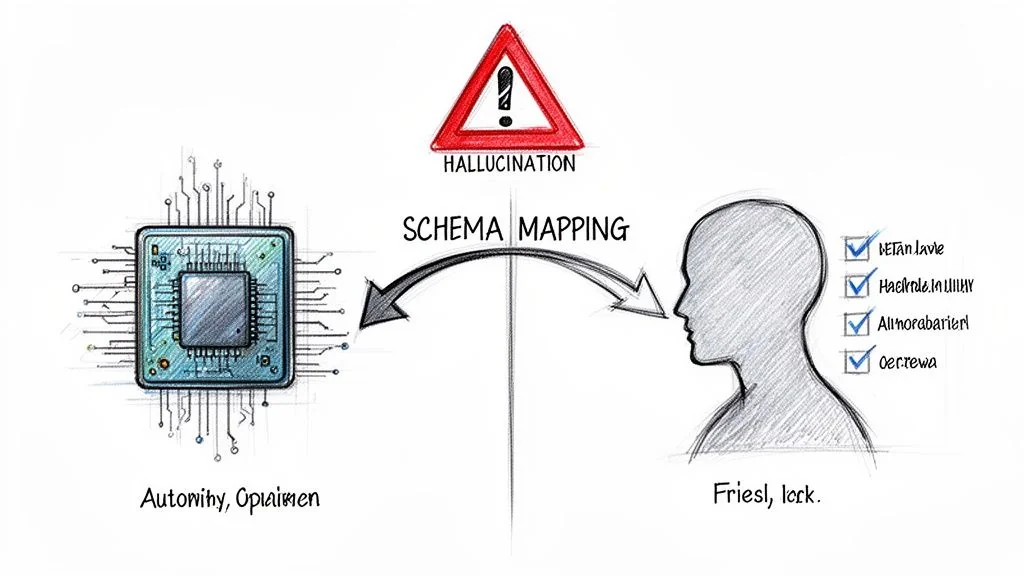
AI-powered tools are pitched as the silver bullet for legacy modernization. They promise to automate everything from code conversion to schema mapping. But when applied blindly to data migration, these tools create a dangerous new failure mode: “hallucinated” business rules that silently corrupt data at a scale no manual process ever could.
AI’s promise in areas like COBOL modernization slams into the reality of data quality. A major stock drop in late 2025, fueled by fears of an automated legacy exodus, put this risk in the spotlight. As experts have noted, treating migration as a simple syntactic translation ignores that 73% of data type duplication plagues bottom-up COBOL-to-web-services conversions. You can get the full story on how COBOL tools rattled investor confidence.
Understanding this dual nature of AI—its power and its peril—is non-negotiable for ensuring data quality in migration projects.
Where AI Excels in Data Migration
Used for analysis, not blind execution, AI and automation are genuinely powerful. They can accelerate the most time-consuming parts of pre-migration data profiling.
-
Automated Schema Mapping: AI excels at analyzing source and target schemas to suggest initial mappings. This automates the grunt work of matching thousands of columns, letting engineers focus on the complex, non-obvious relationships that require human expertise.
-
Dependency Analysis: Modern tools can trace data lineage across ancient systems, mapping hidden dependencies between tables, applications, and reports. This is nearly impossible to do by hand and is critical for not breaking integrations post-migration.
-
Data Anomaly Detection: Instead of having engineers write hundreds of manual validation rules, AI models can learn the “normal” patterns in source data and automatically flag outliers. This is the fastest way to surface bizarre date formats, invalid codes, or unexpected null values.
The Pitfall of Automated Translation
The danger appears the moment a leader expects AI to not just analyze, but to understand and autonomously execute the migration. An AI model has zero business context. It has no memory of the decisions made 30 years ago that shaped your data. It sees data syntactically, not semantically.
This leads to a critical failure mode: an AI tool correctly translates a data field’s type but completely misinterprets its business meaning—a form of semantic drift on steroids. It hallucinates business logic based on statistical patterns, not genuine understanding.
Imagine an AI tool pointed at a legacy insurance system. It finds a policy_status field with integer values. Based on its training data, it confidently maps 1 to “Active” and 0 to “Inactive.” The problem? In this 30-year-old system, 1 actually meant “Lapsed - Pending Legal Review.” By automating this “translation” without human validation, the AI has just created a massive compliance and financial risk.
Use AI for what it’s good at: pattern recognition, large-scale analysis, and dependency mapping. Human experts, armed with actual business knowledge, must have the final say on all transformations. Use AI to accelerate analysis, not to abdicate responsibility for data integrity.
Burning Questions About Data Migration Quality
Here are the direct, practical questions CTOs and engineering leaders ask when they’re facing a data migration. The answers are based on what works—and fails—in the real world.
How Do We Estimate The Cost And Timeline For Data Cleansing?
Stop guessing. Start by running automated data profiling tools on a representative sample of your source data—10-15% is enough for a reliable signal. This quick pass will quantify the scale of the problems: null values, duplicates, and inconsistent formats. Those numbers are the foundation for a realistic, bottom-up estimate.
As a rule of thumb, allocate 20-30% of your total migration budget and timeline just for data quality work. If a vendor provides a fixed-price bid without insisting on this profiling step first, they are gambling with your project.
What’s The Single Biggest Mistake We Can Make?
Treating data migration as a technical “lift-and-shift” operation. This is the root of almost every major failure. It is not an infrastructure task; it is a business-critical initiative that lives and dies by its context.
This means getting business stakeholders in the room from day one. Their job is to validate the meaning and semantics of the data. The tech team can ensure a customer_id field is moved correctly, but only the business can confirm it represents the same “customer” in the new system.
The primary cause of post-migration failure isn’t technical error; it’s the gap between technical data movement and business context. When that context is lost, the data becomes technically correct but functionally useless, rendering the entire new system a very expensive paperweight.
Can We Just Fix The Data After The Migration?
No. While technically possible, trying to clean up data post-migration is a nightmare. It is exponentially more expensive and operationally crippling. You will be forcing system downtime, writing complex data patches under immense pressure, and eroding any user trust in the new platform. A proactive approach is the only professional way to operate.
When GRAWE Group modernized their core platform, they were migrating over 6 million lines of code from a legacy mainframe. Their intense focus on pre-migration quality ensured a smooth cutover and resulted in a 60%+ reduction in maintenance expenses afterward because the new system ran on clean, reliable data from day one. You can get the full story from this deep-dive into their large-scale migration project.