
What "Lift and Shift Meaning" Really Translates To (And Why 55% of Projects Fail)
The term lift and shift is often presented as a straightforward cloud migration strategy. The core definition is simple: move an on-premise application to a cloud environment—like AWS, Azure, or GCP—with minimal or no changes to its underlying architecture.
It’s positioned as the fastest path to the cloud, typically driven by an urgent event like an expiring data center lease. But the speed comes with significant trade-offs that are rarely discussed in the initial sales pitch.
What Does Lift and Shift Actually Mean?
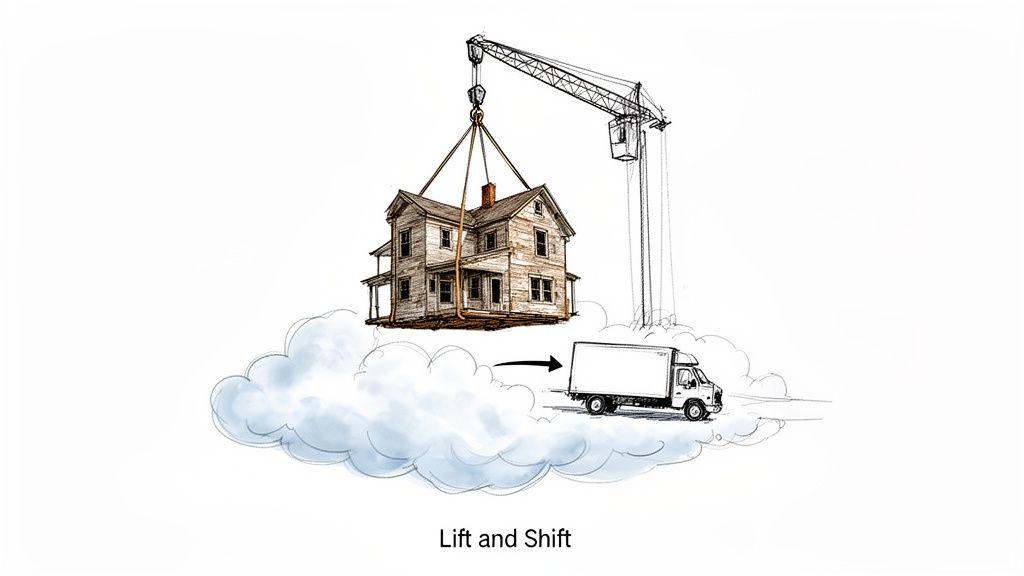
This strategy is also known as rehosting. The analogy is moving a house: you hire a crane, pick up the entire structure—foundation, plumbing, wiring—and place it on a new plot of land.
You get a new location, but you also bring the old, leaky plumbing and creaky foundation.
A lift and shift migration does the same for an application. Its code, data, and configurations are moved as-is to a cloud provider’s infrastructure. The primary benefit is speed. The operational model shifts from purchasing and managing servers (CapEx) to renting them (OpEx).
The Hidden Trade-Off
This approach rarely delivers on the promise of cost savings. While the initial migration is fast, it moves existing technical debt and architectural flaws into a more expensive, consumption-based environment.
An application architected for the predictable, low-latency environment of an on-premise data center is almost never optimized for the distributed, variable-latency nature of the cloud. This mismatch is where projected savings erode and operational costs escalate.
Rehosting bypasses the opportunity to re-architect the application to leverage cloud-native services. The result is often the same monolithic application, now running on infrastructure that costs more month-over-month. This is how the total cost of ownership (TCO) frequently increases after the migration.
Setting the Stage for Failure
The initial speed of a lift and shift can provide a misleading sense of progress. It is one of several migration patterns, and selecting it without understanding the alternatives can sabotage long-term objectives.
Teams often underestimate a few critical risks:
- Performance Inefficiencies: A legacy application not designed for a distributed system will almost certainly experience higher latency and degraded performance in the cloud.
- Cost Overruns: An application not optimized for cloud consumption will generate excessive costs. This manifests as high compute bills and unexpected data transfer fees.
- Operational Burden: The management overhead of the on-premise environment does not disappear. The problems are simply relocated, negating potential operational savings.
This guide provides a data-driven analysis of these issues and explains why this “simple” migration strategy frequently fails to meet its goals.
The True Cost of Lift and Shift Beyond the Initial Quote
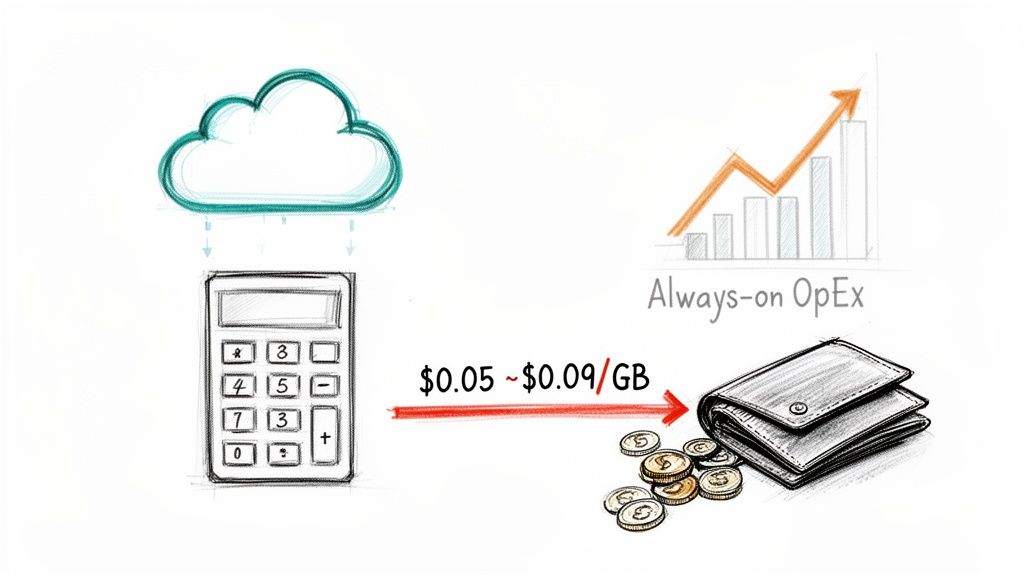
The initial quote from a cloud vendor focuses on eliminating physical servers and data center leases. It presents a clear path to reducing capital expenditures (CapEx) and appears financially sound on paper.
This initial quote, however, is an incomplete financial model. The true cost is found in the operational expenses (OpEx) that accumulate month-over-month, long after the migration is complete.
The data confirms this. An IDC study found that 55% of lift-and-shift projects exceeded their budgets by an average of 40%. For US firms in finance and retail, the annual overspend reached $18 billion. This is not a rounding error; it indicates a systemic failure to account for actual cloud operating costs.
This occurs because an application built for a predictable, flat-rate cost model is moved to a dynamic, pay-per-use environment without architectural changes. It’s analogous to putting a V8 engine in an electric vehicle and questioning why the battery drains so quickly.
Unmasking the Hidden Cost Drivers
The discrepancy between a vendor’s proposal and the first cloud bill is driven by several factors that are seldom highlighted during the sales process.
The most significant is paying for inefficiency. On-premise, a server at 15% utilization has the same sunk cost as one at 90%. In the cloud, that idle 85% is billed continuously. This is the financial penalty for migrating a non-cloud-native application.
Common sources of budget overruns include:
- Data Egress Fees: Cloud providers typically offer free data ingress (sending data in) but charge for egress (sending data out). For applications transmitting significant data to users or other systems, these fees—often $0.05 to $0.09 per GB—can accumulate into a substantial monthly expense.
- Constant Compute Consumption: Legacy applications are often monolithic and designed to run at peak capacity continuously. In the cloud, this “always-on” architecture means paying for maximum capacity 24/7, regardless of actual demand.
- Software Licensing Ambiguity: Migrating commercial software like Oracle databases or Windows Server to the cloud introduces licensing complexities. On-premise licenses often do not transfer directly, forcing a shift to more expensive pay-as-you-go cloud licenses that can be 2-3x the original cost.
The lift and shift meaning, in financial terms, is a transition from predictable capital expenses to unpredictable and often escalating operational expenses. Without a thorough analysis, it’s a trade from a fixed mortgage to a variable-rate loan with no cap.
The Technical Debt Tax in the Cloud
Rehosting imposes a significant “tax” on existing technical debt. Architectural issues and performance quirks that were manageable on-premise become expensive emergencies in the cloud.
Post-migration “performance tuning” is a frequent unbudgeted cost. An application that performed adequately on a low-latency LAN can become unusably slow when network latency separates its database and application server. This forces engineers into unplanned work to reconfigure network routes, optimize database queries, and rewrite inefficient communication protocols—the very architectural work lift and shift was intended to avoid.
The table below contrasts common vendor promises with the financial reality.
Hidden Migration Costs vs. Vendor Promises
| Promised Savings Area | Hidden Cost Driver | Typical Cost Impact (Example) |
|---|---|---|
| Eliminate Data Center Costs | Unexpected Data Egress Fees | $10,000/month additional for a data-heavy app sending 150TB out. |
| Reduce Hardware CapEx | 24/7 “Always-On” Compute | An idle server costing $0 on-prem now costs $250/month in the cloud. |
| Streamlined Licensing | Forced Cloud Licensing Models | Oracle/SQL Server licenses increase from $50K/year to $120K/year. |
| Minimal Engineering Effort | Post-Migration Performance Tuning | 400 hours of senior engineering time ($60K+) to fix latency issues. |
| Pay-for-Use Efficiency | Inefficient, Monolithic Architecture | A legacy app uses $5,000/month in compute for a job a cloud-native function could do for $200. |
The initial migration is just the entry cost. The long-term TCO is determined by how well the application’s architecture aligns with the cloud’s consumption-based economic model. For more on this, see our guide on effective cloud cost optimization strategies.
Common Technical Failures and Performance Pitfalls
Migrating an application to the cloud without code modification is an appealing concept, but it is rarely a technical reality. The process involves swapping a predictable, low-latency on-premise network for a distributed system where network performance is a variable.
This fundamental difference is the root cause of most post-migration performance issues. An application designed for servers on the same Local Area Network (LAN) is not architected for the physics of the cloud. The promise of a fast migration dissolves into a slow, unreliable application requiring expensive, unplanned engineering intervention.
The Chatty Application Catastrophe
A frequent failure mode involves “chatty” legacy applications. These systems use high-frequency inter-process communication (IPC), assuming near-zero latency between services. On a local network, this design is valid.
When this architecture is lifted and shifted, each millisecond of network latency between cloud servers accumulates. A process that reliably took 5ms on-premise now takes a variable 50ms in the cloud. When that process is invoked thousands of times, the application’s performance degrades catastrophically.
This is not a theoretical problem. It is a direct result of architectural incompatibility with a distributed network, and it cannot be resolved by increasing VM sizes.
A lift and shift doesn’t just move an application; it stress-tests every architectural assumption made during its development. High-frequency, synchronous communication is the first assumption to fail in the cloud.
Many of these technical issues are symptoms of broader cloud migration challenges that are often overlooked in planning.
Silent Data Corruption in Financial Systems
A slow application is an operational issue. Silent data corruption is a business-critical failure, particularly in financial services. A significant risk arises when migrating systems dependent on legacy data types, such as those in COBOL mainframes.
COBOL’s COMP-3 (packed decimal) data type uses fixed-point arithmetic to ensure absolute precision for financial calculations. Modern languages like Java default to floating-point primitives (float, double). Migrating COMP-3 data into a floating-point field without proper handling introduces the risk of silent data corruption. This is not a simple rounding error; it is a cumulative discrepancy that can pass unit tests but cause significant financial inaccuracies over millions of transactions.
This code illustrates the problem:
// Incorrect handling - uses a floating-point primitive
double originalAmount = 100.35;
// This can become 100.34999999999999 in memory, causing calculation errors.

// Correct handling - uses BigDecimal for absolute precision
BigDecimal safeAmount = new BigDecimal("100.35");
// This maintains the exact decimal precision required for financial data.
A lift and shift that overlooks this data fidelity requirement introduces systemic risk to critical business data.
The Unseen Peril of Legacy Dependencies
Legacy applications are rarely self-contained. They have a complex web of dependencies: hardcoded IP addresses, reliance on specific hardware drivers, or tight coupling with other on-premise systems not included in the migration.
These dependencies are significant risks. An application may function correctly in a test environment but fail in production when a hardcoded IP points to a non-existent server.
The 2017 British Airways outage serves as a case study. A lift-and-shift of its booking system to a hybrid cloud resulted in a cascading failure, 20 hours of downtime, 672 canceled flights, and an estimated $100 million in losses. Reports indicated that 75% of the cost was traced to legacy dependencies that were not addressed before the migration. This underscores the need for a meticulous audit of all dependencies before a “shift” is attempted.
Vetting Your Migration Partner to Avoid Mismanagement
Selecting a migration partner based on a sales presentation is a common cause of project failure. Technical missteps like performance degradation, data corruption, and licensing issues are often symptoms of a deeper problem: vendor mismanagement. The chosen partner will either de-risk the project or become its greatest point of failure.
The market includes many “cloud consultants” who use lift and shift as a standard approach because it is easy to sell. A generalist with an AWS certification is not a specialist with experience in legacy systems. A modernization partner must understand both the source and target environments.
A 2024 Forrester survey of 350 CTOs found that 68% of lift-and-shift projects failed to meet KPIs. Of those, 41% attributed the failure to vendor mismanagement.
Differentiating Generalists from Specialists
A generalist sells cloud instances. A specialist provides a business outcome based on a deep analysis of technical debt. A generalist discusses VMs and storage tiers; a specialist asks about COBOL copybooks and EBCDIC character sets.
This distinction is critical. The most difficult part of a “lift and shift” is the “lift.” Extracting a complex application from its on-premise environment requires a forensic-level analysis of its dependencies, data structures, and communication protocols.
- Generalist Approach: Focuses on infrastructure mapping. “We’ll provision an EC2 instance that matches your current server specs.”
- Specialist Approach: Focuses on workload analysis. “Your application’s inter-service communication is high-frequency. Migrating it as-is will introduce significant latency. We must analyze the IPC calls before designing the cloud architecture.”
Choosing a partner without specific legacy system expertise is like hiring a general contractor to rewire a historic building. They may restore power but will miss the faulty wiring that poses a fire risk.
Critical Questions for Your Potential Vendor
To assess a vendor’s technical depth, ask specific, pointed questions. Review our complete vendor due diligence checklist for modernization projects for a comprehensive list.
Start with these three non-negotiable questions:
-
For Mainframe Migrations: “Describe your process for handling COBOL
COMP-3packed decimal fields when migrating data to a Java environment. Which Java data type do you use, and why?”- What to listen for: The only acceptable answer is
java.math.BigDecimal. Any mention ofdoubleorfloatindicates a fundamental misunderstanding of financial data fidelity.
- What to listen for: The only acceptable answer is
-
For Data Conversion: “What is your methodology for EBCDIC to ASCII data conversion? Specifically, how do you manage packed and zoned decimal fields and ensure referential integrity post-conversion?”
- What to listen for: They should describe a multi-stage process involving data profiling, custom conversion scripts, and a rigorous post-conversion validation plan. A reliance on an “off-the-shelf tool” is a red flag.
-
For Application Performance: “For an application with high inter-service dependency, how do you model and mitigate the performance impact of cloud network latency post-migration?”
- What to listen for: A competent partner will discuss network analysis tools, the potential need for targeted refactoring of “chatty” components, and architectural strategies like co-locating dependent services in low-latency placement groups.
A vendor that cannot provide clear, technical answers to these questions is likely unprepared for the complexities of a lift and shift project.
When Does Lift and Shift Actually Make Sense? A Pragmatic View
Despite the high failure rates, writing off lift and shift entirely is an oversimplification. It is a tactical tool. It should be used when speed is the primary objective, even if it defers architectural modernization. The key is to distinguish when rehosting is a sound business decision versus a shortcut that creates technical debt.
Ideal Technical Scenarios for Rehosting
Some applications are suitable candidates for rehosting. They are self-contained, have few dependencies, and would not significantly benefit from cloud-native services. Moving them from a low-latency on-premise network to the cloud is unlikely to degrade performance.
Green-light rehosting for systems like these:
- Stateless, Self-Contained Apps: A simple batch processing job that pulls data, transforms it, and writes it to a database is a prime candidate. It does not store session data and has minimal interaction with other systems.
- Disaster Recovery (DR) Environments: Lift and shift is an effective method for establishing a secondary DR environment in the cloud. The goal is replication for emergency use, not re-architecture.
- Development and Test Environments: Migrating non-production environments via rehosting allows teams to provision and de-provision resources on demand, offering more flexibility than on-premise hardware.
The common factor is isolation. The fewer dependencies an application has on other systems in the data center, the lower the migration risk.
Business-Driven Use Cases
Sometimes, the decision to lift and shift is driven by non-negotiable business deadlines, making it the only viable option. Before proceeding, a formal strategic discovery phase is essential to define scope, costs, and success criteria.
Common business triggers include:
- Imminent Data Center Lease Expiration: With a contract ending in months, there is no time for refactoring. The objective is to exit the facility before committing to a new multi-year lease. Lift and shift provides an escape path.
- Urgent Compliance Mandates: New regulations like GDPR or CCPA may require data to be hosted in a specific region or on a certified cloud platform. Rehosting is the fastest way to meet compliance requirements.
- Mergers and Acquisitions (M&A): Following an acquisition, IT infrastructure must be consolidated quickly. Lifting and shifting the acquired company’s applications into the parent company’s cloud environment can accelerate integration.
In these scenarios, lift and shift is a tactical bridge. It resolves an immediate problem and provides time to develop a long-term modernization strategy.
Exploring Smarter Alternatives Like Replatform and Refactor
While lift and shift can address urgent needs like an expiring data center lease, it is rarely a foundation for long-term success. It is a tactical retreat, not a strategic advance.
To build an efficient, scalable, and cost-effective cloud architecture, engineering leaders must consider alternatives. These options require more upfront investment but deliver significant returns in performance, operational cost reduction, and developer agility.
The Trade-Offs: Speed vs. Value
The optimal path involves balancing speed, cost, and the extent of architectural change. The decision should be based on the application’s business value. A low-impact internal tool may not justify a full rewrite, whereas a core revenue-generating platform does.
This decision path illustrates why many teams default to lift and shift.
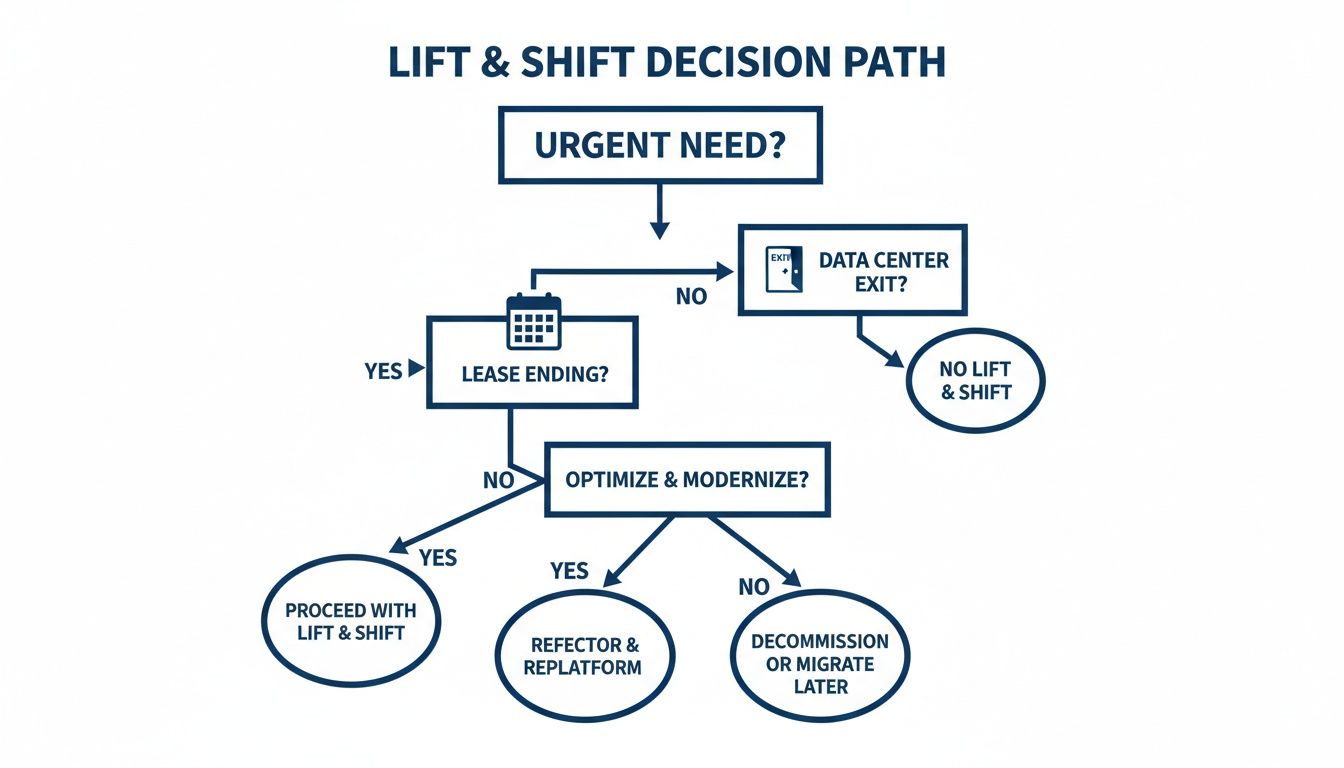
Urgency often overrides strategic planning. However, with sufficient time, more valuable cloud outcomes can be achieved.
Understanding Replatform and Refactor
Replatforming, or “lift and tweak,” is a pragmatic middle ground. It involves making small, high-impact changes to leverage cloud-managed services. For example, instead of migrating a self-managed Oracle database to an EC2 instance where you remain responsible for patching and backups, you move the data into a managed service like Amazon RDS or Azure SQL Database. This single change offloads significant operational overhead to the cloud provider.
Refactoring is a more substantial commitment. It involves fundamentally changing the application’s architecture to be cloud-native. This is not just moving; it is rebuilding for scale and efficiency. Common refactoring projects include decomposing a monolith into microservices or replacing a proprietary messaging queue with a scalable cloud service like AWS SQS or Azure Service Bus. This approach unlocks the full benefits of the cloud—elasticity, resilience, and consumption-based pricing—but requires significant engineering effort.
The Full Spectrum of Modernization
A final option is Replacing the application with a commercial Software-as-a-Service (SaaS) product. This is a sound strategy when an application is not a core competitive differentiator and a market-leading SaaS tool can provide better functionality at a lower cost.
The table below compares the costs, timelines, and trade-offs for each approach.
Modernization Paths Compared
This table provides a high-level comparison of the four main application modernization strategies.
| Strategy | Typical Cost Range (/LOC) | Estimated Timeline | Key Benefit | Primary Risk |
|---|---|---|---|---|
| Lift and Shift | $0.50 - $1.25 | 1-3 Months | Speed to exit a data center | High operational costs post-migration |
| Replatform | $1.00 - $2.50 | 3-6 Months | Reduced operational burden | Minimal performance or cost gains |
| Refactor | $2.00 - $5.00+ | 6-18+ Months | True cloud-native benefits | High cost, project complexity |
| Replace | Varies (SaaS Fees) | 4-12 Months | Offloads all maintenance | Vendor lock-in, data migration complexity |
Understanding the lift and shift meaning is only the first step. Recognizing it as one option on a broader modernization spectrum is critical for making strategic decisions.
Straight Answers to Tough Lift and Shift Questions
Sales presentations often omit critical details. Here are direct answers to the questions CTOs and Engineering Managers frequently ask.
What’s the Single Biggest Unexpected Cost That Bites Everyone?
It’s a tie between two things: paying for idle servers and data egress fees.
On-premise, a server at 10% capacity is a sunk cost. In the cloud, that same server running 24/7 incurs continuous charges. Since legacy applications were not designed to scale down, organizations end up paying for significant unused compute capacity.
The second is data egress. Every time an application sends data to a user or another system, a fee is charged. For data-intensive applications, this can add 10-15% to the total cloud bill and is notoriously difficult to forecast.
How Can I Spot a Terrible Candidate for Lift and Shift?
Some applications are fundamentally unsuited for rehosting. The presence of these traits is a major red flag:
- A “Chatty” Architecture: If numerous services communicate frequently, the network latency of a distributed cloud environment will degrade performance. A sub-millisecond call in a data center becomes a trip across the public internet.
- Reliance on Specific On-Prem Hardware: An application tied to a mainframe, a specialized network appliance, or a hardware security module cannot be simply moved to the cloud. This requires re-architecture, not a lift and shift.
- Nightmare Licensing: Licenses for products like Oracle or Windows Server often do not transfer directly to the cloud. This can force a move to more expensive pay-as-you-go models that inflate the budget.
- Low-Latency Transaction Needs: Systems processing high-frequency trades or real-time ad bidding, where every millisecond is critical, will likely see unacceptable performance degradation due to the unpredictable network paths of the public cloud.
Does “Lift and Shift” Actually Mean Zero Code Changes?
Almost never. The objective is minimal change, but some modifications are almost always required.
A partner promising a “zero-touch” or “no-code-change” migration is either oversimplifying to secure a contract or has not performed an adequate dependency analysis.
Expect to make adjustments, such as updating hardcoded IP addresses in configuration files, changing storage mounts to point to cloud object storage, or integrating with a cloud-native authentication service like IAM. These are environmental changes, not a deep refactoring of the application’s core logic.
Navigating modernization requires more than just technical skill; it demands market intelligence. Modernization Intel provides unbiased data on 200+ implementation partners, so you can see past the sales deck and choose a specialist who understands the real-world risks of your project. Get your vendor shortlist.