
Data Migration Rollback Planning That Actually Works
A data migration without a rollback plan is not a strategy—it’s a high-stakes gamble with your company’s core asset. A robust data migration rollback plan is the safety net that separates a controlled, predictable modernization project from a career-limiting disaster. This isn’t about planning to fail; it’s about guaranteeing recovery when the inevitable “unexpected” happens during a complex legacy system transformation.
Why Rollback Planning Is a Critical Modernization Requirement
Executing a data migration without a tested rollback plan is a direct path to budget overruns, crippling downtime, and permanent data loss. The decision to invest in rollback readiness is not a technical formality; it’s a fundamental business continuity decision for any software modernization project. Industry data shows that 30-40% of data migration projects fail, often due to unforeseen complexities in data transformation, schema mismatches, or performance degradation in the new system. For unprepared teams, this failure translates into average budget overruns of 30% and schedule delays exceeding 40%.
As a technical leader, you must allocate 15-20% of the project budget to rollback mechanisms like parallel run environments, point-in-time recovery tools, and automated verification scripts. This upfront investment slashes the risk of catastrophic failure.
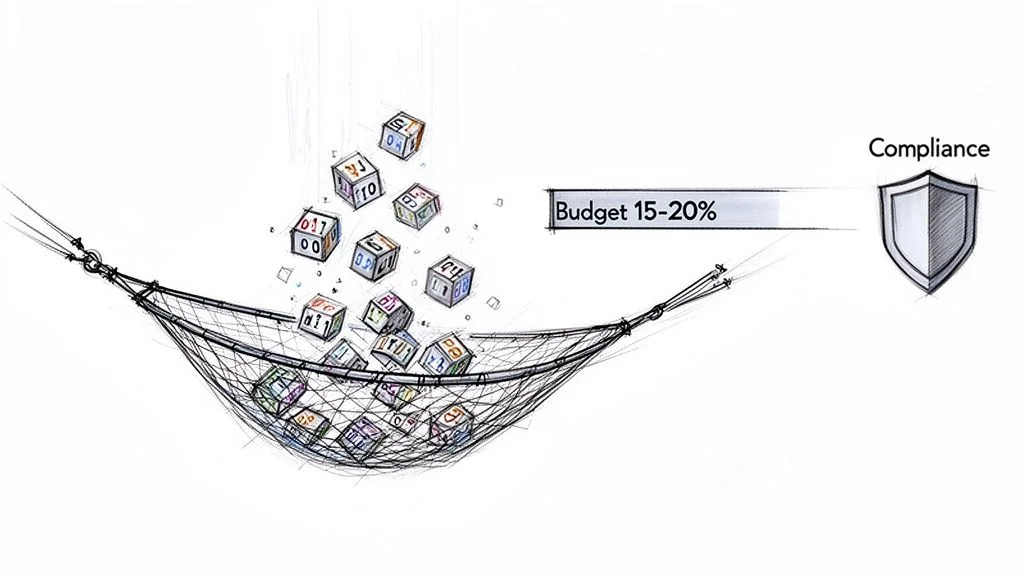
The Real Risks of Underinvestment
Skimping on rollback planning exposes the business to unacceptable risks that cascade far beyond the project’s budget. These are not edge cases; they are the common, predictable outcomes of poor preparation in modernizing data platforms.
Here is what you are risking:
- Crippling Operational Downtime: When a cutover fails without a clear rollback path, every minute the team scrambles to improvise a fix is another minute of lost revenue and tanking productivity. A pre-rehearsed plan reduces downtime from hours to minutes.
- Irreversible Data Corruption or Loss: A botched migration can introduce subtle data corruption that goes unnoticed for weeks. By the time it is spotted, a simple restore is impossible. A rollback plan ensures you can revert to a known, clean state before that corruption infects downstream systems.
- Severe Compliance and Security Breaches: A failed migration can leave sensitive data stranded in a vulnerable, intermediate state, violating regulations like GDPR or HIPAA. The resulting fines and reputational damage will dwarf the original migration budget.
A rollback plan is the ultimate expression of professional discipline in a modernization project. As a technical leader, your primary job is to de-risk complex change. This plan proves you are managing that risk, not just hoping for the best.
The Business Case for Proactive Planning
Framing rollback planning as a “cost” is a rookie mistake. It’s a non-negotiable insurance policy. That 15-20% budget allocation isn’t an expense; it’s the premium paid to de-risk the other 80-85% of the project investment. This aligns with mature operational strategies like having robust incident management best practices. By treating a migration failure as a predictable incident, you swap chaotic, ad-hoc fixes for structured, rehearsed responses. This transforms a potential crisis into a manageable operational procedure.
Designing a Resilient Rollback Architecture
Successful rollbacks are engineered, not improvised during a 3 AM crisis call. A resilient rollback architecture is your blueprint for an orderly retreat, ensuring that if a migration hits a show-stopping issue, you can return the system to a known-good state with speed and precision. This is not about simple backups; it’s a multi-layered plan that anticipates specific failure modes across the entire software stack.
Four distinct failure domains require different rollback approaches:
- Schema Rollback: Reverting changes to the database structure itself.
- Data Rollback: Reversing the migrated data to its pre-cutover state.
- Configuration Rollback: Undoing changes to environment variables, network settings, or service configurations.
- Application Rollback: Redeploying the previous version of the application code that was designed to work with the legacy data system.
The core principle is that your rollback mechanism must be as robust and well-tested as the migration plan itself. Treating it as a secondary task is the single most common architectural mistake, leading to chaotic, manual, and often failed recovery efforts.
Core Architectural Patterns for Rollback
Your architectural choices directly determine your Recovery Time Objective (RTO). A simple backup-and-restore might take hours. More sophisticated patterns deliver near-instantaneous rollbacks. The key is to select a pattern that matches the business criticality of the system being modernized.
A fundamental pattern involves maintaining a parallel run environment. This means keeping the legacy system operational—usually in a read-only state—for a set period after cutover, typically 24 to 72 hours. While traffic hits the new system, you have an immediate fallback target ready.
For a more advanced approach, design for reversion using a blue-green deployment strategy. In this model, you maintain two identical production environments: “Blue” (the existing system) and “Green” (the new one). After migrating data to the Green environment, you switch the router to direct all traffic to it. If critical issues emerge, a rollback is as simple as flipping the router back to Blue. This reduces RTO from hours to seconds.
Decision Matrix: Data Reversion Tactics
The hardest part of any rollback is managing data that has changed in the new system after cutover but before you decide to roll back. Simply restoring an old backup means losing every transaction that occurred on the new system—a non-starter for most businesses. This is where database replication or dual-write mechanisms become critical architectural components.
This matrix breaks down common data-level reversion tactics.
| Reversion Tactic | RTO (Typical) | Best For | Implementation Complexity |
|---|---|---|---|
| Backup and Restore | 2-8 Hours | Less critical systems where downtime is acceptable. | Low |
| Point-in-Time Recovery | 30-90 Minutes | Systems where some data loss (RPO) is tolerable but a full restore is too slow. | Medium |
| Replication & Switchback | < 5 Minutes | Critical systems requiring near-zero downtime and minimal data loss. | High |
Using replication, you maintain a live, synchronized copy of the legacy database. If a rollback is triggered, the process becomes:
- Stop writes to the new system.
- Switch application connections back to the legacy database.
- Replay any transactions captured from the new system back to the legacy one to prevent data loss.
This approach turns a high-stress restore operation into a predictable, low-downtime switchback. This level of planning is a cornerstone of modern data migration rollback planning and a key differentiator in successful data modernization projects.
Building a Battle-Ready Rollback Runbook
A rollback architecture on a whiteboard is worthless. Its value is realized in the rollback runbook: a detailed, command-by-command script an on-call engineer can execute without thinking at 3 AM. This document is the difference between a controlled retreat and a chaotic disaster. A vague plan states, “Revert to the legacy database.” A battle-ready runbook specifies the exact commands, sequence, owners, and expected terminal output. This granularity is non-negotiable.
A runbook is not documentation; it is an executable procedure. If it cannot be followed step-by-step by an engineer who was just woken up, it has already failed. Assume the primary author will be unavailable during the actual incident.
Your runbook must be a living document, version-controlled alongside your migration scripts in a tool like Git. When an infrastructure-as-code file or a migration script changes, the corresponding rollback procedure must be updated and validated. No exceptions.
Core Components of an Actionable Runbook
A solid runbook leaves nothing to chance. It is built for clarity under fire, guiding the response team from the first alert to the final all-clear. It is the most critical deliverable of your entire data migration rollback plan.
Your runbook must include these four elements:
- Clear Escalation Paths: Who gets paged, in what order, and at what threshold? List names and on-call schedules directly in the document.
- Stakeholder Communication Protocols: Pre-written status update templates for technical teams, business leaders, and customer support. This prevents mixed messages.
- Step-by-Step Technical Reversion Procedures: The heart of the document, containing exact scripts to run, services to stop/start, and infrastructure changes to apply.
- Post-Rollback Verification Checklists: Automated and manual checks to prove the system is back in its pre-migration state and fully functional.
The following flowchart breaks down the different kinds of rollbacks your runbook must account for. A schema rollback is a completely different procedure from an application-level rollback.
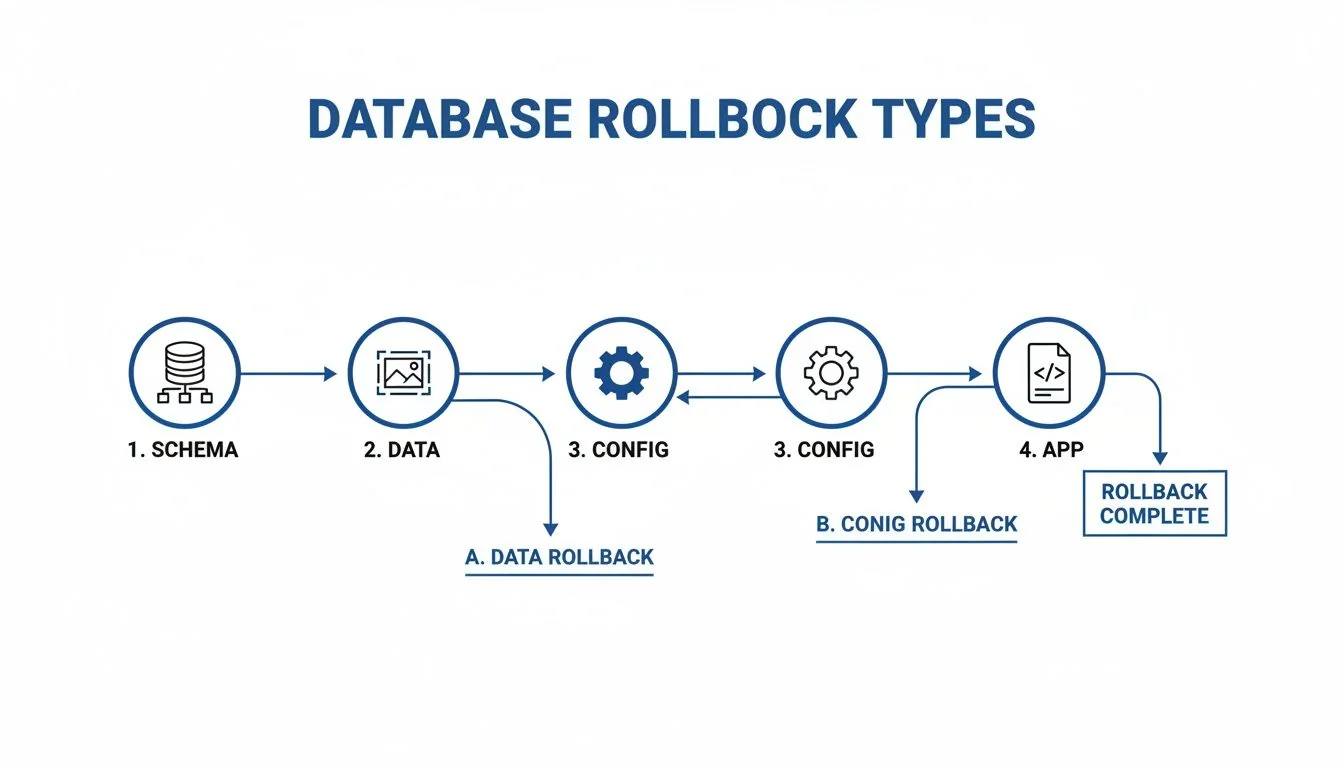
Each of these—schema, data, config, and application—demands its own dedicated section in the runbook.
From Static Document to Operational Asset
To make the runbook truly useful, integrate it into your incident management tools, whether that’s PagerDuty or Opsgenie. When a rollback trigger is hit, your monitoring system should not just fire a generic alert; it must automatically open an incident and attach the specific, relevant runbook directly to the ticket. This shaves critical minutes off response time.
Here’s what a granular, technical procedure entry looks like.
| Step | Action | Command/Script | Expected Result | Owner |
|---|---|---|---|---|
| 1 | Place new application service into maintenance mode. | kubectl scale deployment/new-app --replicas=0 | Pod count for new-app deployment returns 0. | SRE On-Call |
| 2 | Switch database connection string at the load balancer. | run switch_db_to_legacy.sh | Load balancer routes all traffic to the legacy DB endpoint. | DBA On-Call |
| 3 | Re-enable legacy application service. | kubectl scale deployment/legacy-app --replicas=3 | 3 pods for legacy-app report a ‘Ready’ state. | SRE On-Call |
This command-level detail transforms a runbook from a theoretical plan into a practical, life-saving tool.
Validating Your Plan with Realistic Rehearsals
An untested data migration rollback plan is worse than no plan. It breeds a false sense of security that evaporates during a crisis. You must put your plan through rigorous, realistic rehearsals. It is the only way to turn a runbook from a theoretical document into a battle-ready capability. A plan that only exists on a server share is guaranteed to fail under pressure.
The goal of a rehearsal is not just to see if the plan works, but to measure how well it works against the metrics that matter: your Recovery Time Objective (RTO) and Recovery Point Objective (RPO).
From Tabletop Exercises to Full-Scale Dry Runs
Your testing must be a multi-stage process, increasing in realism as you approach the migration date.
- Tabletop Exercises: Start here. Get the core team in a room and walk through the runbook page by page, talking through each step as if a real failure occurred. This low-cost exercise is highly effective at finding logical gaps and broken communication plans.
- Partial Dry Runs: Next, isolate and test specific pieces of the rollback plan in a non-production environment. For instance, test only the database schema reversion script or the application redeployment process. This allows you to debug individual components.
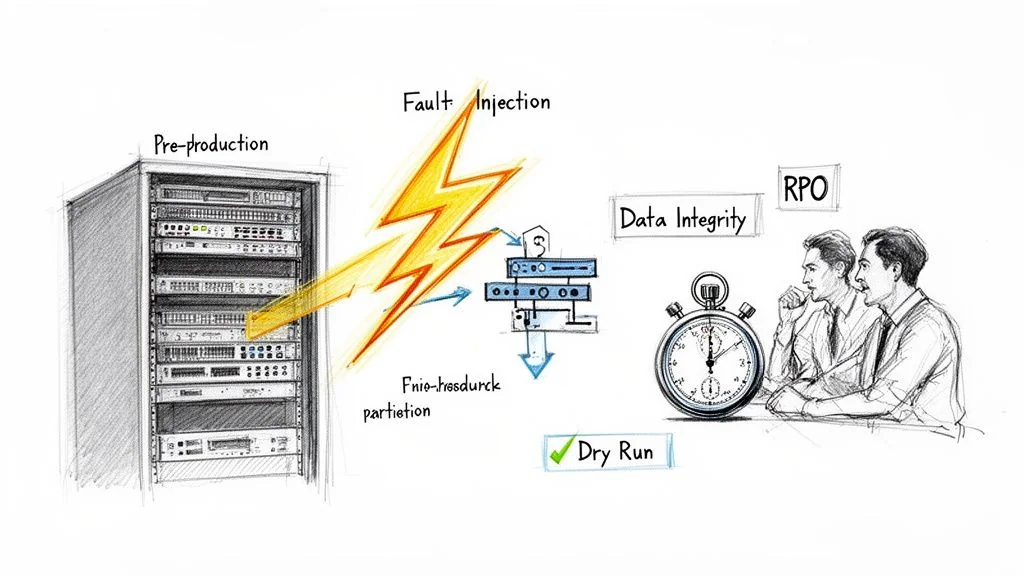
- Full-Scale Dry Runs: This is the dress rehearsal. In a pre-production environment that mirrors production, execute the entire migration cutover and then intentionally trigger a rollback. Time everything from the “NO-GO” decision to when the legacy system is declared fully operational. This is your most accurate indicator of your actual RTO.
Applying Chaos Engineering to Your Rehearsals
A perfect dry run is a good sign, but it is not enough. Real-world failures are chaotic and unpredictable. To truly stress-test your plan, borrow from the discipline of chaos engineering and intentionally inject failures during your rehearsals. This finds the plan’s breaking points before they find you during the actual cutover.
Do not just rehearse the happy path. Your rollback plan must function even when the environment itself is unstable. Simulating perfect conditions gives you a dangerously misleading sense of confidence.
A huge number of migration failures stem from bad data and unexpected format issues. Poor data quality affects 84% of decisions, and format incompatibilities cause up to 45% of failures. You must actively simulate these problems. For example, intentionally corrupt a batch of records post-migration to see if your validation scripts catch it and correctly trigger the rollback. Prevent these data-related failures with modern migration strategies by anticipating them.
During your next full-scale dry run, try injecting these failures:
- Network Partition: Temporarily block communication between the new application and its database. Do rollback scripts handle timeouts gracefully?
- API Timeouts: Simulate a critical downstream service becoming unavailable. How does this dependency affect your rollback procedure?
- Resource Exhaustion: Artificially spike the CPU or memory on a key node in the rollback path. Does your automation grind to a halt?
By intentionally breaking things in a controlled environment, you expose hidden dependencies and single points of failure. Every issue found hardens your runbook and makes your data migration rollback planning genuinely robust.
Next Steps: Finalize and Test Your Plan
Your data migration rollback plan is now architected and documented. The immediate next step is to schedule the first full-scale dry run. Do not proceed with the migration until this rehearsal is successfully completed and your team can meet the target RTO and RPO metrics.
Use this checklist to ensure readiness:
- [ ] Finalize Runbook: All technical procedures, communication templates, and escalation paths are documented and version-controlled.
- [ ] Schedule Dry Run: Block time on the calendar for a full-scale rehearsal in a production-like environment. Ensure all stakeholders are available.
- [ ] Define Go/No-Go Criteria: Establish non-negotiable data integrity, performance, and business validation metrics. If these are not met during cutover, the rollback is automatic.
- [ ] Vet Your Partner (If Applicable): If using a third party, demand to see their anonymized runbooks and rehearsal metrics from past projects. Vague answers are a major red flag. Inexperienced partners often cause migration failures; Curiosity Software data indicates that 64% of projects exceed budget.
A partner’s obsession with rollback planning is directly proportional to their experience with migration disasters. The best partners are borderline paranoid about it because they’ve seen what happens when things go wrong. They should view these validation steps as standard procedure, not an additional cost. Partners who specialize in complex projects like navigating legacy system modernization will have these processes built into their methodology.
Your rollback plan is not complete until it has been successfully executed under realistic, imperfect conditions.
Frequently Asked Questions for CTOs
Even with a solid strategy, practical questions arise during execution. Here are the direct answers we provide to technical leaders.
What Is a Realistic Budget for Data Migration Rollback Planning?
Allocate 15-20% of your total migration project budget specifically for rollback planning, dedicated tooling, and rehearsals. This is not a cost center—it’s the cheapest insurance policy you’ll ever buy. That figure covers the real costs: spinning up parallel environments, specialized snapshot/recovery tools, and the engineering hours required to build and repeatedly test your runbooks. Skimping here is a classic false economy.
Are Cloud Provider Snapshots Enough for a Rollback Strategy?
No. Relying solely on native cloud provider tools (AWS Snapshots, Azure Disk Backup) is a dangerously incomplete strategy. Snapshots are a critical piece for reverting the data, but they are only one piece.
A snapshot-only plan ignores where failures often hide:
- Application-level configuration drift: Environment variables or feature flags that have changed.
- Non-backward-compatible schema changes: Old application code cannot read the new schema.
- Dependencies and external services: New integration points with different microservices or third-party APIs.
A snapshot-only plan is a data plan, not a systems plan. It’s a recipe for a failed rollback, which is a failure on top of a failure. Your plan must be holistic, covering the data, configuration, and application code.
How Do We Make the Final Go/No-Go Decision for a Cutover?
The go/no-go decision must not be an emotional judgment call. It must be a calculated decision based on pre-defined, quantifiable criteria that all stakeholders have signed off on. These criteria must be in your runbook. If the checks fail, the decision is automatically “no-go,” and the rollback plan is triggered without debate.
Your go/no-go checklist must, at a minimum, include:
- Data Integrity Verification: A post-migration validation suite runs and reports an error rate below a pre-agreed threshold (e.g.,
<0.01%). - Performance Benchmarking: Key application transactions must perform within 110% of the pre-migration baseline.
- Critical Business Process Validation: A designated group of business users successfully completes a checklist of essential functions in the new system.
If any of these hard checks fail, you roll back. Period.
What Is the Difference Between a Rollback and a Disaster Recovery Plan?
Conflating these two is a critical mistake.
- A Rollback Plan is a surgical, project-specific procedure to undo a planned change (your migration) that has gone wrong. It returns the system to the state that existed moments before the cutover.
- A Disaster Recovery (DR) Plan is a broader, business-wide strategy to restore operations after a catastrophic, unplanned event like a regional cloud outage or cyberattack.
While your data migration rollback planning can and should use existing DR infrastructure (like backup storage or replication tools), its purpose is far more tactical. A rollback is a controlled retreat from a failed deployment; DR is an all-hands-on-deck response to a catastrophe.